Data creazione 10/09/03 DS03I009GB--00 Pagina 4 di 59
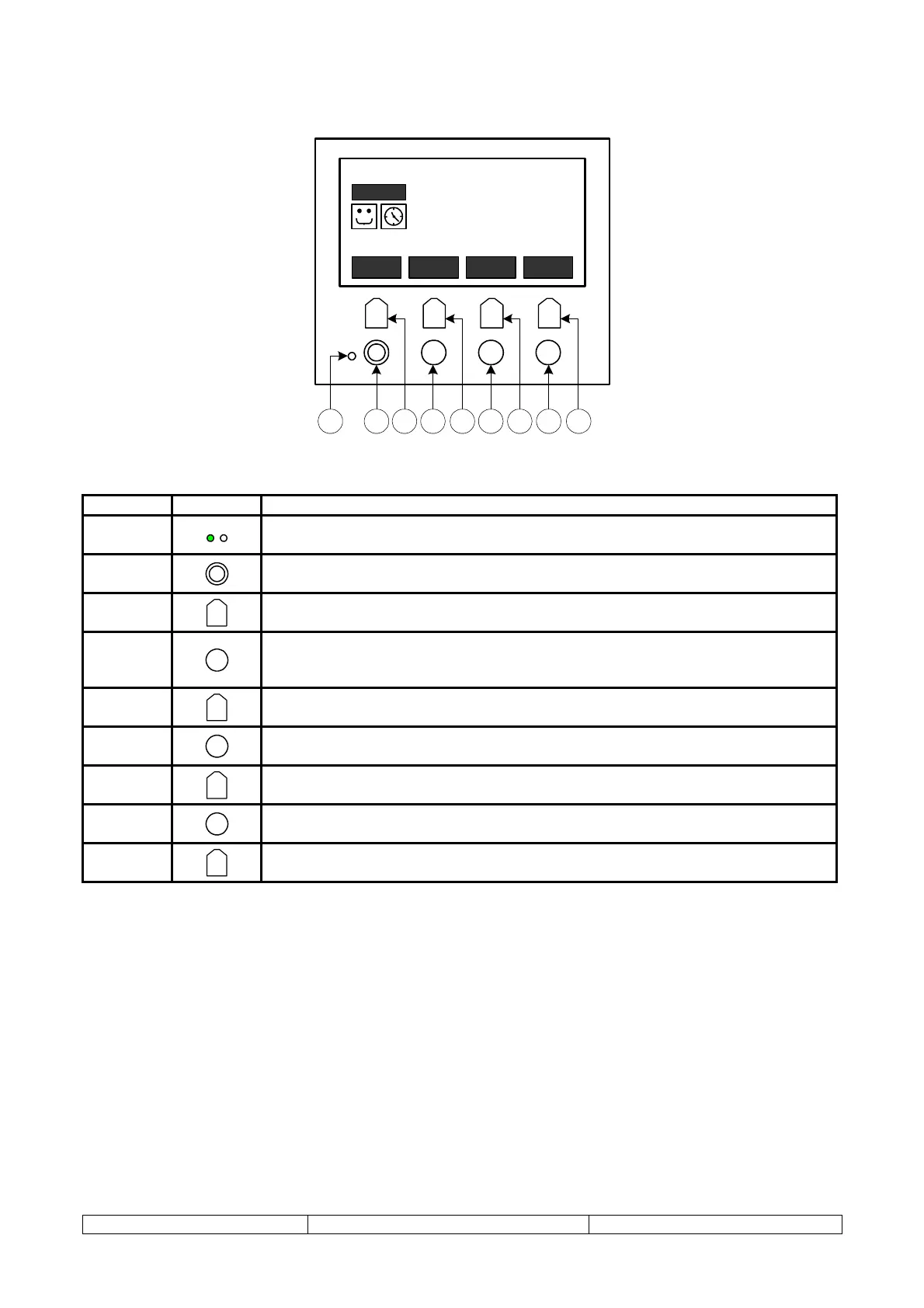
DESCRIPTION OF THE BUTTONS
F1 F4F3F2
?
ESC
I
HOME
ALARM
MODE
SETUP
STATE
ON
C O O L
STEP:
03 / 12
15 / 02 / 03 08:03:51
7.
0
°C
SET
9.
3
°C
OUT
12.
2
°C
IN
2 731 4 6 85 9
NUMBER SYMBOL MEANING
1
LED = on when unit ON
LED = off when unit OFF
2
I
“ON-OFF” button: holding this for at least 3 seconds turns the unit on or off
3
F1
F1 = Button that runs the associated function indicated in bold, “MODE”
4
?
“HELP” button: depending on the menu selected, pressing this button provides
brief descriptions to help the user interpret the parameters, status variables and
alarms
5
F2
F2 = Button that runs the associated function indicated in bold, “ALARM”
6
ESC
“ESC” key: when navigating the menus, this key can be used to go back to the
previous screen
7
F3
F3 = Button that runs the associated function indicated in bold, “SETUP”
8
HOME
“HOME” button: during navigation, returns to the main menu from any screen
9
F4
F4 = Button that runs the associated function indicated in bold, “STATE”



 To Next Page