EasyManua.ls Logo

Clorius Controls ER 2022S - Page 46

Clorius Controls ER 2022S
69 pages
Print Icon
To Next Page IconTo Next Page
To Previous Page IconTo Previous Page
Loading...
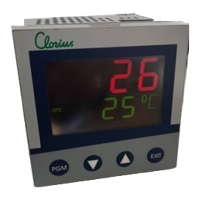
Compact controller ER 2022S and ER 2022SA
www.clori uscontrols.com
46 of 69
8. Configuration
8.6 Binary functions “binF”
Symbol
Value/selection
Description
Binary input 1
bin1
0
No function
1
Start autotuning
….
2
Cancel autotuning
3
Change to manual mode
Binary input 8
Bin8
4
Controller off (controller outputs are switched off)
5
Inhibit manual mode
Limit comparator 1
LC1
6
Hold ramp
7
Cancel ramp
…..
8
Setpoint changeover
9
Parameter set switching
Limit comparator 4
LC4
10
Key inhibit
11
Level inhibit
Timer 1
tF1
12
Display “off” with key inhibit
13
Acknowledge limit comparators
Timer 2
tF2
14
Inhibit program start
15
Start program
Logistic 1
Lo1
16
Pause program
17
Cancel program
Logistic 2
Lo2
18
Segment change
19
Start timer 1
Control contact 1
CC1
20
Start timer 2
21
Cancel timer 1
22
Cancel timer 2
Control contact 4
CC4
Level inhibit
Tolerance limit
signal
toLS
The parameter and configuration levels are inhibited.
In addition, the start of autotuning is inhibited
Program end signal
PrES
Program end signal:
The signal is active after approx. 1 second (pulse)
Text display:
If the binary functions are active, a configurable text is
shown in the lower display. The text can be uniquely
defined (only through the setup program)
NOTE: Factory settings shown with BOLD text
Set point and
parameter set
switching
A binary function can be used to switch between set point 1 and set point 2 or parameter set
1 and parameter set 2.
Set point switching
Parameter set switching
Binary signal
Set point 1 active
Parameter set 1 active
0/contact open
Set point 2 active
Parameter set 2 active
1/contact closed
In order to switch between the four possible set points, two binary functions must be
configured to set point switching. The stats of the two binary functions are designated Z1 ab
z” and switch the set points over as shown in the table below.
Set points
Z2
Z1
Set point 1
0
0
Set point 2
0
1
Set point 3
1
0
Set point 4
1
1
0 = contact open/OFF - 1 = contact closed/ON