OPERATING MANUAL
800.749.2761 www.coachcomm.com
20
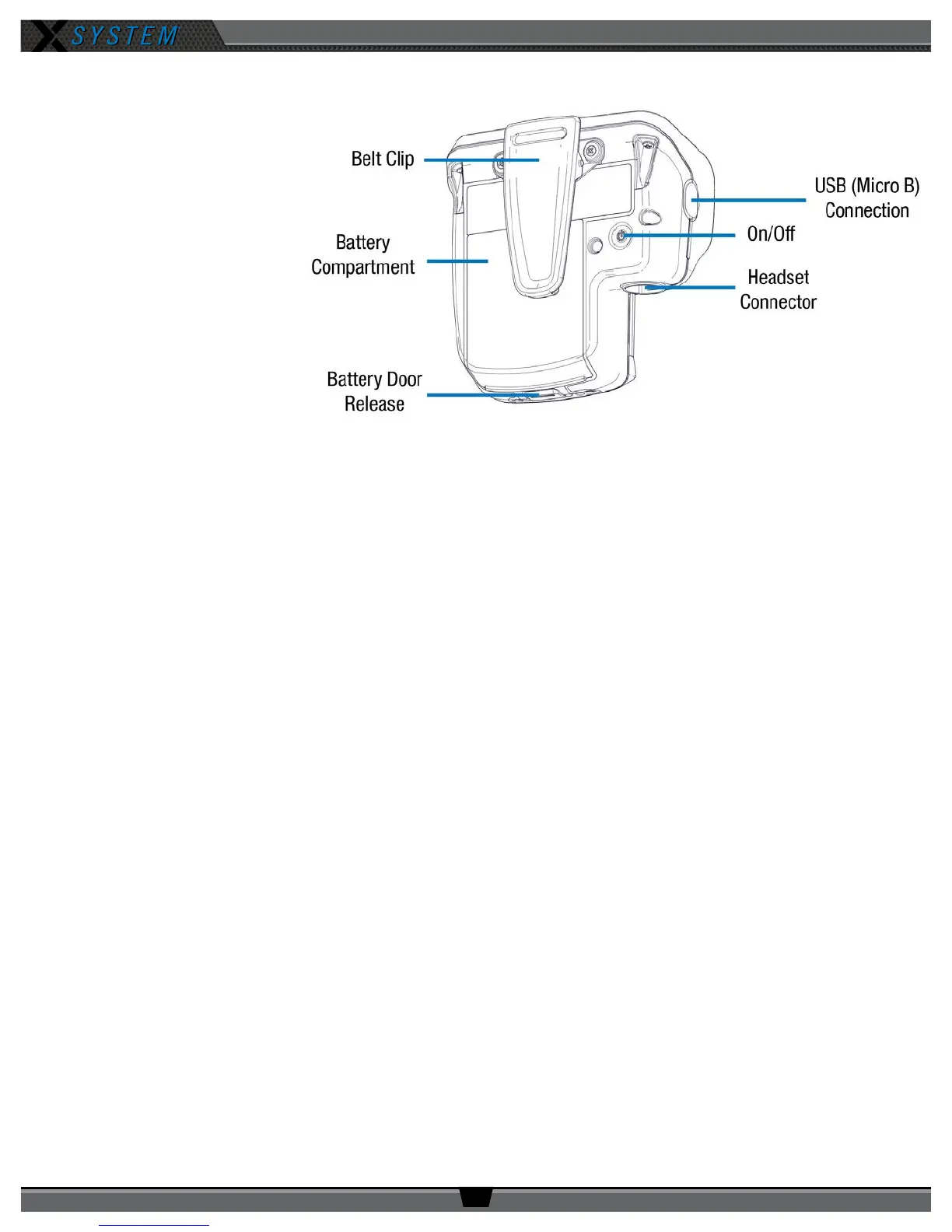
Radio Pack Rear
• Belt Clip – Secure and
sturdy belt clip enables
RP wearing via belt.
• Battery Compartment
Door – Secures and
protects the RP’s Lithium-
Polymer battery or 3 AA
batteries.
• Battery Door Release
– Pressing the release
opens the RP’s battery
compartment.
• USB (Micro B)
Connection – This
USB connection is for
connecting an RP to a
Control Unit for pairing or connecting an RP to a PC for device rmware updates.
• On/Off Button – The On/Off button powers the RP on and off when pressed for 3 seconds.
• 4-Pin Male XLR Headset Connector – Headset connector is a 4-pin male XLR connection. Optional XLR adapters
(4-pin female to 4-pin female and 4-pin female to 5-pin female) are sold separately.
Figure 22: Radio Pack Rear View



 To Next Page