OPERATING MANUAL
800.749.2761 www.coachcomm.com
36
Assigning New Conferences
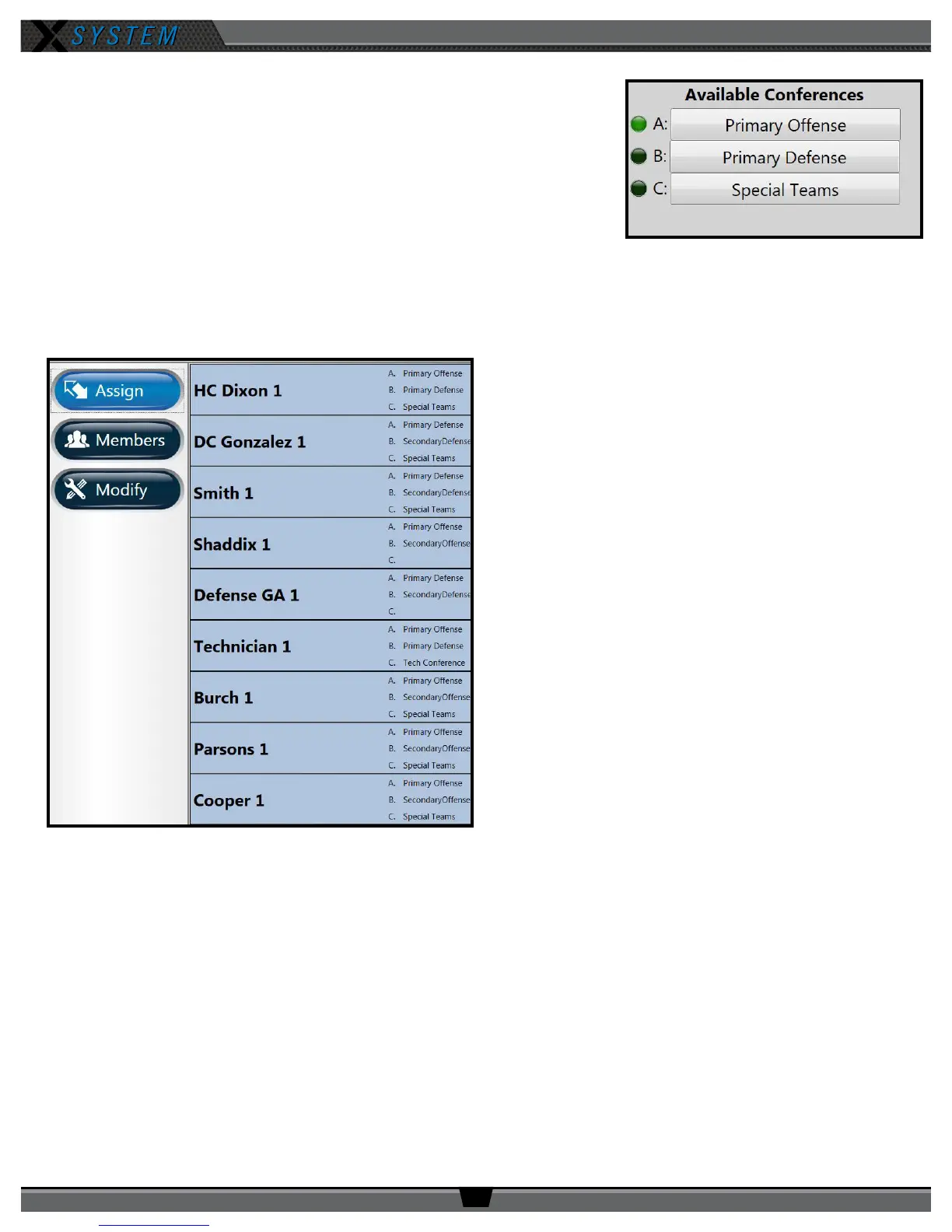
The list of available conferences on the RP Prole Screen displays the conferences
currently assigned to that RP’s prole. An illuminated green indicator shows the
RP’s current active conference.
You can quickly edit these assigned conferences by tapping/clicking on any
conference and selecting the new assignment from the conference list that
displays.
Note: If you change a conference on a prole, all Radio Packs with that prole
will change also.
Assigning New Proles
The Assign button enables you to quickly assign a new
prole to the selected RP. The right-hand list displays the
available proles for the type of RP selected (i.e., only
900MHz proles will display if you selected a 900MHz RP).
To change the prole, tap/click the desired prole from the
list. Conrm your selection on the prompt that displays.
You can choose whether to load user settings from the new
prole or retain the selected RP’s current user settings.
(User settings include the items listed under the “Modify”
view. See page 37 for more information.)
Figure 46: RP Prole Screen’s Available Conferences List
Figure 47: X-Ware Assign Prole View



 To Next Page