DIGIMINI AMERICAS REPEATERS
PRODUCT DESCRIPTION AND USER’S MANUAL
Cobham Wireless – Coverage Date: 6-Jul-17 www.cobham.com/wireless
Document number: 00031UM Rev. 6.3
Page |4-8
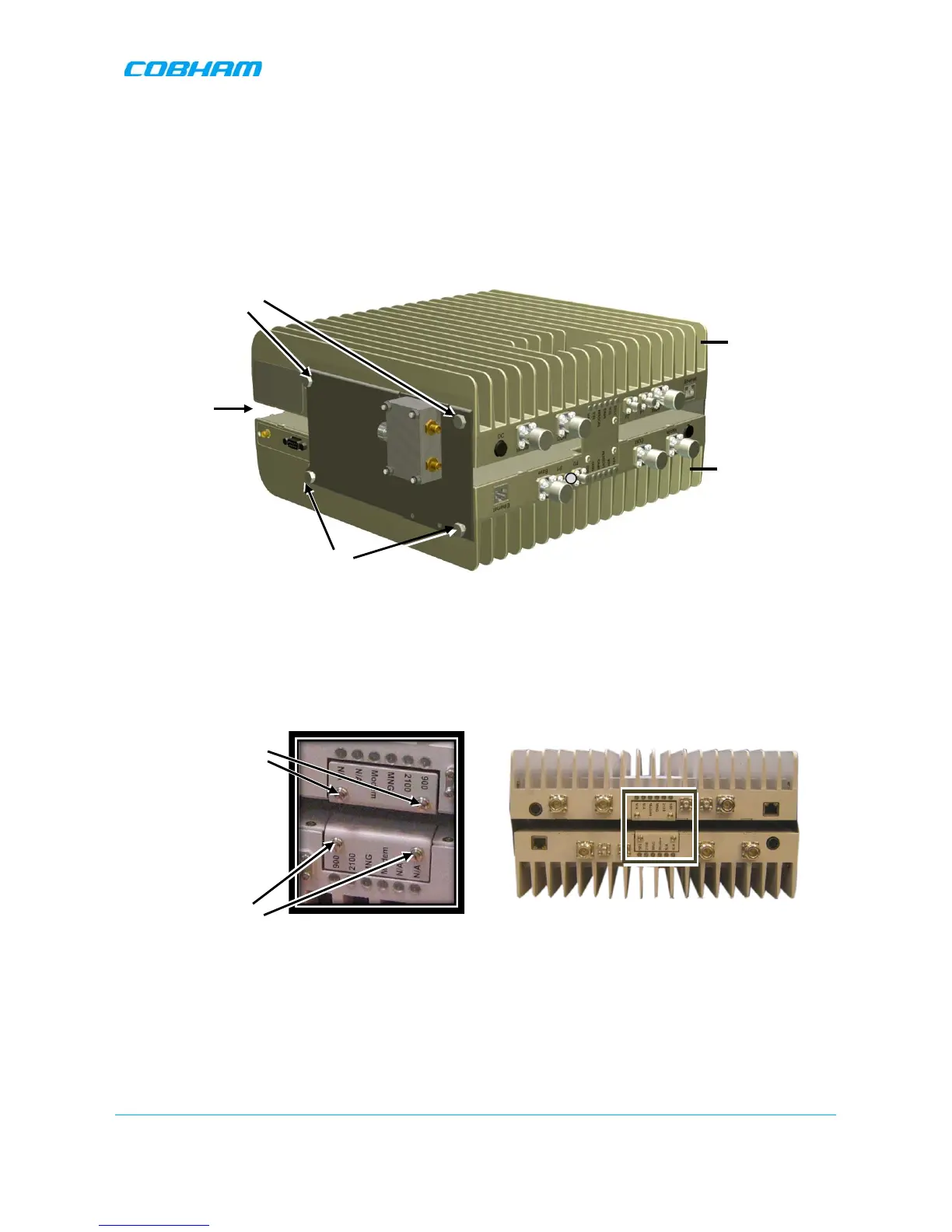
5. Assemble top Repeater:
• Place second repeater back-to-back (flat surfaces together) on bottom repeater.
• Align the top repeater holes with the top side bracket holes and tightly secure. (You may
need to place your hand between the two repeaters in order to maintain the appropriate separation
between the repeaters, allowing the alignment of the bracket holes to the repeaters.)
Figure 4-8. Assemble Top Repeater
6. Remove the LED plates of BOTH Repeaters and set them aside.
Figure 4-9. Removing Dedicated Tabs


 To Next Page