Start up and basic functions
98-145510-E Chapter 5: Initial setup and basic functions 5-5
When the modem is ready, you can use it to connect to the Internet via the VSAT satellite
system.
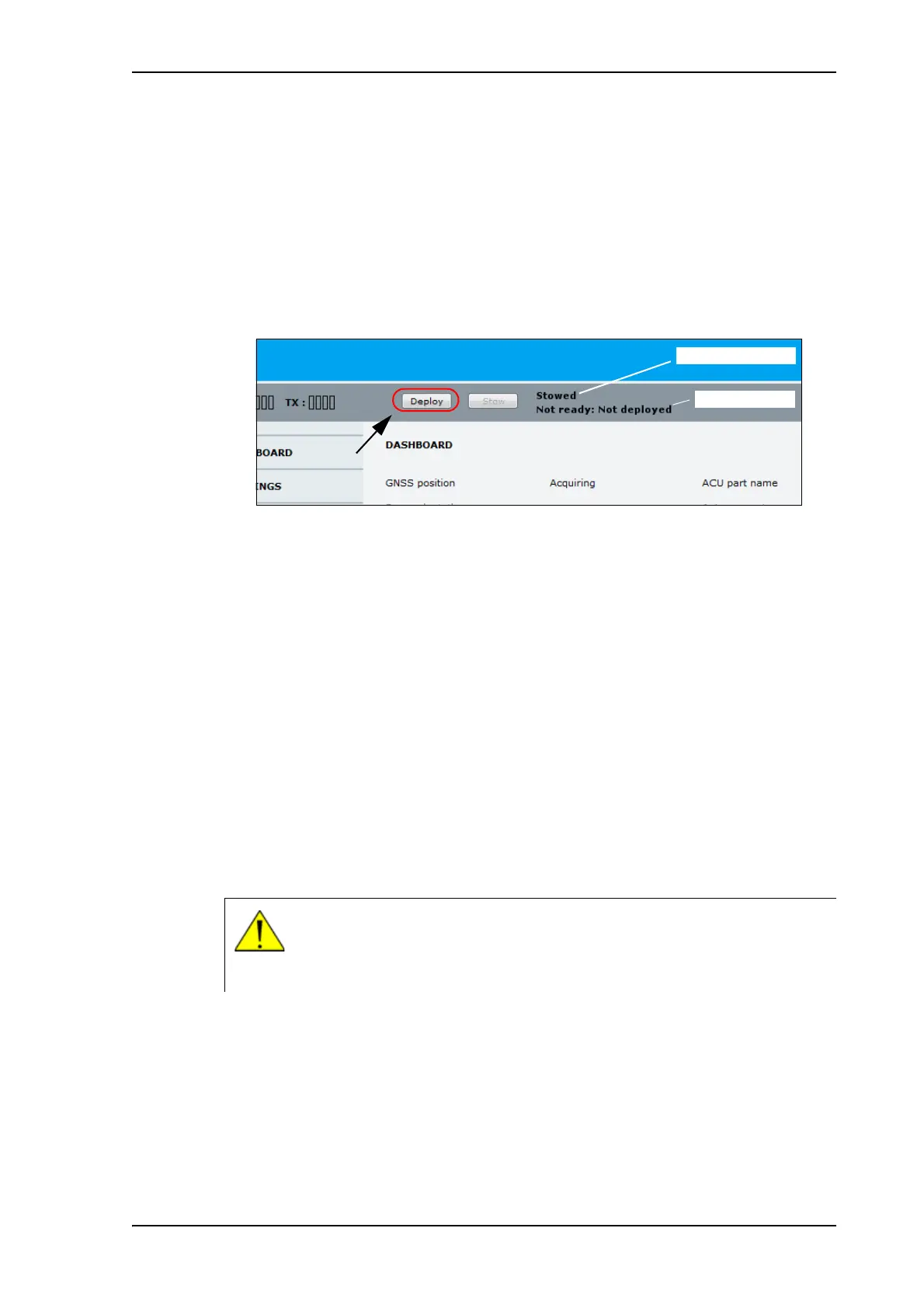
To deploy the antenna using the web interface
1. Connect a PC to the LAN1 or front LAN connector at the ACU.
You may also use WLAN, if it is configured.
2. Open an Internet browser and type the IP address (default http://192.168.0.1).
3. When the system has started up, click the Deploy button.
4. Check the status in the web interface. You may have to confirm before the acquisition
procedure can start, if too much time has passed after the deployment of the antenna.
5. Wait until the system status shows Tracking.
6. Check that your modem is ready. The indications may differ depending on the modem
type, refer to the documentation for your modem.
When the modem is ready, you can use it to connect to the Internet via the VSAT satellite
system.
5.4.2 To stop the antenna
You can stop the antenna, e.g. if some object is interfering with the movement of the
antenna and you cannot access the emergency stop button. If you are close to the ACU,
you can use the on/off button to switch off the system. This will immediately stop the
antenna movement.
You can also use the electronic stop function, which is described below.
To stop the antenna using the display and keypad
To learn how to use the keypad see Keypad and display menus on page 6-27.
1. Press OK to enter the menu system and press OK again to access the OPERATION
page.
2. Press until STOP is selected, and press OK.
Figure 1: To deploy the antenna using the web interface
System status
Deployed status
WARNING! This is not the same function as the emergency stop button! In
emergency situations, use the emergency stop button if possible. The
emergency stop button switches off the motors, whereas the electronic stop
function just stops the movement.



 To Next Page