The web interface
98-145510-E Chapter 6: Setup and operation 6-14
6.1.7 To configure the LAN network
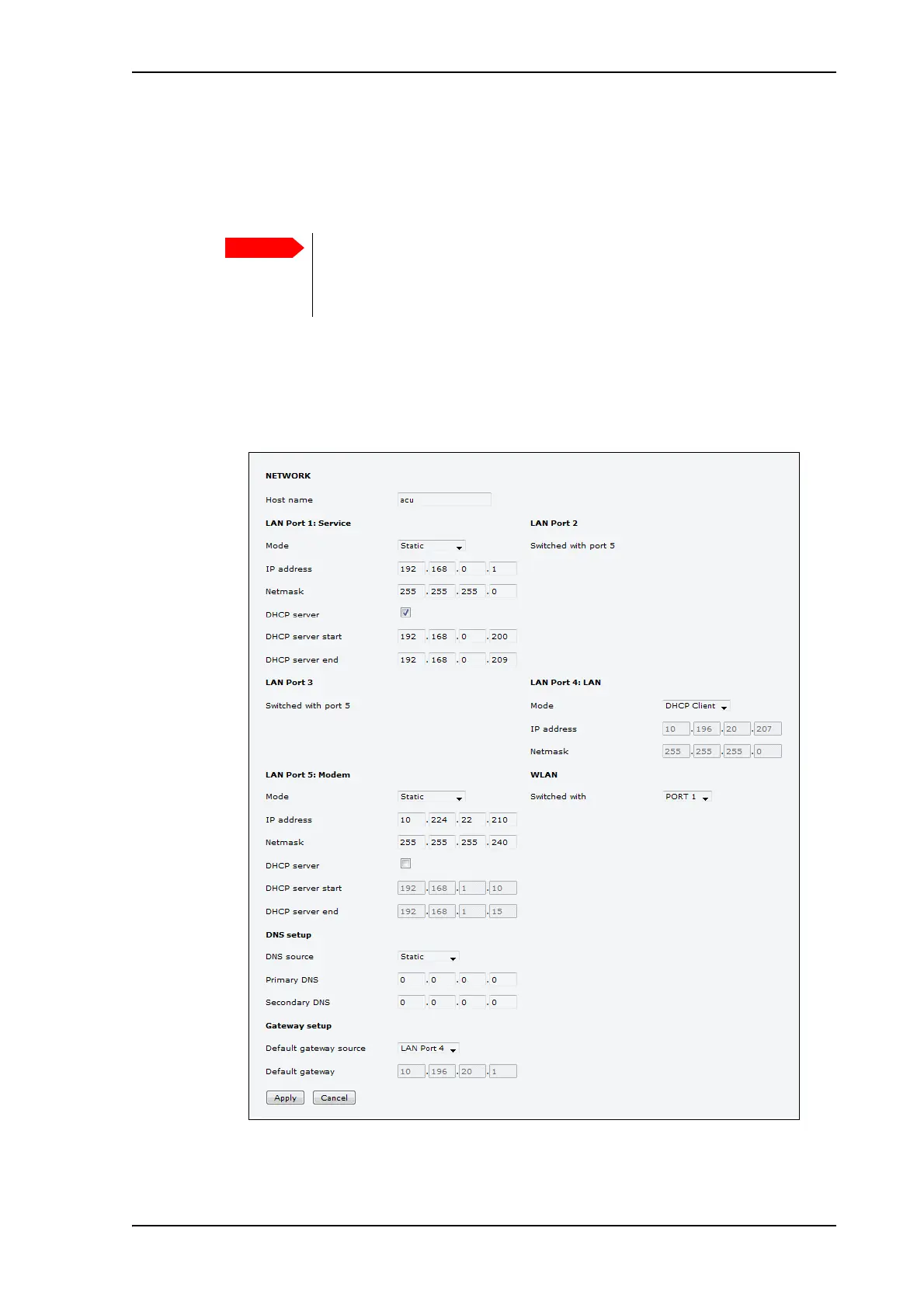
On this page you can set up the LAN network and enter a host name. The host name helps
identifying the VSAT system.
To configure the LAN network, do as follows:
1. Select SETTINGS > Network.
2. Make the necessary changes on this page and click Apply.
For available options for the network configuration, see Table 6-11 on page 6-15.
The VSAT system is not designed to be connected directly to the Internet. It
must be located behind a dedicated network security device such as a fire
wall. You should change the default passwords as anyone with access and
malicious intent can render the system inoperable.
Figure 10: Web interface: SETTINGS, Network (default settings)



 To Next Page