Code Blue
•
259 Hedcor Street
•
Holland, MI 49423 USA
•
800.205.7186
•
www.codeblue.com
GU-137-Hpage 30 of 67
IP1500 and IP2500 Series
Administrator Guide
DateandTimeConguration
Thespeakerphonedateandtimearemanagedby:
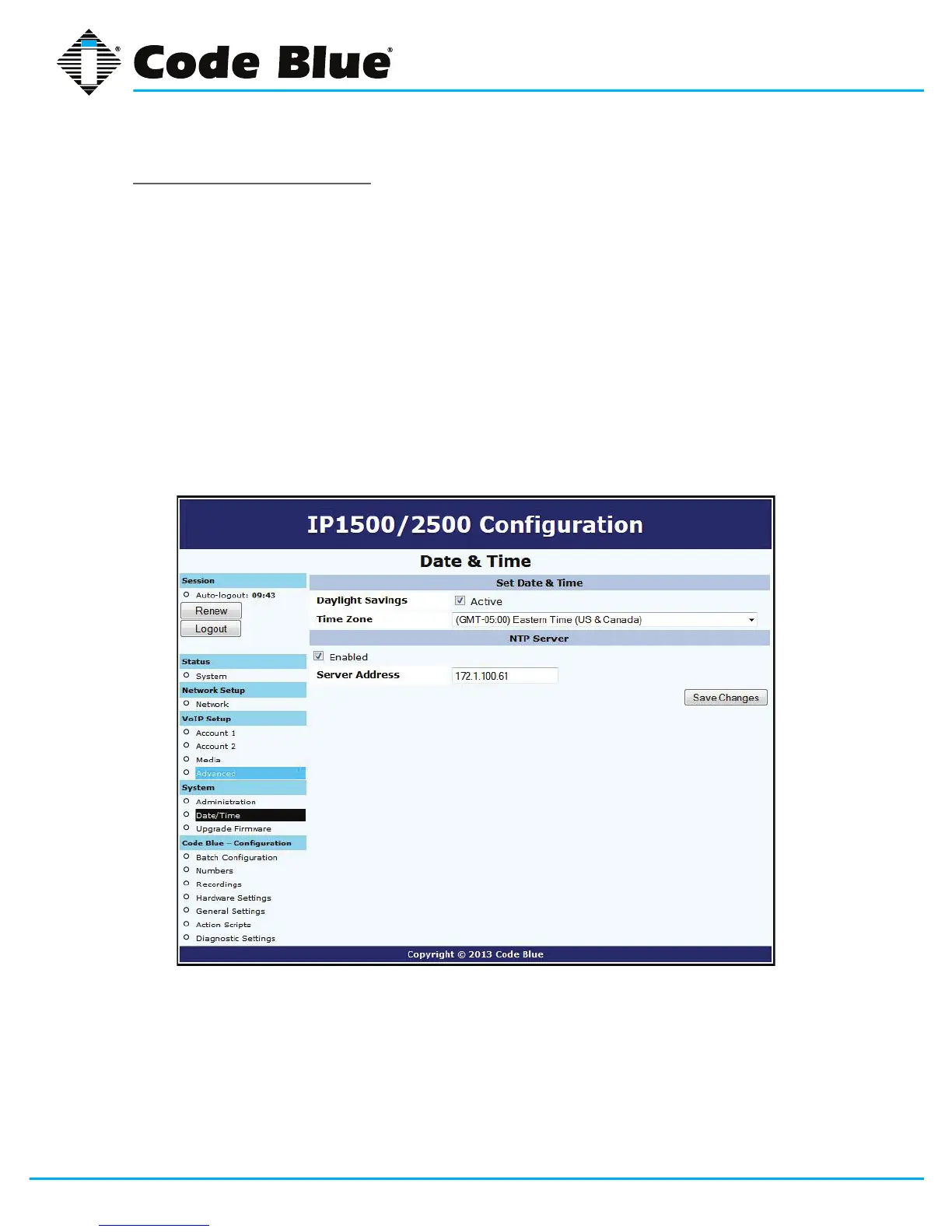
1. Clicking Date/Time under System(seefarleft-handcolumn).
Under the Set Date & Timesection,youcanmanuallysettheDate,Time,DaylightSavings
(ifapplicable)andTimeZone.
2. ToautomaticallysynchronizewithanNTP(NetworkTimeProtocol)server,checkEnabled
andentertheIPorURLoftheNTPserver(i.e.Server Address).
3. Click Save Changes.
Ifthe“ApplyNow”boxdoesn’tappearoncesaved,movetotheadministrationsectionand
usethe“Reboot”button.


 To Next Page