13
CQube MF & LF
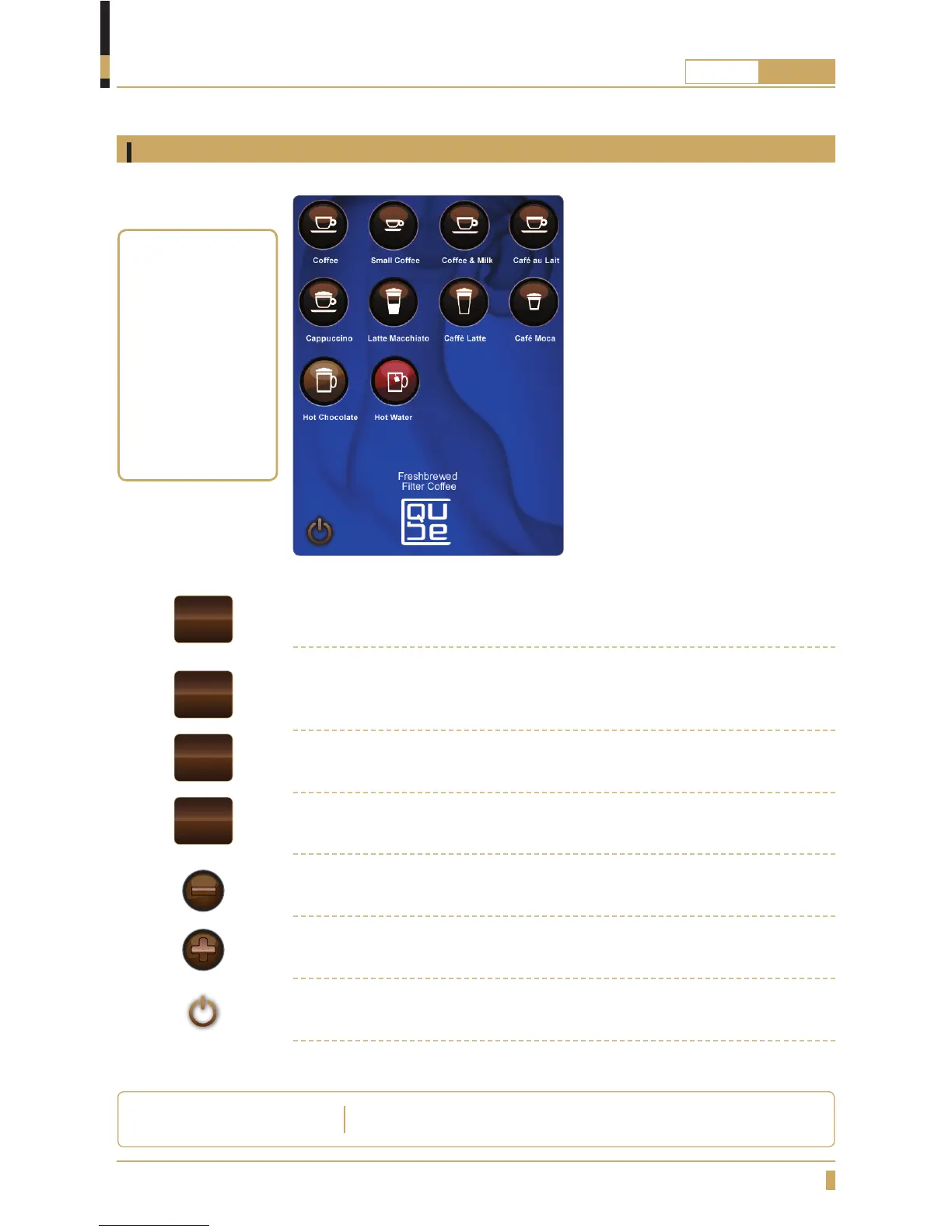
Press the BACK button if you want to leave the submenu and go back in the
menu.
Press the ENTER button to con rm a set value or a setting. Con rm the new
setting by pressing the E-button.
Press START button to con rm drink choice.
Press the STOP button if you want to return to the start menu.
Press the MINUS button for choosing Strength / Volume of the drink.
Press the PLUS button for choosing Strength / Volume of the drink.
To activate energy saving mode press the power icon on the display.
OVERVIEW OF COMPONENTS
Touchscreen navigation
Button functions
Choose drink type
by pressing the icon
on the touchscreen,
when an icon is
selected a fi eld in
the bottom of the
screen appears.
Press START to
pruduce your
selected drink.
The machine decreases the temperature in the water tank to
65
0
C .
ENERGY SAVING MODE
ENTER
START
STOP
BACK






 To Next Page