CQube MF & LF
24
CLEANING PROGRAM
Automatic Cleaning
Cleaning the
brewing mechanism
should be performed
once a week.
Open the door.
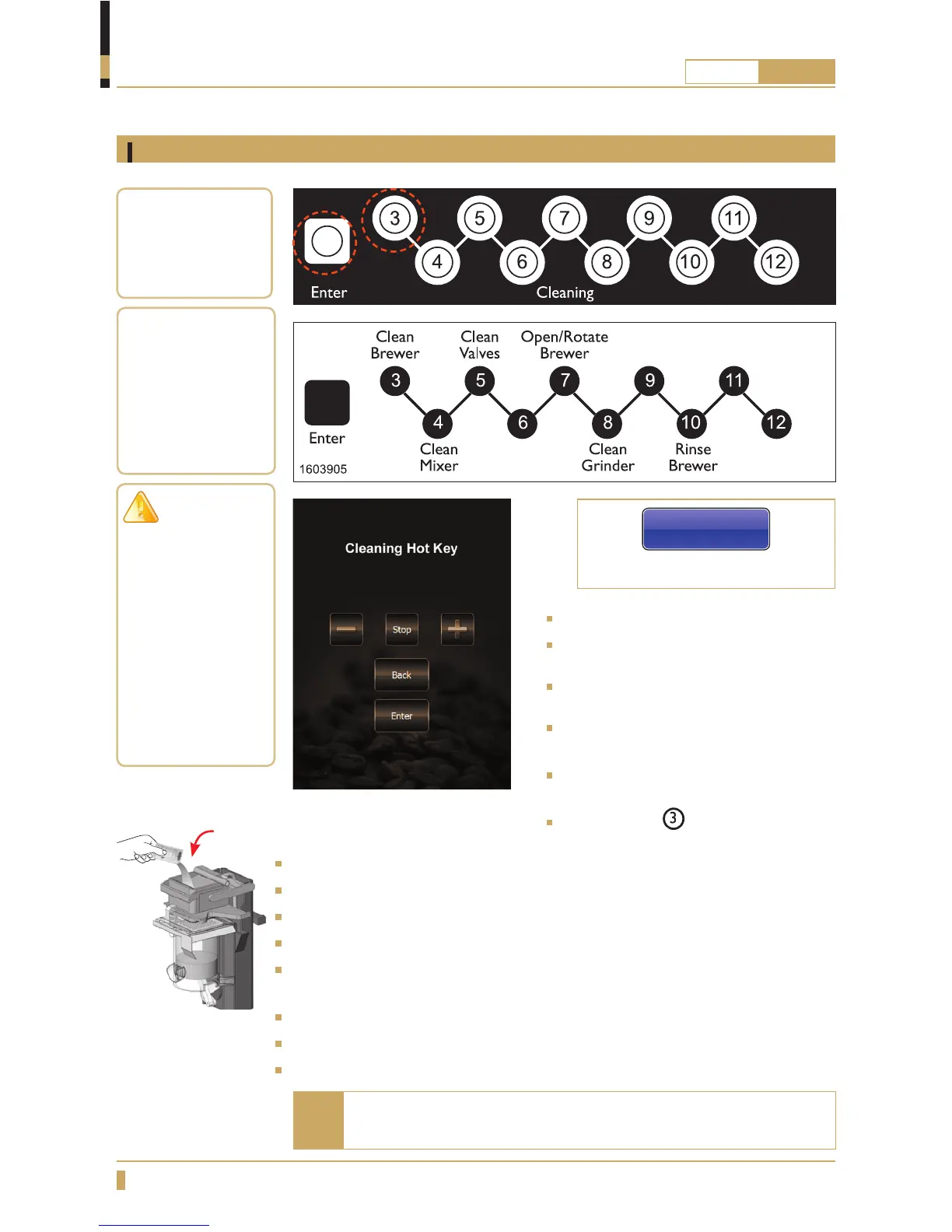
Press ENTER on the cleaning panel
inside the door. (See the gure A)
Cleaning Hot key appears on the
display (cleaning panel is now active).
the display shows: see the gure C or
D.
Put a container that holds at least 1.8
litres under the outlet for hot drinks.
Press button
on the cleaning panel.
(See the gure B)
Display indicates: Place jug, Press ENTER to start
Put 25gr (one portion) of cleaning agent (See g.E) in brewing mechanism.
Press ENTER on the cleaning panel to start the cleaning process.
Display indicates: Preparing Brewer, Please Wait.
Display indicates: Cleaning Brewer, Time Left 300s. The machine counts down
from 300 seconds.
Display indicates: Rinsing Brewer, Cycles left 7.
Display indicates: Cleaning hot key when the cleaning is complete.
Close the door to exit cleaning mode and return to normal mode.
A
B
C
When the cleaning agent has been added, the process must not
be interrupted but be allowed to run its course.
Note
For touchscreen
For membrane switch
Cleaning hot key
D
Total cleaning time
about 10 minutes.
Filter cleaning agent
is avalible from your
dealer:
Product no.
1104161
IMPORTANT!
After cleaning
of the brew
mechanism is
completed, dispense
a cup of coffee and
discard it to remove
cleaning agent
remains in the
fi lter and brew
chamber.
Fig.E
Automatic cleaning of brewing mechanism






 To Next Page