21
CQube MF & LF
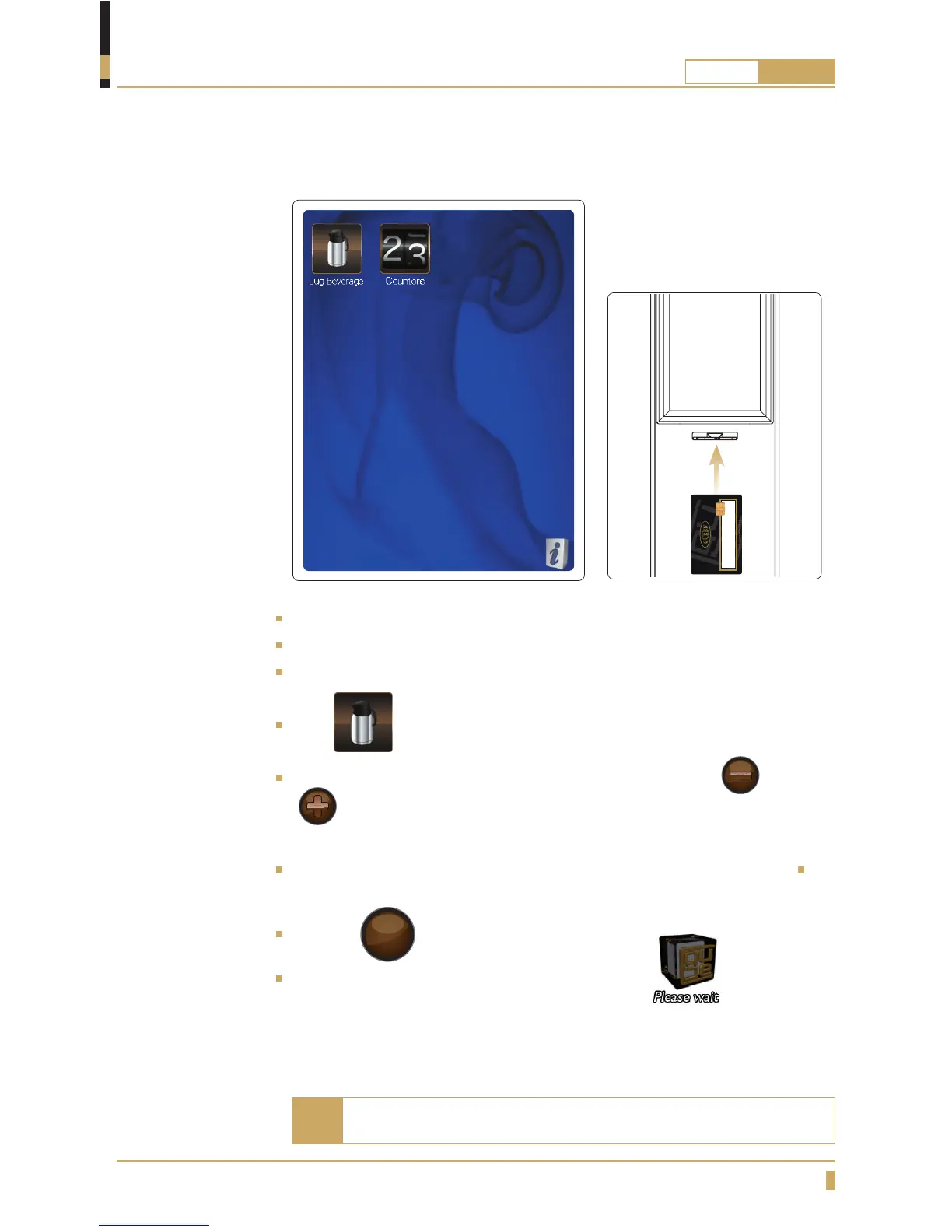
Lift up the cup shelf and put a jug under the outlet for hot drinks.
Insert user card in the card reader(A).
The display shows as in the gure above.
Press
Change the number of cups you want to brew in your jug With or
button. (6 Cup brewing is the default setting. Brewing is possible for up
to 12 cups or down to 1 cup.)
Remove user card, drinks that are avalible for brewing jug now appears.
Choose drink by pressing drink button you want.
Press the
START
button to start dispensing coffee.
Wait until the cup light switches off and the message has
disappeared from the display before removing the jug.
Brewing coffee in a jug (CQube with touchscreen)
OPERATION
If no selection is made, remove the user card. To stop press the
STOP button.
Note
A






 To Next Page