COMBAT
®
CTU UNIT HEATERS INSTALLATION OPERATION AND SER VICE MANUAL
30 of 46
13.3 Common User Controls
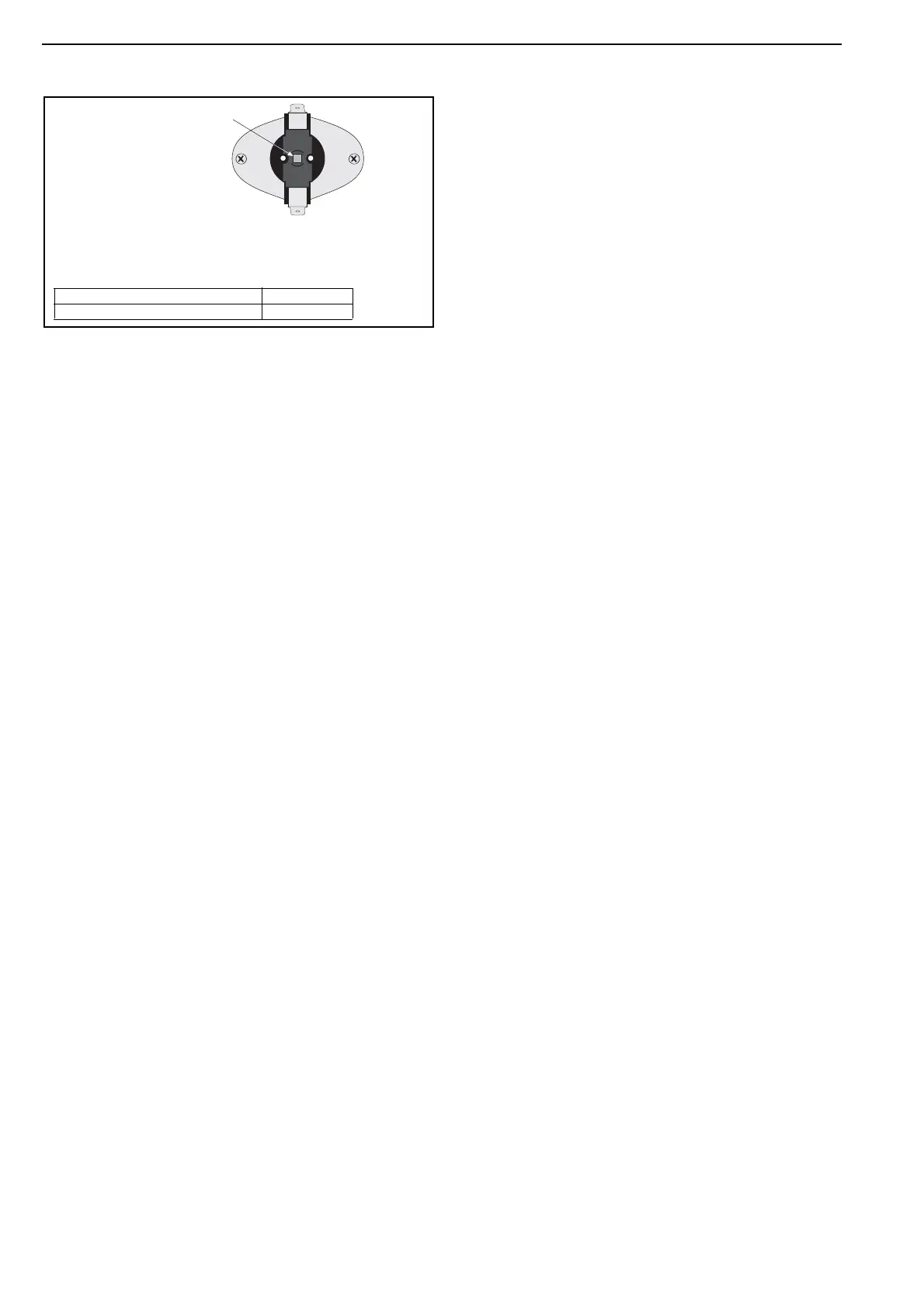
13.3.1 Thermostat Limit Thermodisc
13.3.2 Burner Lockout Reset Button
The red war
ning light at the front of the heater will
illuminate when the control has gone to lockout. This
may be caused by flame failure. Press the reset
button on the back of the heater, (See Page 8,
Section 5.1), or the remote reset if installed on site.
If control locks out
, do not make more than three
attempts to restart the heater. Dangerous fuel
mixtures can build up. The fault must be traced and
repaired by a registered installer or service
engineer.
13.4 Light
ing Instructions
13.4.1 To Turn On Heater
1. E n s ure t
hat the electrical and gas supplies to
the heater are on. Check that the on site
controls are “ON”.
NOTE: T
he thermostat setting must be above the
ambient temperature for the heater to operate.
2. The green light will b
e on and the automatic
firing sequence will begin as described on
Page 26, Figure 11. The heater wil
l now
operate automatically under the control of the
on site controls. Following long shut down
periods, the control may go to lockout. See
Page 30, Section 13.3.2.
13.4.2 To Turn the Heater Off
Set the installed remote controls to the “OFF”
pos
ition.
The bur
ner will turn off immediately.
The fan will c
ontinue to run for a few minutes.
To restart, tur
n the control used above to “ON”.
13.5 Simple Fault Finding
Some possible reasons for the heater not operating
are:
1. Gas sup
ply not turned “ON”.
2. Electricity suppl
y not turned “ON”.
3. The time and/or temperature c
ontrols are not
“ON”.
4. The thermostat limit thermodisc may have
ope
rated. This may be caused by an interrup-
tion of the electrical supp
ly or failure of the
distribution fan.
If the thermostat limit thermodisc persistently
ope
rates, there is a fault which must be investigated
by a contractor qualified in the installation and
service of gas-fired heating equipment.
13.5.1 Simple Fault Finding (
Burner Faults)
If the bur
ner fails to ignite for any reason, it will go to
lockout. This will be indicated by the red light on the
heater or at the remote indicator (if fitted).
1. Press in and release the lockout r
eset button. If
a remote reset is not fitted, a reset button is on
the rear panel of the heater.
See Page 8, Section 5.1.
Lockout
should not occur during normal operation of
the heater and indicates there is a fault condition
which must be corrected.
These are hand reset devices to give further
protection against fan failure.
NOTE: To reset, the heat exchanger must be cool.
Description Part Number
All Models 90412100


 To Next Page