18
Setup
Power Up
Ifyouneedhelpwithsetup,visithttp://comcast.com/skypeorcallat877-704-7713.
1. PlugthepowercableintothePowerportontheadaptorcable.Thenplugthepowercableinto
anelectricaloutlet.Thereisnopowerbuttononyouradaptorbox,sothispowercableistheonly
waytoturnthesystemonandoff.
2. TurnonyourTV,set-topboxandaudioreceiver(ifyouhaveone).
3.MakesurethatyourTVissettotheHDMIportthatyouconnectedtheHDMIcableto.For
example,ifyoupluggedthecableintoHDMI1,thenmakesurethatyourTVissettoHDMI1(not
HDMI2,HDMI3,etc.).
4. Nextyouwillseeablackscreen.
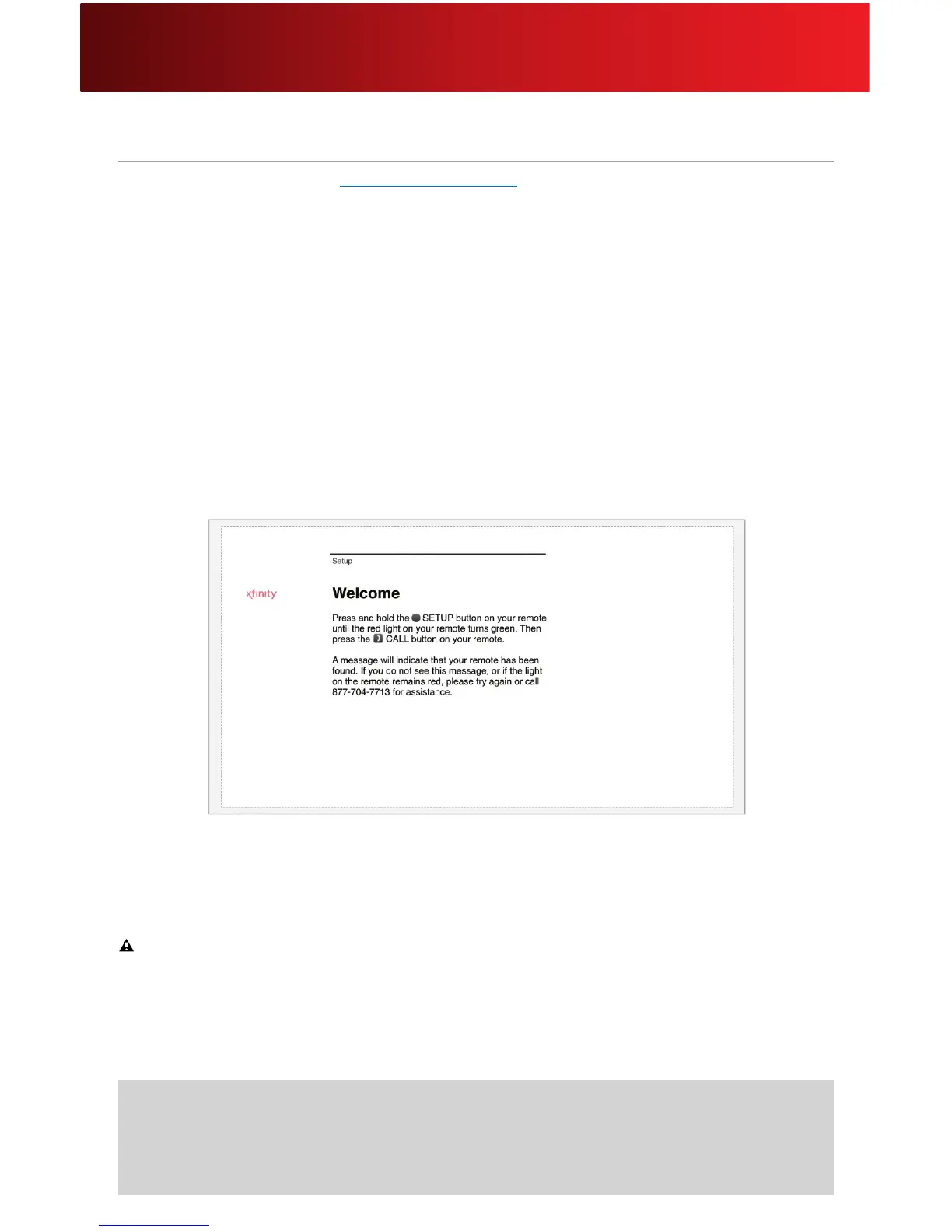
5. In a few minutes (up to 20), you will be greeted with a Welcome screen.
Important Note for Power Up
Pleasedonotunplugorresettheadaptorboxbeforeyouseethisscreen.Ifyouunplugorresetthe
adaptorboxbeforeactivationiscomplete,thesystemwillrestartfromthebeginningofthe
setupprocess.
Helpful Hints for Powering Up
• Thepoweradaptorismadeupoftwopiecesthatjointogether.
• Ifneeded,usetheUSBextensioncabletoaddlengthtoyourcameracable.






 To Next Page