6
Get to Know the Parts
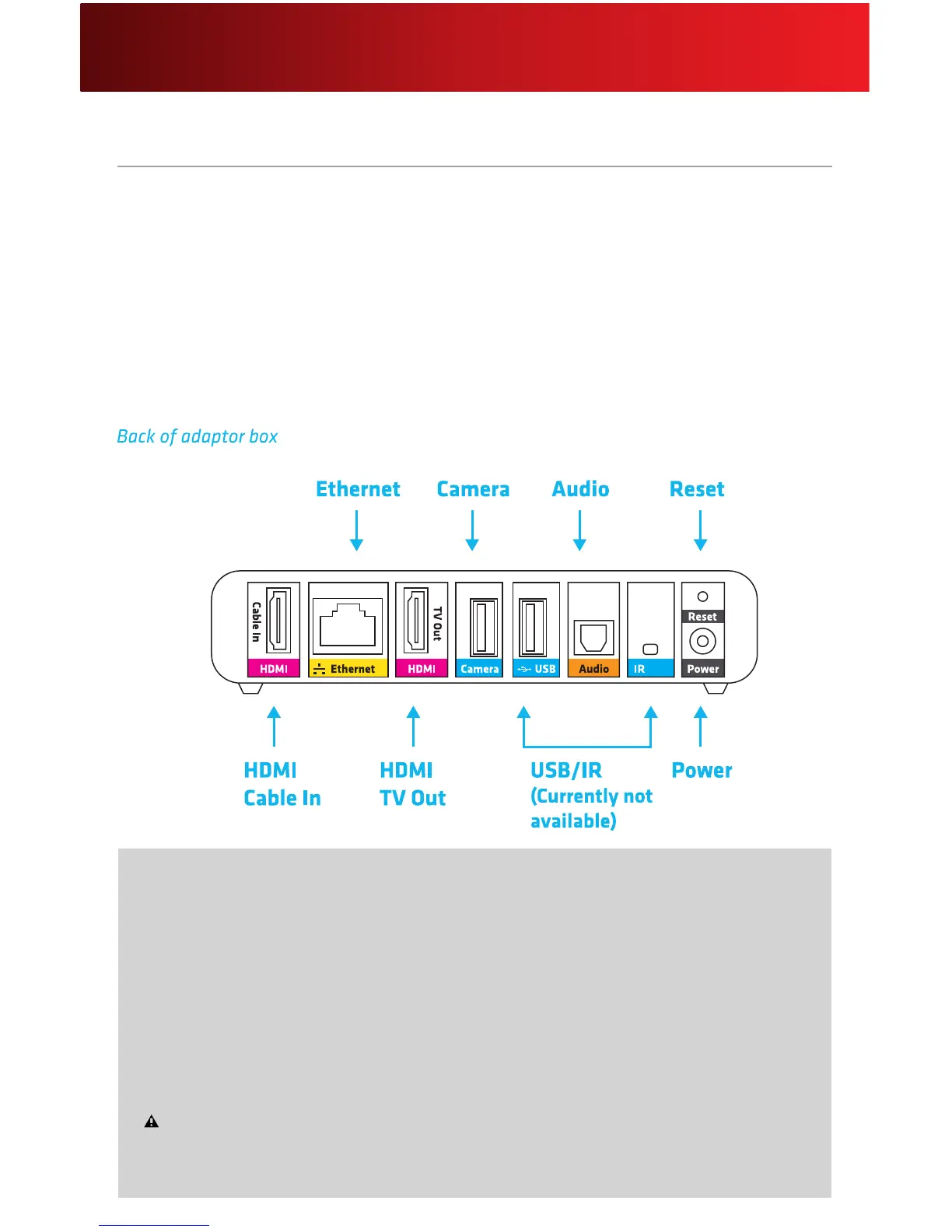
Adaptor Box
• HDMIConnectionsBetweenSet-TopBoxandTV
• Dual-band(2.4GHz/5GHz)WirelessNetwork(802.11n)
• Ethernet-ReadyforWiredConnection
• DigitalAudioOutput
• AudibleNotications
• IntegrationwithSkype
• WPS-CapableforWirelessSetup(currentlynotavailable)
• NewMessageIndicator(currentlynotavailable)
• SDSlotforViewingMedia(currentlynotavailable)
Helpful Hints for the Adaptor Box
• ThereisnoOn/Offindicatorlight.ThePowerLEDremainslitwhenpluggedin.
• Pleasebeawarethatdigitalaudiocanrunthroughyourdigitalaudioreceiver,butdigitalvideo
mustbeconnecteddirectlyfromyouradaptorboxtoyourTV.
• TheResetbuttonisrecessedtopreventaccidentalpressingandhastwofunctions,depending
onthelengthoftimeheld:
- NormalReset:InsertathinobjectandholdtheResetbuttonfor2-5 secondstorebootthe
adaptorboxandkeepyourpersonalsettings.
FactoryReset:InsertathinobjectandholdtheResetbuttonfor15 or more secondsto
deleteALLpersonalsettingsandrestoretheadaptorboxtothedefaultfactorysettings.Factory
Resetshouldbeusedwithcaution,asitremovesallSkypeonXFINITYproles.






 To Next Page