26
Activate
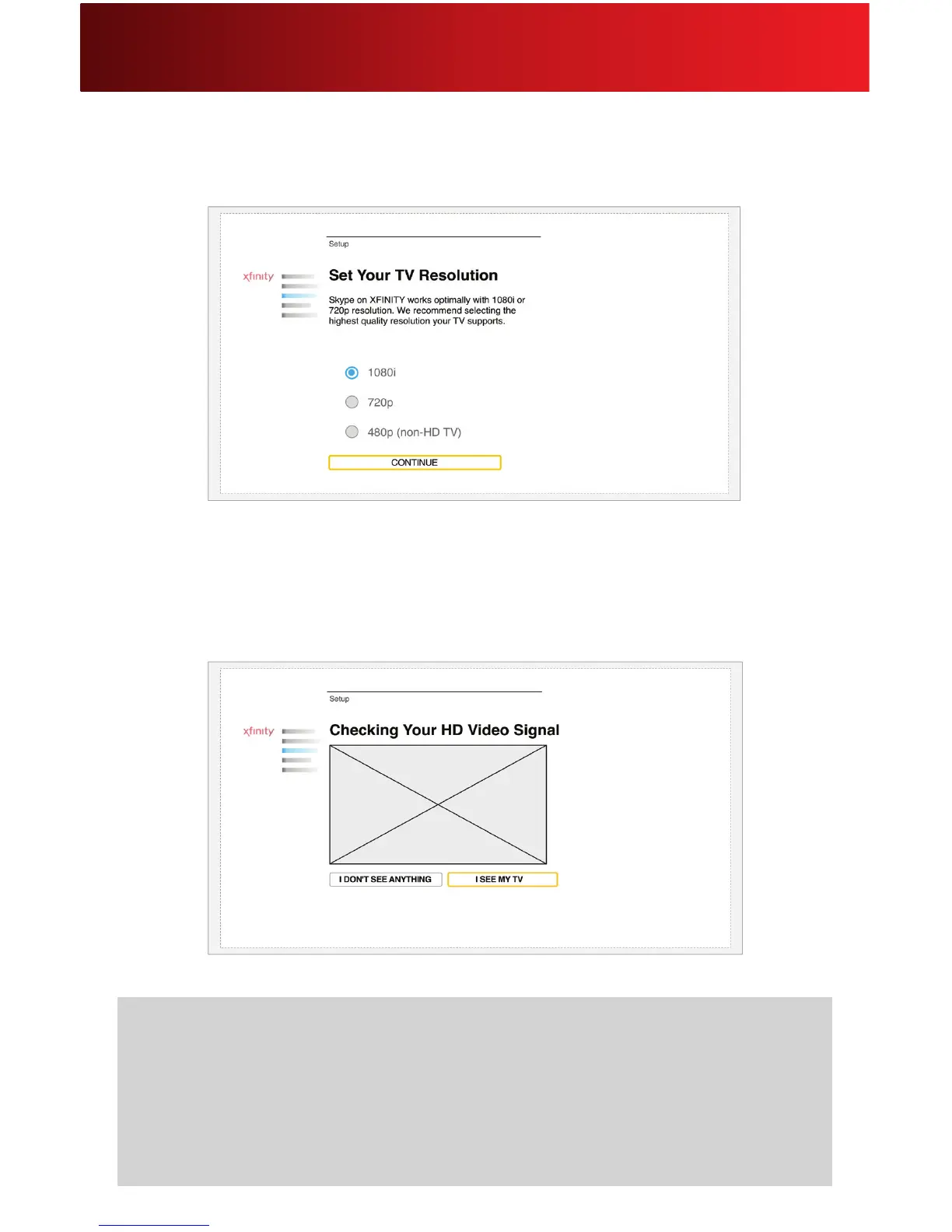
Screen Resolution
SelectyourTV’sresolution.Select1080i,720p,or480p.
Checking Your HD Video Signal
This test ensures that your set-top box is connected properly and that you will be able to watch TV while
usingSkypeonXFINITY.IfyouseeTVprogrammingonthescreen,clickI SEE MY TV.
Helpful Hints for HD Video Signal
• IfyouseeagrayboxwithanX,clickI DON’T SEE ANYTHING.CheckthatyourHDMIcableis
securelyconnectedandtryagain.Alsocheckthatthattheset-topboxandinputtedvideosource
are turned on.
• YoucanuseSkypeonXFINITYwithouttheTVconnection,butyouwillnotbeabletowatchTV
while using Skype on XFINITY.
v






 To Next Page