22
Activate
Available Wireless Networks
Followthesestepsifyouareusinganavailablewirelessnetwork.
1. Ensure that the Ethernet cable is not connected.
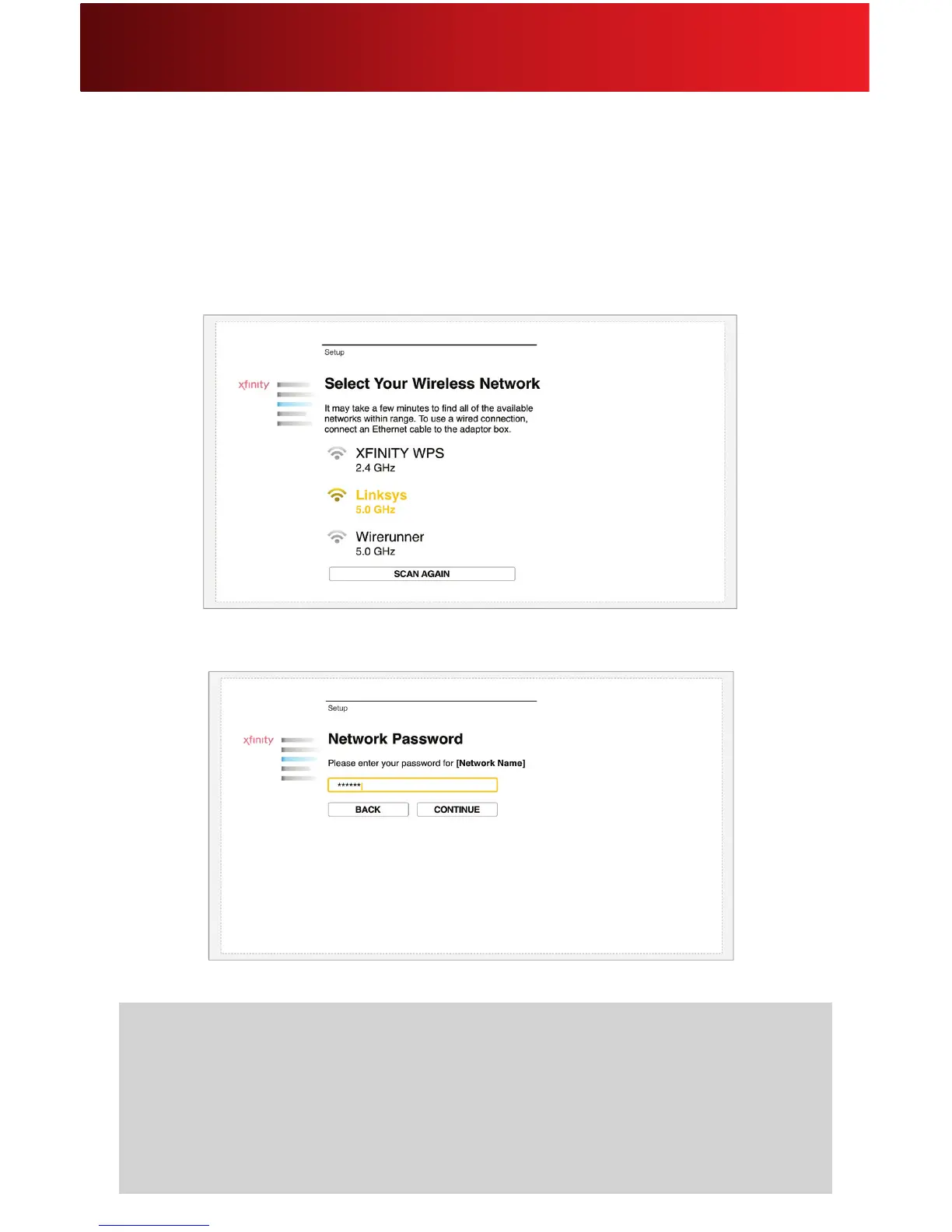
2. Fromtheoptions,clickSelect Your Wireless Network.
3. Select your wireless network from the list of networks within range.
4. Enter your network password.
Helpful Hints for Available Wireless Networks
• Ifyourwirelessnetworkcannotbefound,makesurethatyourwirelessrouterormodemis
workingproperlyandreconnect.Ifitstillcannotbefound,checkthattheEthernetcableisnot
connected,thenclickSCAN AGAIN.
• Ifyourwirelessnetworkisfoundbuttheconnectionfails,theremaybeaproblemwithyour
Internetservice.Checkyourserviceandtryagain.






 To Next Page