CommScope ERA
®
CAP M2 with Fiber Interface M0203AHA_uc
Page 32 © August 2022 CommScope, Inc.
Connect the Cables to the Fiber CAP M2
Connect the Passive RF Antenna
Do the following to connect a Fiber CAP M2 to a passive RF antenna.
1 Connect the CAP M2 ANT 1, ANT 2, ANT 3 or ANT 4 connector to a passive RF antenna.
a Locate the 50
coaxial cables obtained for this installation; see "Obtain the Required Materials” on
page 16.
b Install the passive antennas per the manufacturer’s installation instructions.
c Remove the plastic-protective cap from the 4.3-10 connectors.
d Remove the IP67/EMI blank plug from the ANT 1/2/3/4 connector.
e Connect the passive antenna to the ANT 1, ANT 2, ANT 3 or ANT 4 connector using coaxial cable with
the least amount of loss possible.
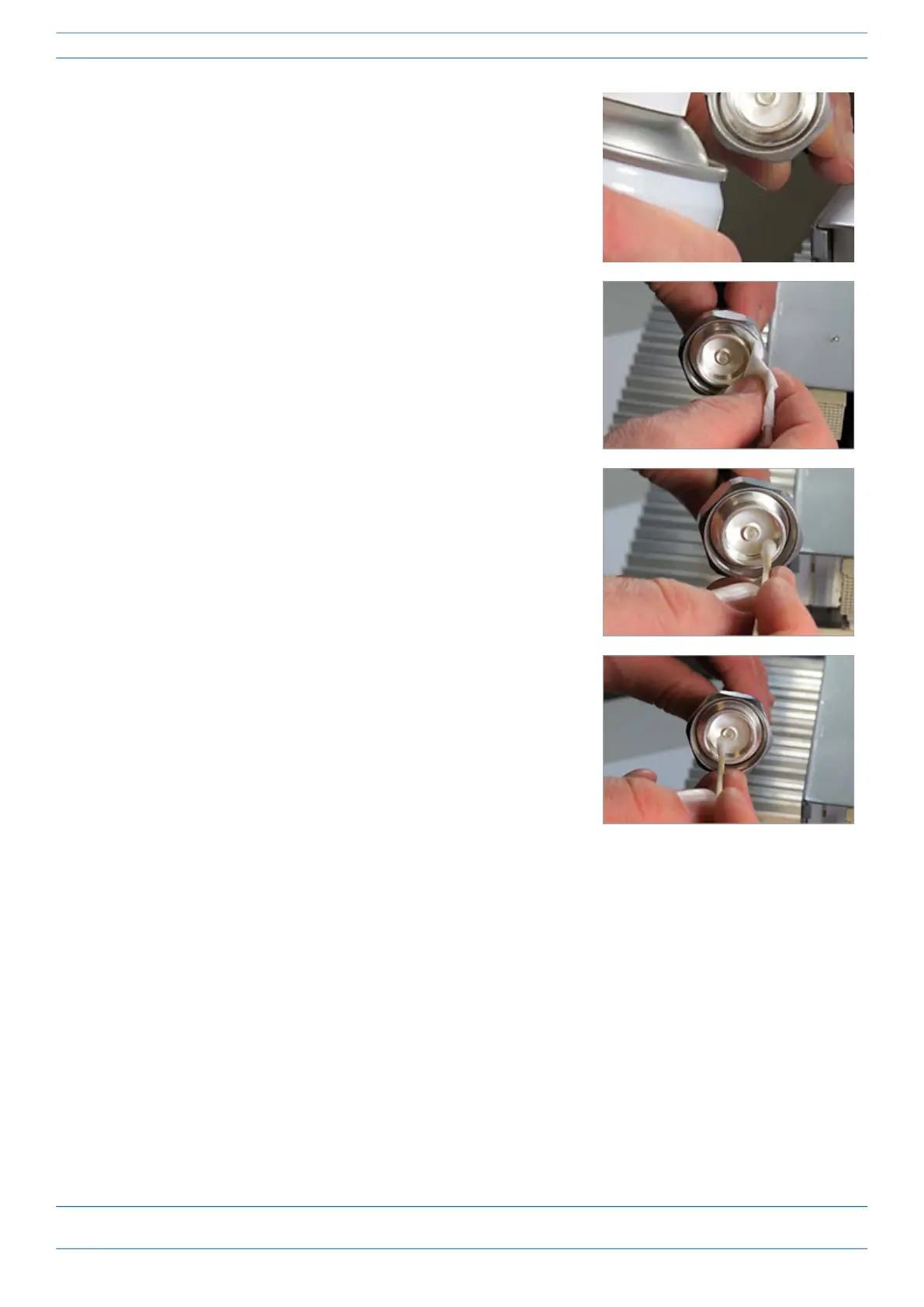
9 Use compressed air to remove metal chips and small particles
from the mating and inner surfaces of the connector.
10 Use a lint-free wipe drenched with isopropyl alcohol to clean the
winding area.
11 Use a cotton bud drenched with isopropyl alcohol to clean the
inside mating surface of the inner ring.
12 Use a cotton bud drenched with isopropyl alcohol to clean the
outside surface of the center pin.










 To Next Page