ComNav G2 & G2B Installation & Operation
Document PN 29010093 V1.5 - 26 -
16 December 2016
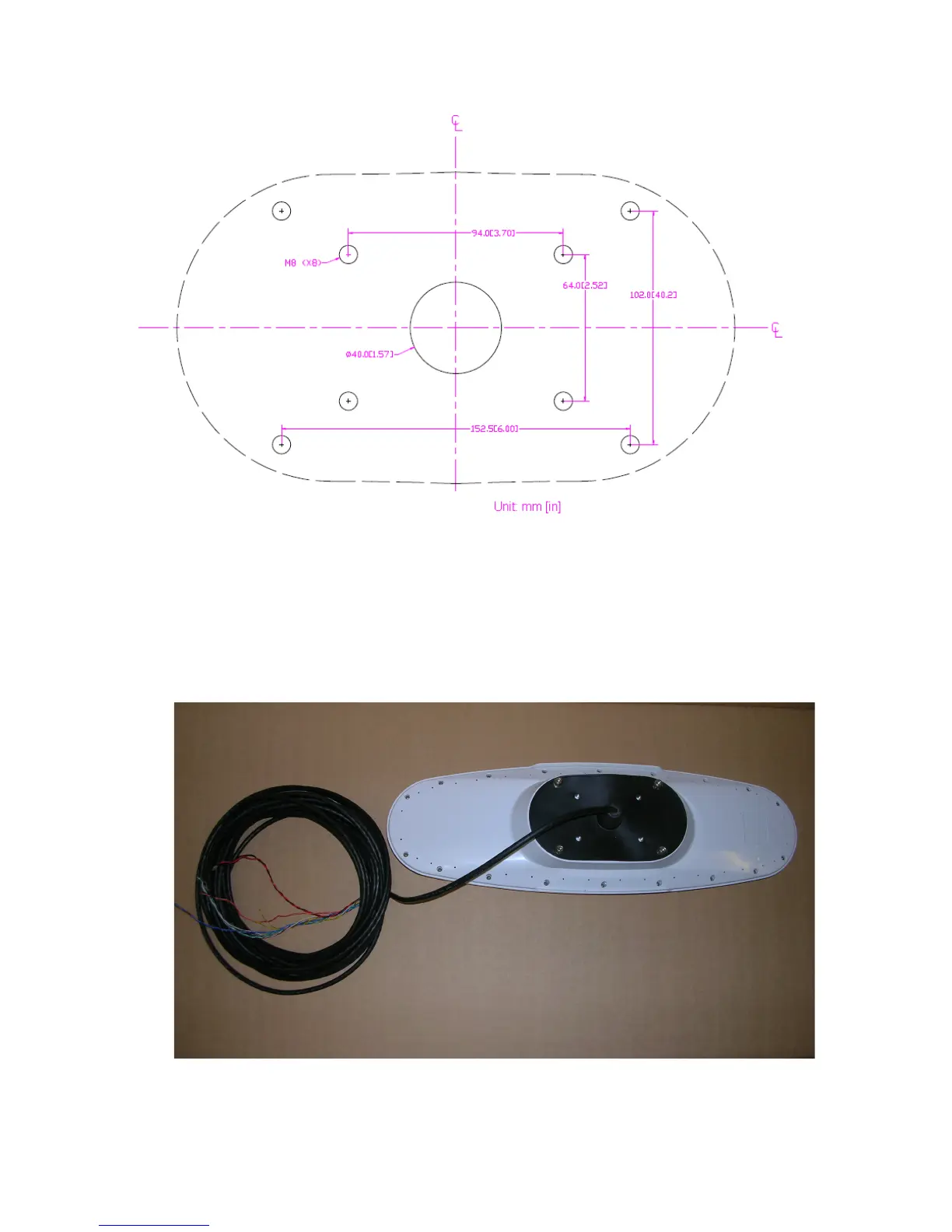
Figure 10 -Surface mount hole measurements
1) Use the mounting gasket as your drill template to drill the holes to surface mount
the antenna
2) Push the flying lead end of the cable through the center opening of the mounting
gasket (Figure 6).
3) Align the connector key tab to the slot of the receptacle mounted on the unit and
press the connector on. Rotate the connector locking ring clock wise to secure
the connector to the unit.
Figure 11 – Deck Mount gasket assembly- customer supplied bracket



 To Next Page