ComNav G2 & G2B Installation & Operation
Document PN 29010093 V1.5 - 31 -
16 December 2016
The baud rates of the G2’s serial ports must be the same as the device(s) to which they
are connected. The factory-default configuration is 4800 Baud on both ports – per the
NMEA 0183 Standard.
The baud rates can be changed, if you need to; also, Port 1, 2, and 3 may have different
Baud rates.
Interfacing to a ComNav Autopilot
Commander P2 or Admiral P3
Shows the typical connections used with a ComNav Commander P2 Autopilot System
(an Admiral P3 would be wired identically), a Navigator G2 GPS Compass Display
System, and a generic Chartplotter or other type of Navigation System.
Note: this wiring information assumes that the G2 is in its factory-
default configuration: Autopilot data on Port 2 and General
Navigation data on Port 1 & 3 (see pages 46 & 48).
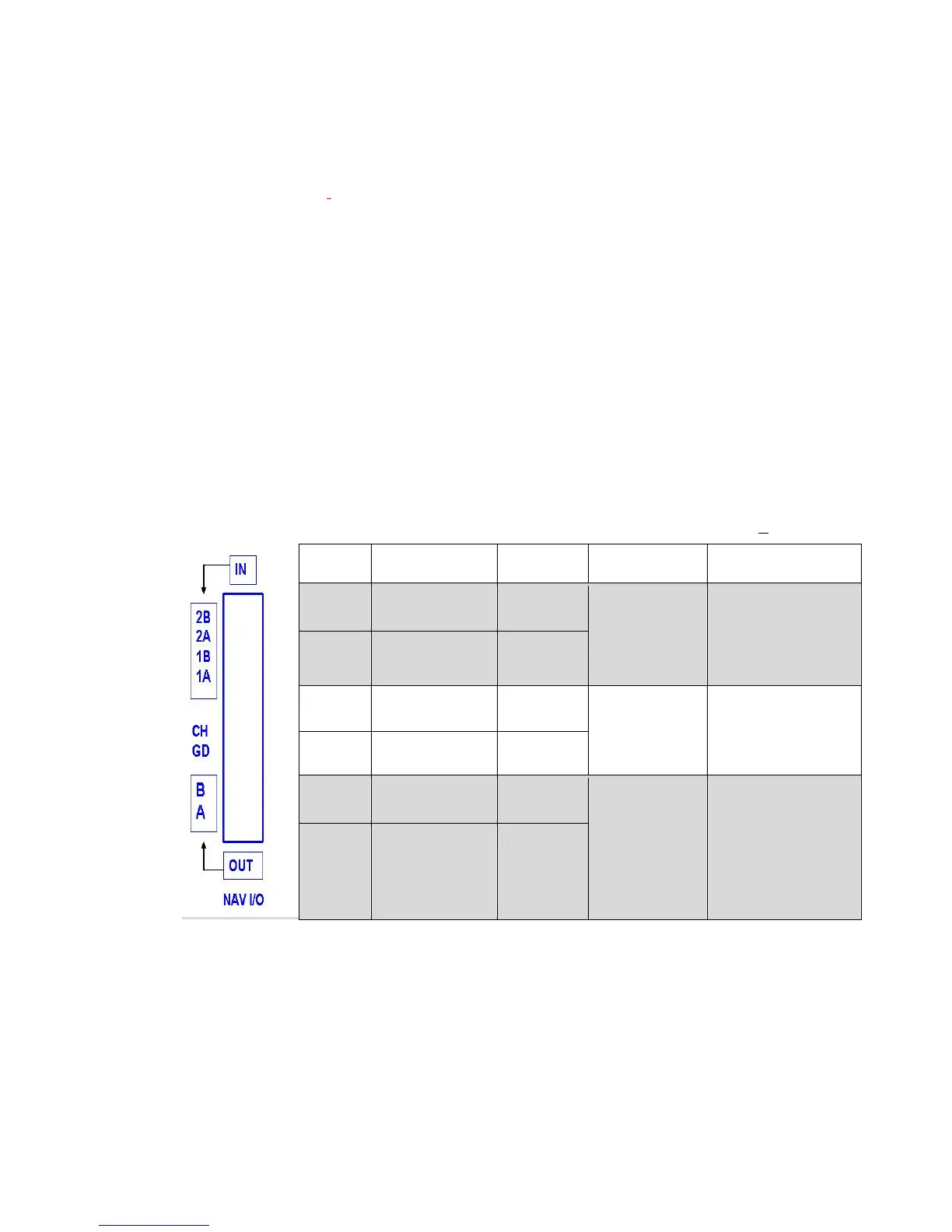
The wiring from the G2 is to the P2’s J9 – NAV I/O connector, as follows (a small image
of the connector’s label is shown to the left of the table):
Note: 1) The signal polarities on P2/P3 SPUs are labeled based NMEA 0183 protocol,
with an “A” for negative and “B” for positive. The signal polarities on G series are
labeled based on RS422 with an “A” for positive.
2) some P2/P3 SPUs have an error on this label – but the image below is correct.
J9 Pin Wire Color Signal Signal Data Carried
IN-2B user-supplied 1 RS-422, ’A’
from
Chartplotter,
etc.
Navigation:
Waypoints, Position,
etc.
IN-2A user-supplied 1 RS-422, ‘B’
IN-1B White/Green RS-422, ‘A’
from G2,
Port 2 Transmit
Heading, Speed
IN-1A Green RS-422, ‘B’
OUT-1B user-supplied 1 RS-422, ‘B’
to Chartplotter,
etc.
Autopilot status
OUT-1A user-supplied 1 RS-422, ’A’
Table 2 – Commander P2 Connection Details
1 T
hese wires are supplied by the user, thus colours are not specified here.
In addition to the above wiring, the Commander P2 must be configured to look for both
heading and speed data from its NAV1 input port, and for Navigation data from NAV2; for
details, see the respective Source selection descriptions for the Standby, Auto & Nav
menus, in the P2 Installation & Operation manual.



 To Next Page