ComNav G2 & G2B Installation & Operation
Document PN 29010093 V1.5 - 34 -
16 December 2016
Interfacing to a PC
PC COM Ports
PC serial ports – commonly referred to as “COM ports” – always use RS-232 signal
levels, and so the only possible direct connection to the G2 is via the G2’s RS-232
signals.
If it is necessary to connect a PC to any RS-422 signals (for example, when
the PC is being used to run a Navigation program, which sends steering
commands to an NMEA 0183 autopilot – i.e., at RS-422 levels), a signal level
convertor will be required (see page 35).
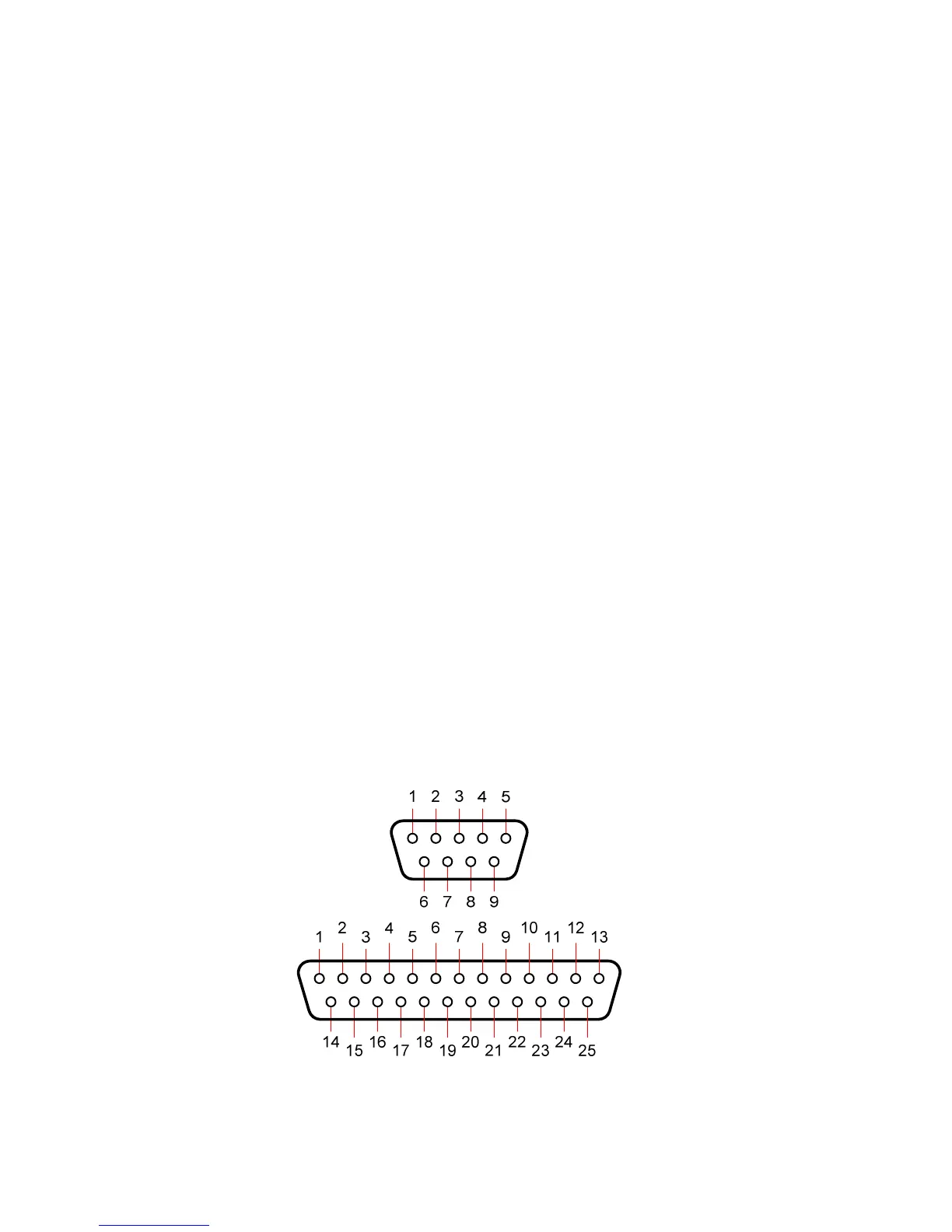
PC COM ports typically use a DE9 male (a “pin type”, aka DE9-P) connector; older PCs
may use a DB25 (aka DB25-P) connector instead.
• Desktop PCs sometimes have 2 (or more) COM ports, although newer models
usually only have one COM port. It is possible to add COM ports to most
desktop PCs, by adding a suitable “COM Port Expander” card.
• Laptop PCs usually have only one COM port.
• Many newer PCs – desktops & especially laptops – do not have a real “COM
port”. Instead, they only have one or more USB ports, and use driver software to
allow application programs to access the USB ports as “virtual COM ports”.
⇒
If the PC only has USB ports, an external USB-to-Serial adapter will be
required, since the G2 does not have a USB interface. These adapters
typically have a USB ‘A’ size plug at one end, and a DE9 male connector
at the other end.
Most brands of adapters should work fine. A number of different ones have
been tried at ComNav, all with success (in fact, a “USB to 4 Serial Ports”
adapter is used by our Production & Testing staff when working on G2s).
D Connector Pinouts
The figure below shows the pin-numbering scheme for a PC COM port’s DE9 & DB25
connectors. This figure can be looked at in two ways:
• It is the view from the outside of the PC, looking at the pins of the male connector
in the PC, typically located somewhere on the back panel of the PC.
• It is also the view of matching female connector (aka a “socket type” – a DE9-S
or a DB25-S) when looking at the back – i.e., wire side – of that connector, on the
cable that plugs into the PC’s male connector (DE9-P or DB25-P).
Figure 15 – DE9 & DB25 Pin Numbering



 To Next Page