1230 Vienna, Großmarktstraße 22
PHONE: + 43 / 1 / 815-12-71-0 or + 43 / 1 / 815-51-74-0
FAX: + 43 / 1 / 813-64-21-21
Homepage: http://www.compactelectric.at
3.18. Event log
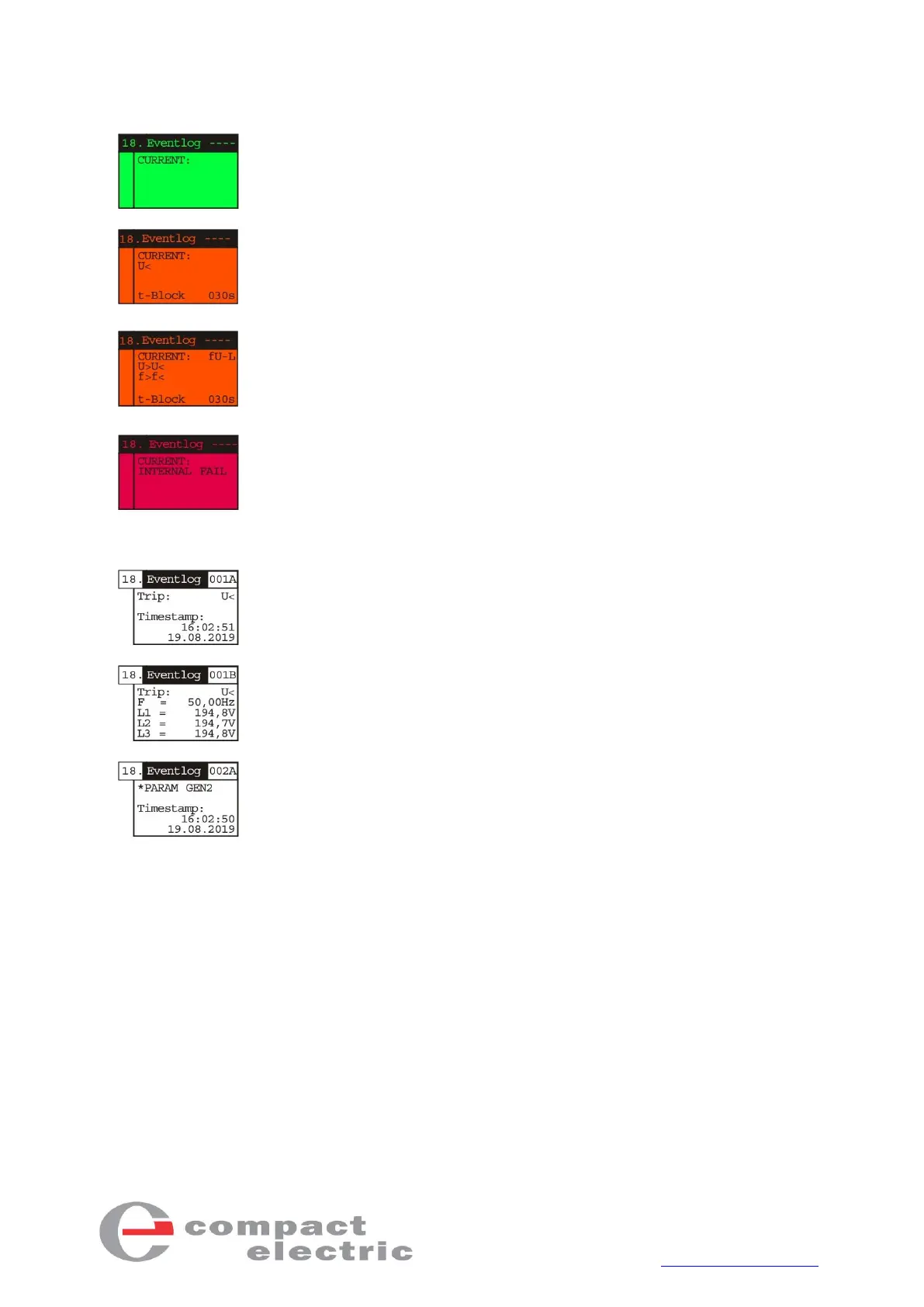
The 18th menu item shows the event log.
The first page in the event log shows the current triggers. If there are no
errors, the backlight is green and the display is empty.
During a power failure, the symbol for the corresponding trigger is shown
here (U<<, U<, U>>, U>, U10>, f<<, f<, f>, f>>, Vk>) and, if active, the block-
ing time. In this case, the backlight is orange. When the mains is within the
set limits again, it is switched on again after the blocking time has elapsed.
If the frequency/voltage switching logic (see section 3.5 General 2) is acti-
vated and CDMRE-100 is triggered due to a limit value violation, "fU-L" (fU
logic) and the respective violated limit value are displayed.
If the auxiliary processor fails or an internal error occurs, the “INTERNAL
FAIL" message appears in the event log and the backlight changes to red. If
the main processor, which also controls the display, fails, only the backlight
is red and the display is not defined.
You can press the Enter key and then the Up or Run keys to navigate
through the 100 events. The trigger and relapse events consist of two
pages, e.g. 001A and 001B, while events that signal a parameter change
have only one page, since there are no measurement results in this case.



 To Next Page