compact electric CDMRE 100 Manual Page 21
1230 Vienna, Großmarktstraße 22
PHONE: + 43 / 1 / 815-12-71-0 or + 43 / 1 / 815-51-74-0
FAX: + 43 / 1 / 813-64-21-21
Homepage: http://www.compactelectric.at
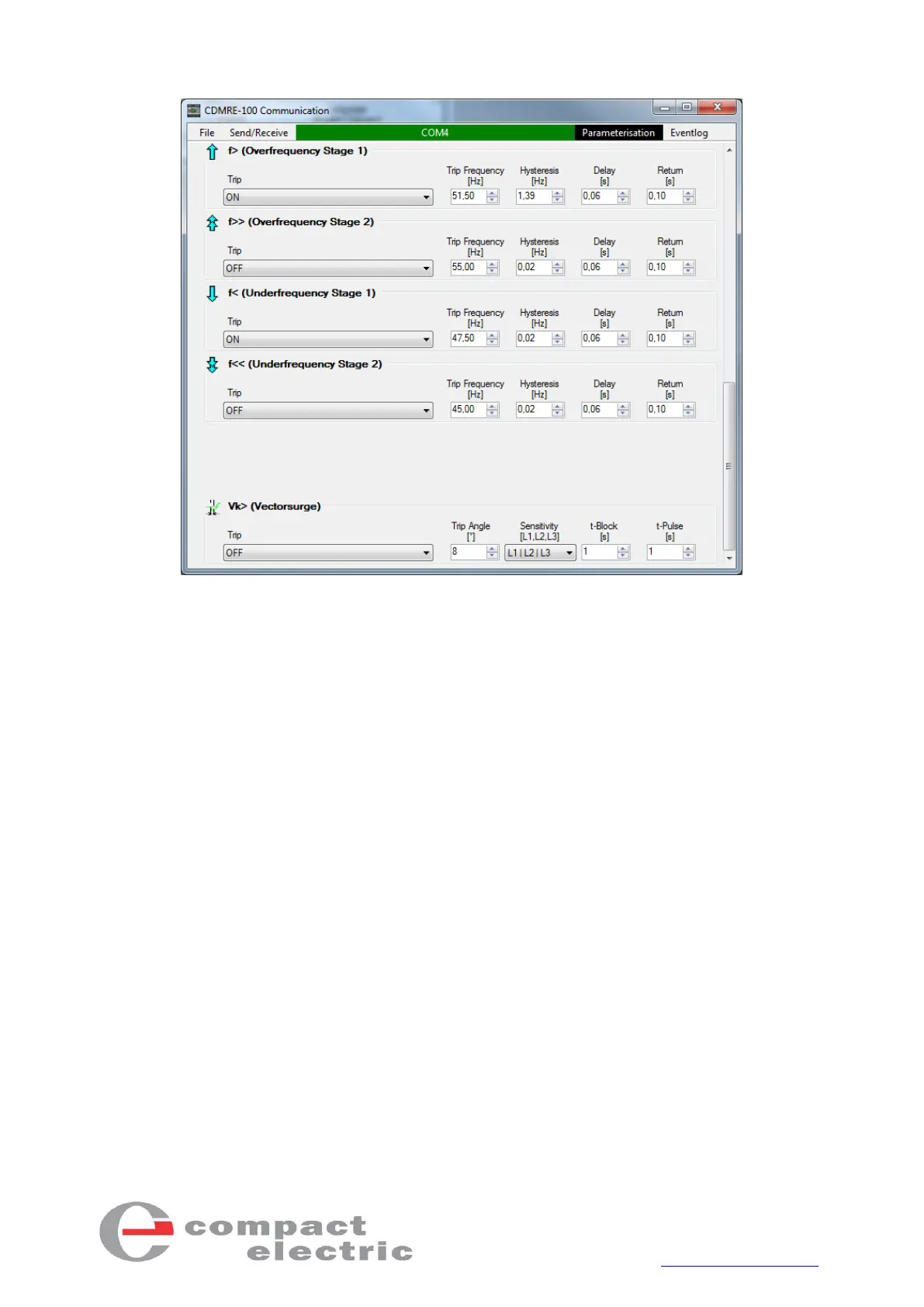
Figure 8.1 - CDMRE-100 communication software (2nd Page)
4.1. Installation
Open the “CDMRE-100 Kommunikation VX.X SETUP.exe” file and follow the installation instructions.
If you install a newer version of the CDMRE-100 communication software, the old version will be au-
tomatically uninstalled. Your data will not be lost.
After the installation, a new icon with the name "CDMRE-100 Communication" will appear on your
desktop.
4.2. Connection
The "Select COM Port" button is located in the middle of the top of the communication program. When
you press this button, the available COM ports appear (see figure 9). Select the COM port to which
CDMRE-100 is connected. After activating the "Receive parameters" menu item (in the "Send/Receive"
menu), the button is highlighted in green - if the connection is correct (see figure 10) and the parame-
ters of the connected CDMRE-100 are loaded into the communication program and displayed. If an
incorrect COM port is selected or if no CDMRE-100 is connected, the button is highlighted in red (see
figure 11).
Start parameters for the communication program are located in the installation folder (for Windows
7: “C:\Program Files(x86)\CDMRE-100 Kommunikation\Startup.par”).



 To Next Page