Use medium threadlock on all
screws threaded into metal
parts.
Verwenden Sie auf allen
Schrauben die in Metallteile
geschraubt werden mittelfeste
Schraubensicherung.
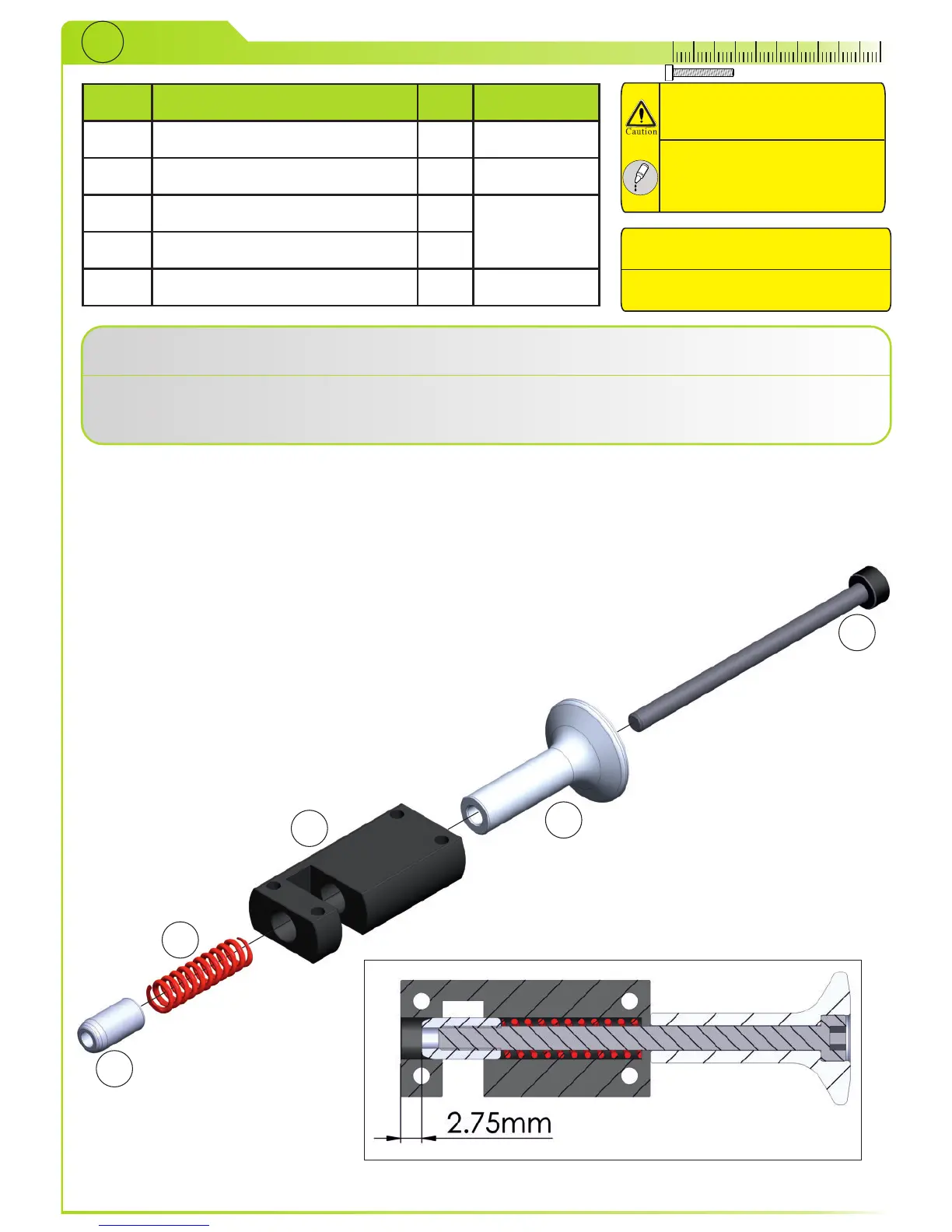
Slide bolt (5) through knob (2) and insert it into case (1). Insert spring (4) and pin (3) from the other
side and tighten it.
Schieben Sie die Schraube (5) durch den Knauf (2) und in das Gehäuse (1). Schieben Sie die Feder
(4) und den Zentrierstift (3) von der anderen Seite und ziehen Sie die Schraube fest.
5
4
3
2
1
Preassembled at factory.
Bereits vormontiert.



 To Next Page