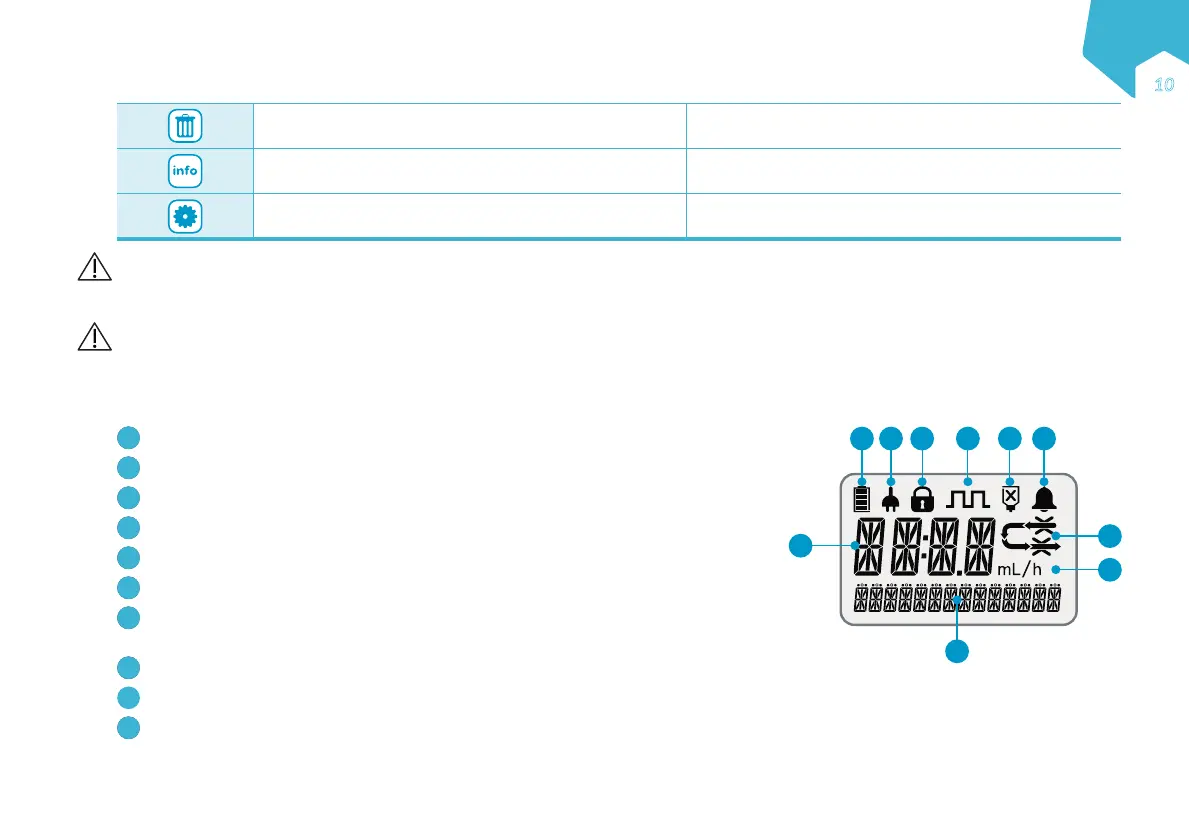
Clear the on-screen value to default or 0
Reset all program values to default and clear recent feed
history (hold button 3 seconds (3”))
Scroll through recent feed history
Access last rolling 30-day Volume History
(hold button 2 seconds (2”))
Scroll through pump settings Change language (See section 12.2)
Precaution: Ensure that the administration set is not connected to a patient when priming.
3.4 Display
Warning: During pump start up, confirm all the screen segments shown in the diagram hereafter are visible. If any are missing or if the screen is not
readable, do not use the pump.
Screen Layout
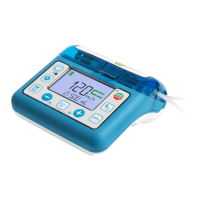
The Compat Ella
®
pump features a colour display with alphanumeric characters, symbols and a backlight.
Battery charge level
Plugged into AC power
Keypad locked
Interval mode activated
Tube feed container empty / Air In Line
Alarm indicator
Run icon with occlusion indicators: the arrow segments light sequentially when the pump
is running.
Main info line: displays alpha numerical values for programming and alarms.
Main info label: mL, h, or mL/h.
Text message line: provides miscellaneous info on pump status, programming and alarms.
Note: The backlight of the display turns off 10 seconds after the last key is pressed unless the pump is plugged into the AC power and the Autodim feature
is deactivated.
1
10
8
7
9
2 3 4 5 6
EN
Ǝƍ
C
M
Y
CM
MY
CY
CMY
K


 To Next Page