12.2 Changing the Language
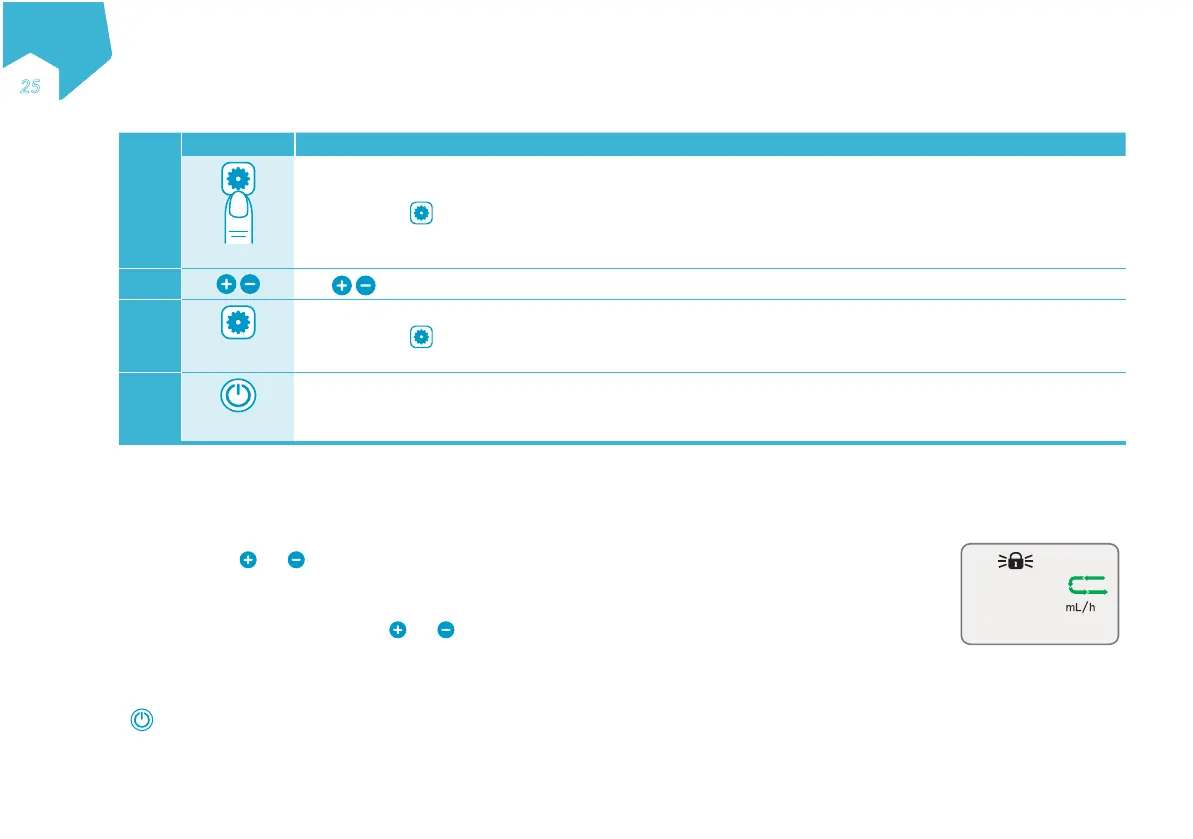
Step Button Direction
1
2”
Press and hold
for 2 seconds (2”) to activate language selection.
2
Use to scroll to the desired language.
3
2”
Press and hold
again for 2 seconds (2") to select the language.
4
2”
Immediately turn the pump off to save chosen language. Restart the pump.
Note: If the pump is not immediately turned off, the language change will not be saved.
13. Locking and Unlocking the Keypad
Use the keypad lock to avoid unintentional button presses, such as may occur when used in a backpack.
Lock the keypad buttons
At any time, press and simultaneously to lock the keypad. The pump displays a KEYS LOCKED
message and a padlock icon appears on the screen as shown.
Unlock the keypad buttons
When keypad is locked, press and release and simultaneously to unlock the keypad buttons.
The pump displays a KEYS UNLOCKED message and the padlock icon disappears.
Notes:
• When keypad buttons are locked and a button is pressed, the KEYS LOCKED message is displayed.
• is always active, even when the keypad is locked.
• An alarm state unlocks the keypad.
• Cycling power unlocks the keypad.
12O
KEYS LOCKED
EN
Əƒ
C
M
Y
CM
MY
CY
CMY
K


 To Next Page