4
2”
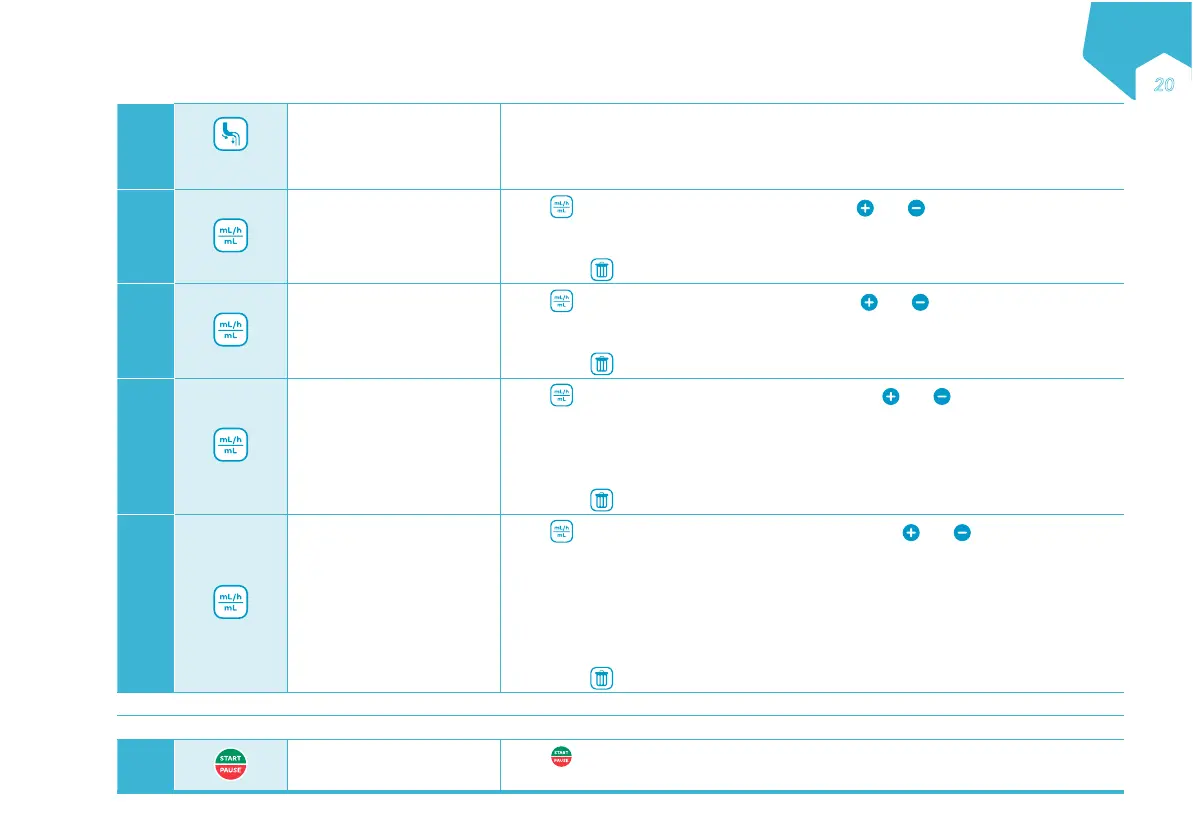
Prime the administration
set
• Hold 2 seconds (2”) to activate auto-prime. The pump will fill the administration set
with a predetermined volume.
• Press again to stop priming at any time.
Note: Do not prime when connected to the patient’s feeding tube.
5
Set the rate
Press
to access the SET RATE screen and use and to define the rate of tube
feed delivery.
• Rate may be set from 1-600 mL/h in 1 mL/h increments.
Note: Press
to reset value.
6
Set the bolus volume
Press
to scroll the SET BOLUS screen and use and to define the bolus
volume or the amount of tube feed to be given multiple times.
• Bolus may be set from 1-2000 mL in 1 mL increments
Note: Press
to reset value.
7
Set the interval
Press
to scroll the SET INTERVAL screen and use and to define the time
from the start of one bolus to the start of the next bolus.
• Interval may be set from 00:15-12:00 h in 15-minutes increments.
• The minimum interval possible may be greater than 00:15 depending on rate and
bolus values entered in previous steps.
Note: Press
to reset value.
8
Set the total volume
Press
to scroll the SET TOT VOLUME screen and use and to define the
total amount of tube feed to be given if desired.
• Feeding with a Dose Limit: The value may be set from 1 bolus programmed in step
6 to 4000 mL in 1 mL increments. The pump will run multiple bolus until the Total
Volume limit has been reached.
• Feeding without Dose Limit: Set the value to CONT (CONTINUOUS), the pump will
run multiple bolus until the nutrition container is empty.
Note: Press
to reset value.
Ensure nutritional therapy settings correspond to the nutritional therapy prescribed.
Connect the administration set to the patient’s feeding tube.
9
Start the Nutritional
Therapy
Press
to run the nutritional therapy. The pump will automatically run the nutritional
therapy and display the progress.
EN
Əƍ


 To Next Page