Chapter 6 Configure Compex SXP2224WM using Web Interface
24
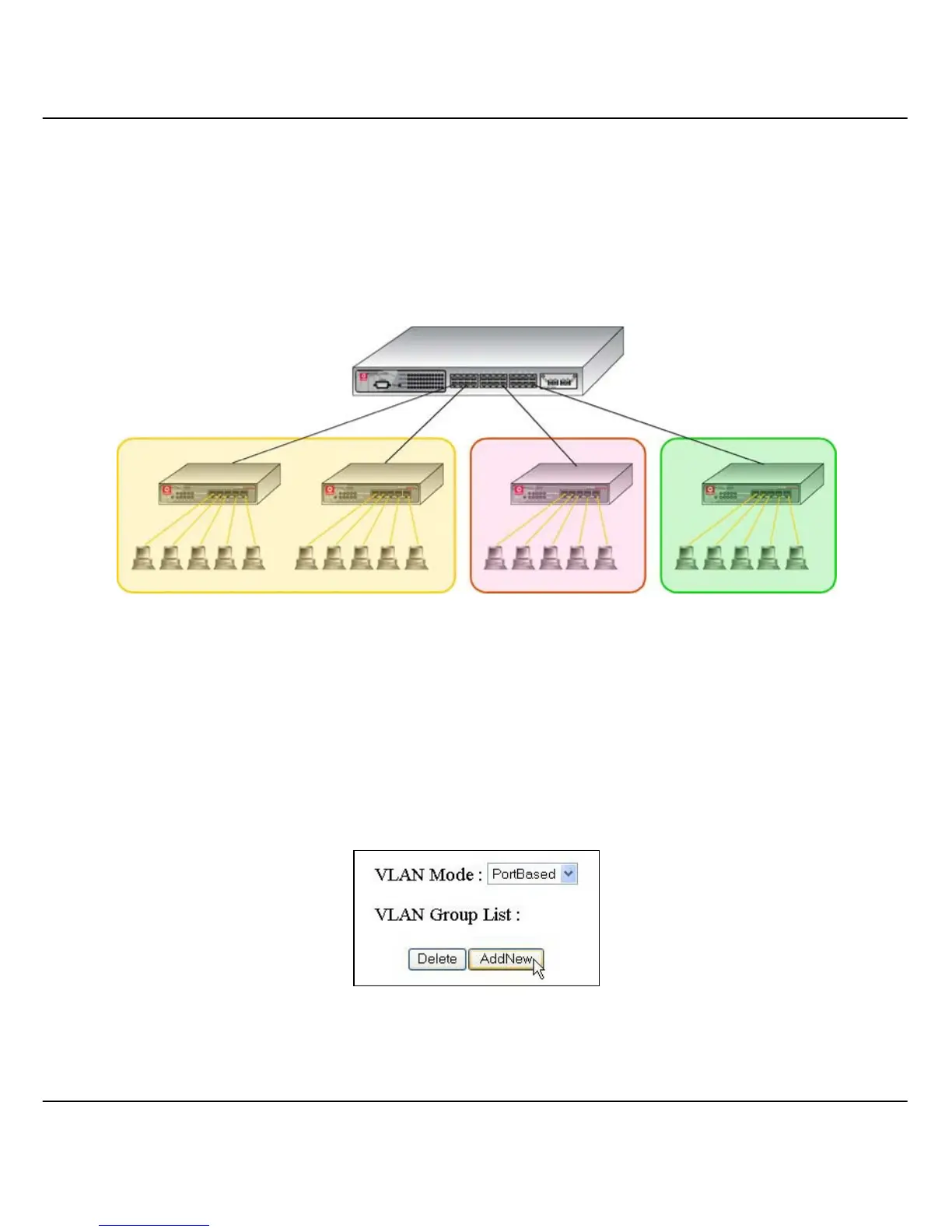
Figure 6.4b illustrated the setup of port based VLAN in a company. Port 2
and 6 of Compex SXP2224WM are attached to two Ethernet switches ; Port
16 and 24 are attached an Ethernet switch individually. When Port 2 and 6
are assigned as port based VLAN, the PCs in VLAN 1 will be able to
communicate with one another within the same VLAN. However, they are
not allowed to communicate with other departments.
Figure 6.4b Setting up of SXP2224WM for Virtual LAN
1. Access to the web interface and select “PortBased” in the VLAN
Mode field.
2. Click on the “AddNew” button as shown in Figure 6.4c.
Figure 6.4c Select Port-Based VLAN
SXP2224WM
VLAN 2
Finance Department
VLAN 3
IT Department
VLAN 1
Sales Department



 To Next Page