Chapter 6 Configure Compex SXP2224WM using Web Interface
25
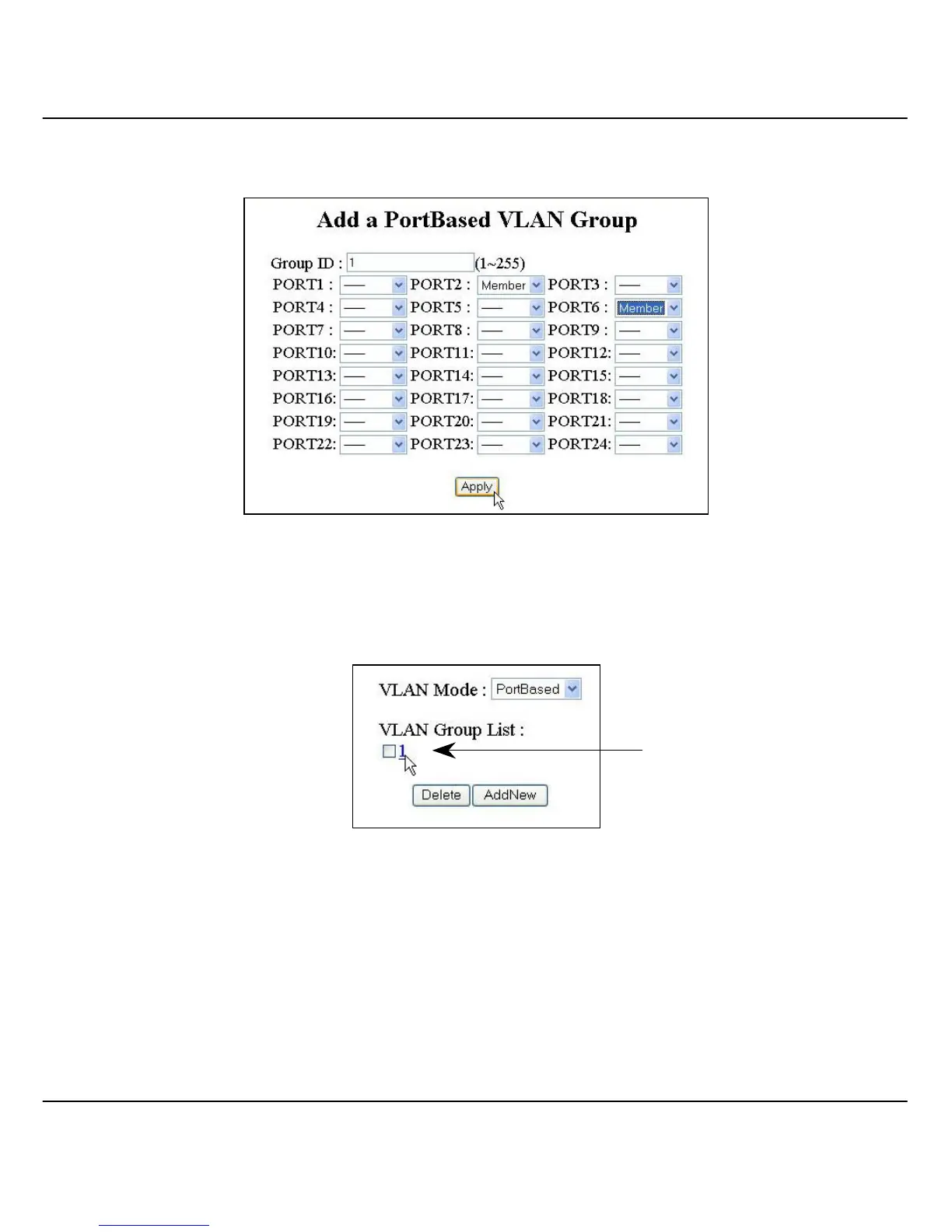
3. Enter the value “1” in the VLAN Group field and select the port
members (port 2 and 6).
Figure 6.4d Adding members into PortBased VLAN Group 1
4. Click on the “Apply” button and you will see the updated screen as
shown in Figure 6.4e.
Figure 6.4e VLAN Group 1 created
If you wish to delete the VLAN group, simply select the check box and
click on the “Delete” button.
For VLAN 2 and 3, repeat the procedures from steps 2 to 4.
Notice that VLAN
Group 1 has been
created.



 To Next Page