Chapter 6 Configure Compex SXP2224WM using Web Interface
27
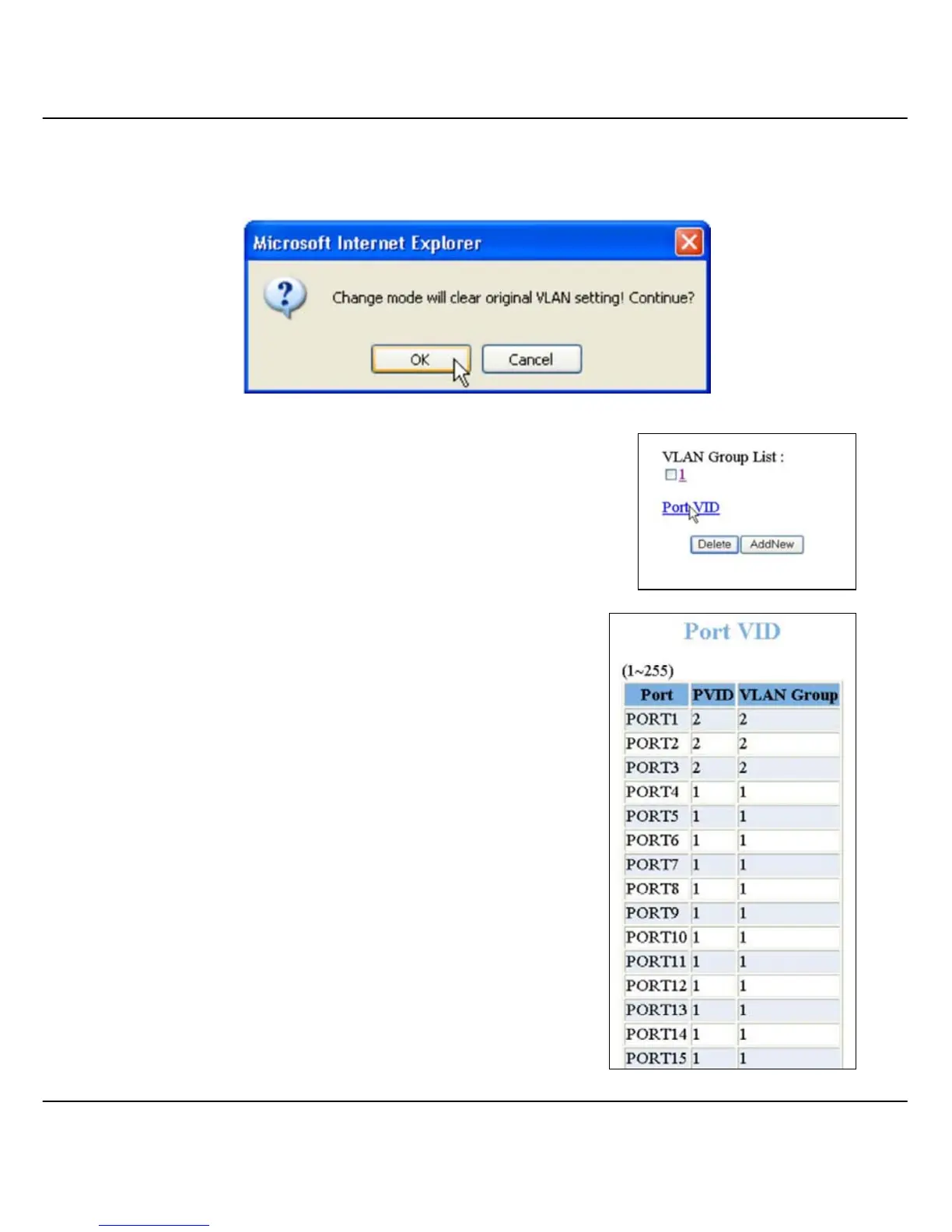
Please note that the changing of VLAN mode (from PortBased to 802.1Q
or vice versa) will reset the VLAN configuration to its default setting. Refer
to the screenshot shown below. Click OK button to proceed.
To view your VLAN port status, click on Port
VID as shown on the right:
The Port VLAN ID and the members in the
VLAN Groups will be listed out:



 To Next Page