49
Setting
Image correction settings
• This product is installed with High Dynamic Range (HDR) as an image
correction function.
• By turning the HDR function on, you can record video data by correcting
overexposure and underexposure.
[OFF] Recording the video data as it is, without image correction.
>+'521@5HFRUGLQJ¿QHUYLGHRIRRWDJHZLWKLPDJHFRUUHFWLRQ
• By default, it is set to [OFF].
Advice
What is overexposure/underexposure?
Overexposure refers to a state of showing a brighter spot in all white.
Underexposure refers to a state of showing a darker spot in all black.
Camera brightness settings
• The brightness of the video footage can be selected from [Bright/
Standard/Dark].
• By default, it is set to [Standard].
Mirror image settings
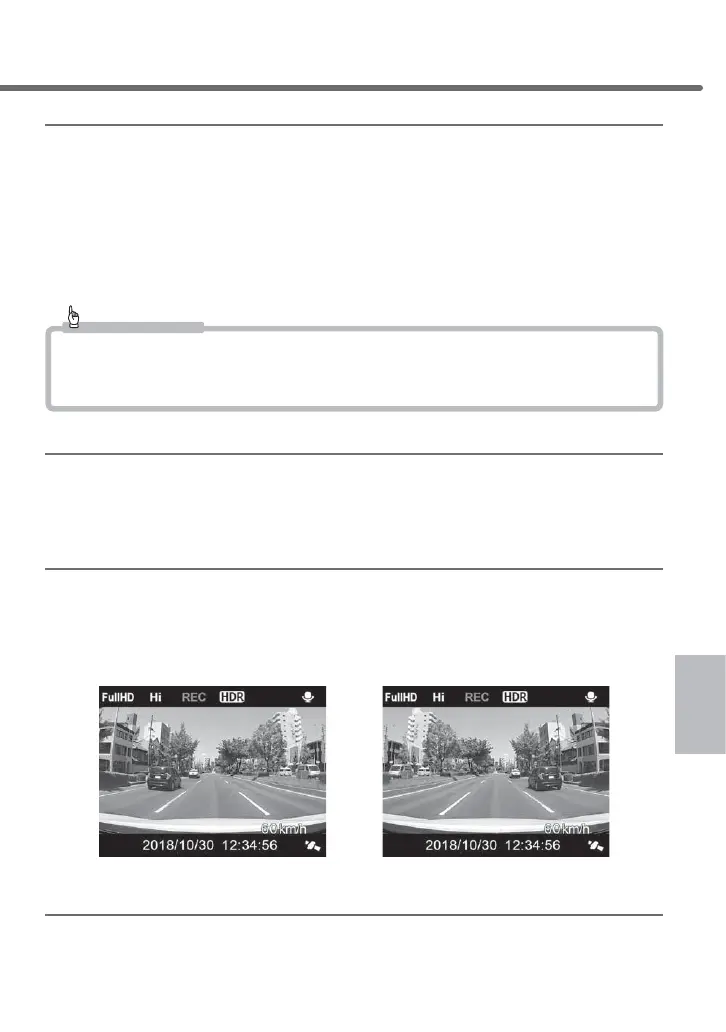
• Video footage can be selected from [True image/Mirror image].
• By setting it to [Mirror image], you can record video footage with the left and right inverted.
• By default, it is set to [True image].
■Mirror image settings■True image settings
*Records mirrored video footage
Sound recording settings
• You can select [ON/OFF] for sound recording.
• By default, it is set to [ON].
Setting



 To Next Page