Orbitty Carrier for NVIDIA® Jetson™ TX2/TX2i
Users Guide
Document: CTIM-00471
Revision: 0.14
Page 20 of 31 Date: 2021-10-05
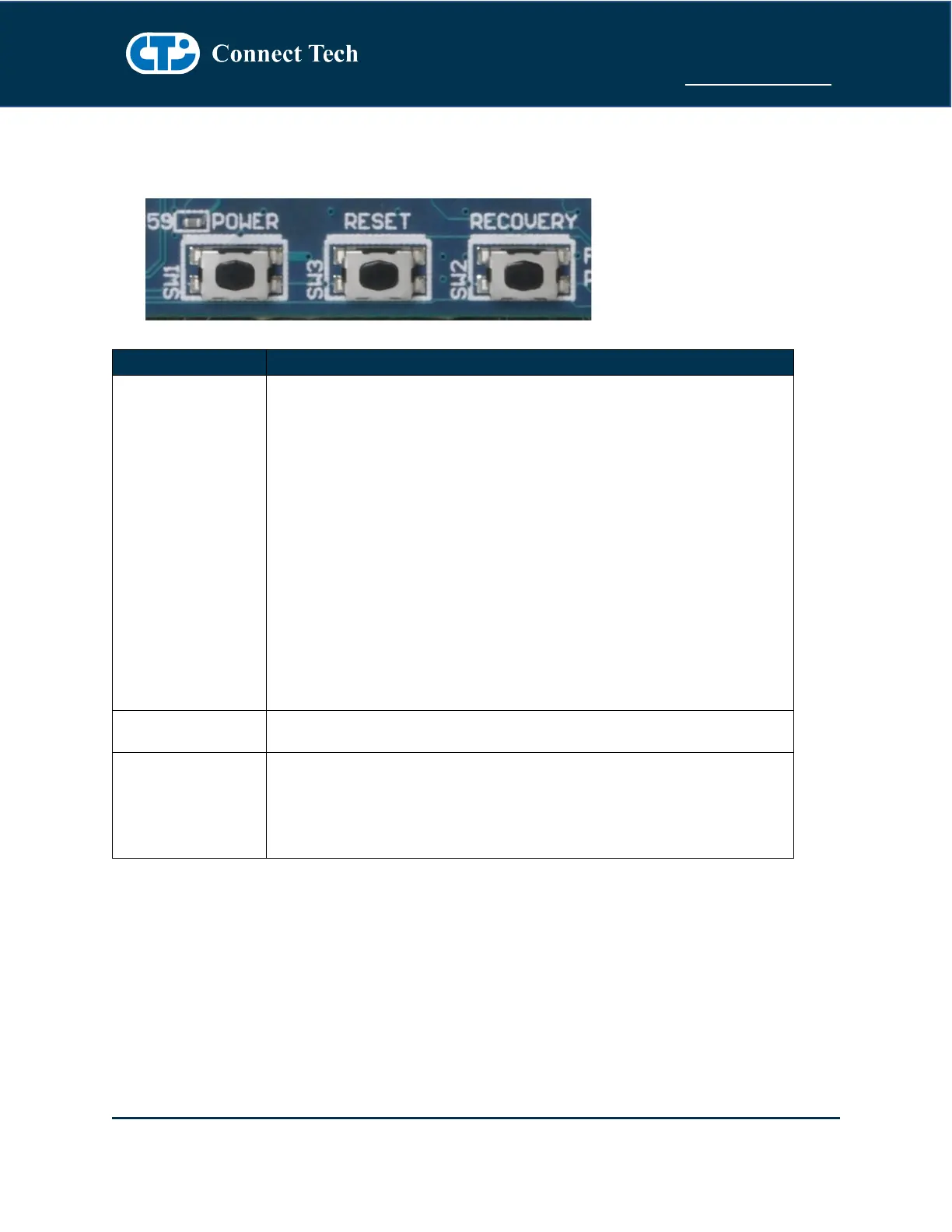
Push Button Details (SW1, SW2, SW3)
The Orbitty Carrier has a 3 tactile push buttons - Power (SW1), RESET (SW3) and RECOVERY (SW2).
- When Orbitty is in “ATX Mode” a button press will initiate boot-
up sequence
- When Orbitty is ON, a button press will initiate a power down
sequence in the Operating System
- When Orbitty is ON and button is held for 5 seconds the system
will do a hard power off (power down ungracefully)
Note: Due to the changes done to the PMIC circuitry of the TX2i Jetson
Module the Orbitty Carrier will always remain ON when in AT (Automatic
Power ON) and ATX (Push Power button) modes. This will cause the
Orbitty Carrier to automatically power ON when voltage is applied to the
system. The system will in addition be unable to shut down in software
(Soft Shutdown), due to the characteristics of the TX2i power circuitry as
such the system will perform a Reset/Reboot function.
Reset Button
- When button is pressed the system will initiate a Reset sequence
- Use this button to perform the Force Recovery Procedure
detailed in the Software Section of this manual.
- This is required when flashing a new image onto the TX2/TX2i
module via the USB OTB port.



 To Next Page