Orbitty Carrier for NVIDIA® Jetson™ TX2/TX2i
Users Guide
Document: CTIM-00471
Revision: 0.14
Page 21 of 31 Date: 2021-10-05
TYPICAL INSTALLATION
1. Ensure all external system power supplies are off.
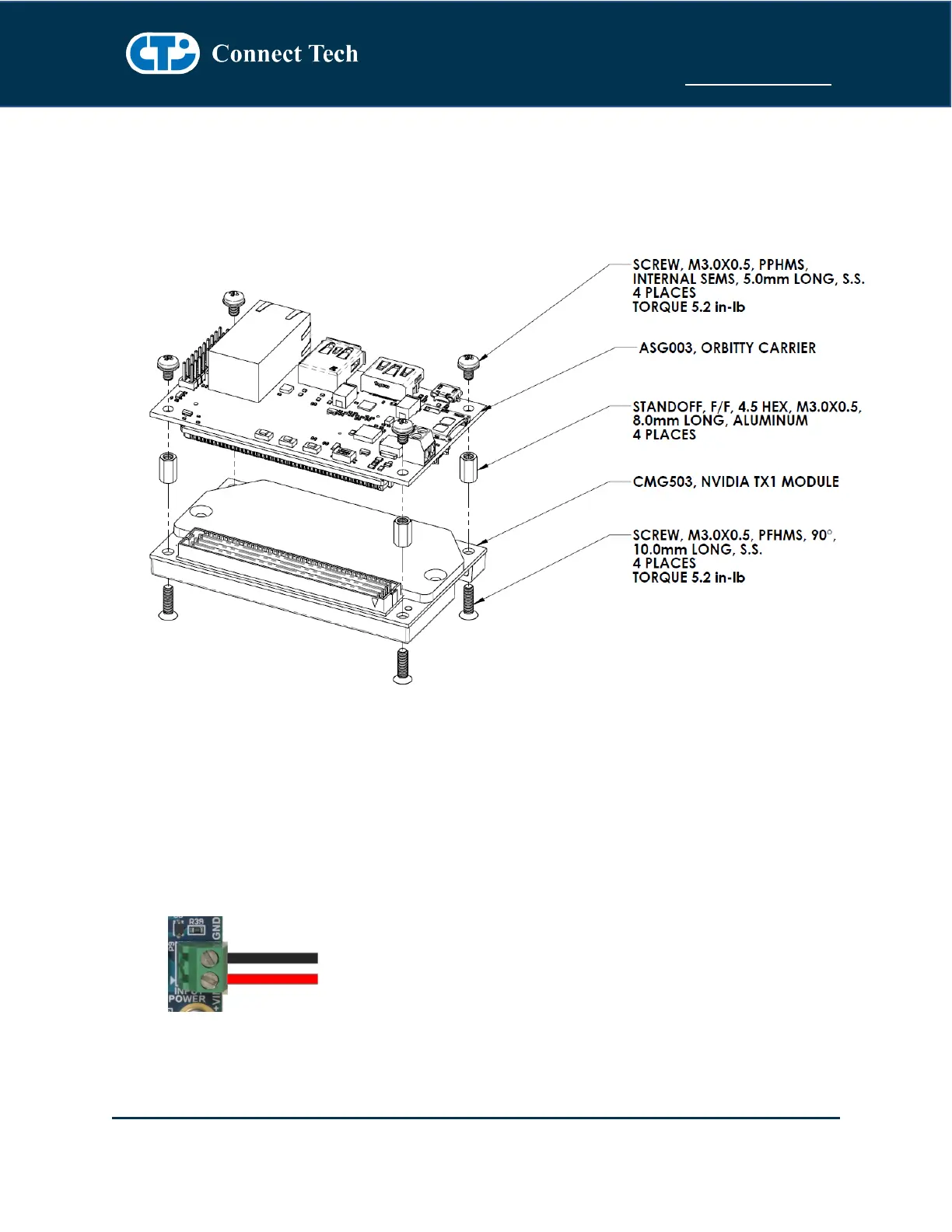
2. Install the Jetson TX2/TX2i Module onto the Orbitty Carrier as shown below:
3. Install the necessary cables for application. At a minimum these would include:
a) HDMI video display cable
b) Keyboard and mouse via USB
For additional information on the relevant cables, please see the Cables and Interconnects section
of this manual.
4. Connect the main power input to the Wire-to-Board Screw Terminal on board as shown below:
+9V to +14V to the +VIN terminal and Ground to the GND terminal.
5. Switch ON the Power Supply. DO NOT power up your system by plugging in live power.



 To Next Page