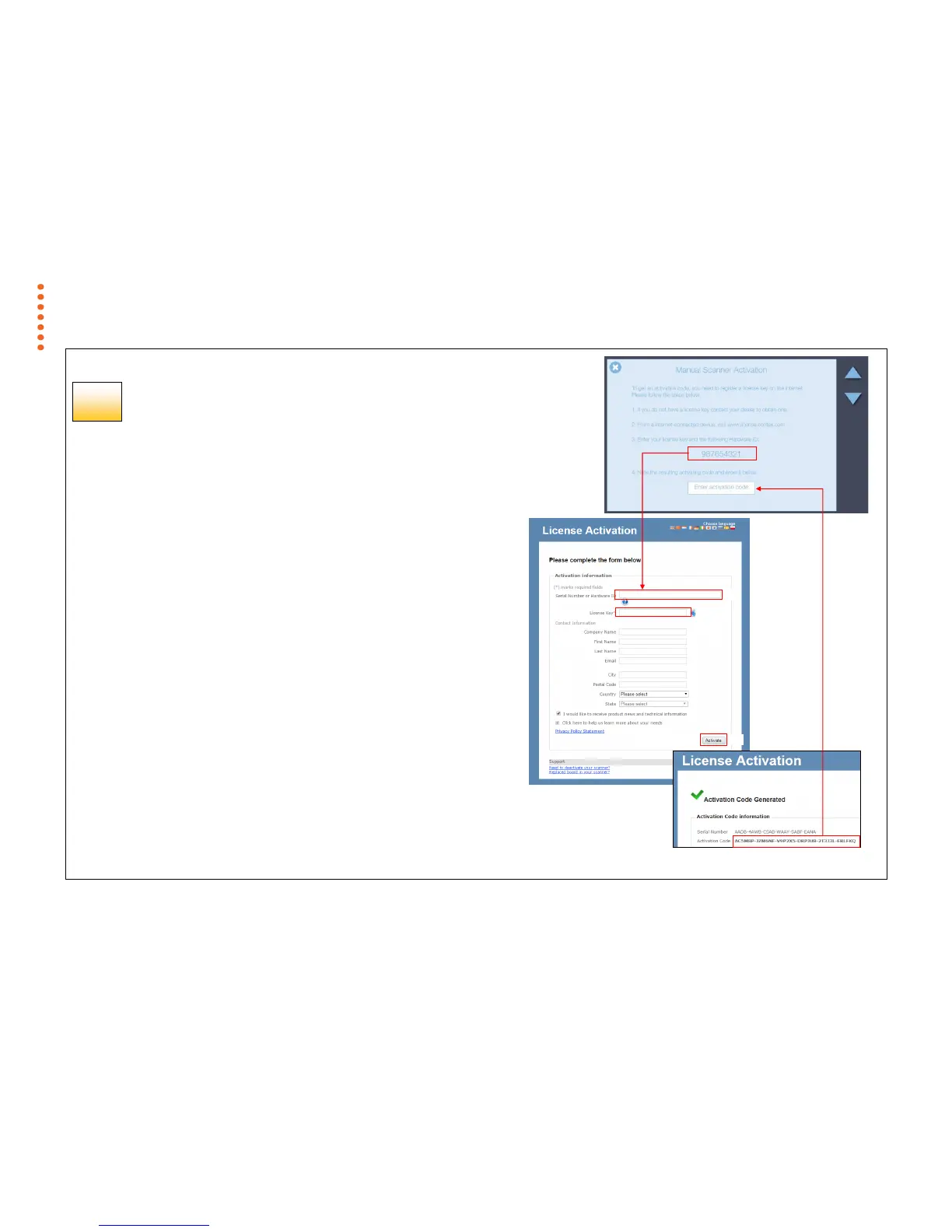
Scanner Activation - Manual
Offline scanner activation
You can still activate your scanner manually if it is not directly connected to
the internet via your network. You will need a separate device or computer
with an internet connection.
1. Have your License Key ready before proceeding. If you don’t have
one, contact you dealer.
2. Manual activation uses an online web interface to generate the
Activation Code using the License Key from your dealer and the
Hardware ID from the scanner.
3. Using the browser of your internet device follow the instructions
below:
(On your internet device)
go to www.licenseactivate.com
#1 Enter the Serial Number or Hardware ID key for the scanner.
#2 Enter the License Key
#3 Press the Activate button to generate the Activation Code and
write it down
(At the scanner)
#4 Enter the Activation Code into the white area at the bottom of
the blue Manual Activation screen where the wording ‘Enter
activation code’ is displayed.
THE SCANNER SYSTEM WILL NOW ACTIVATE



 To Next Page