Scanning 27
Scanning to file
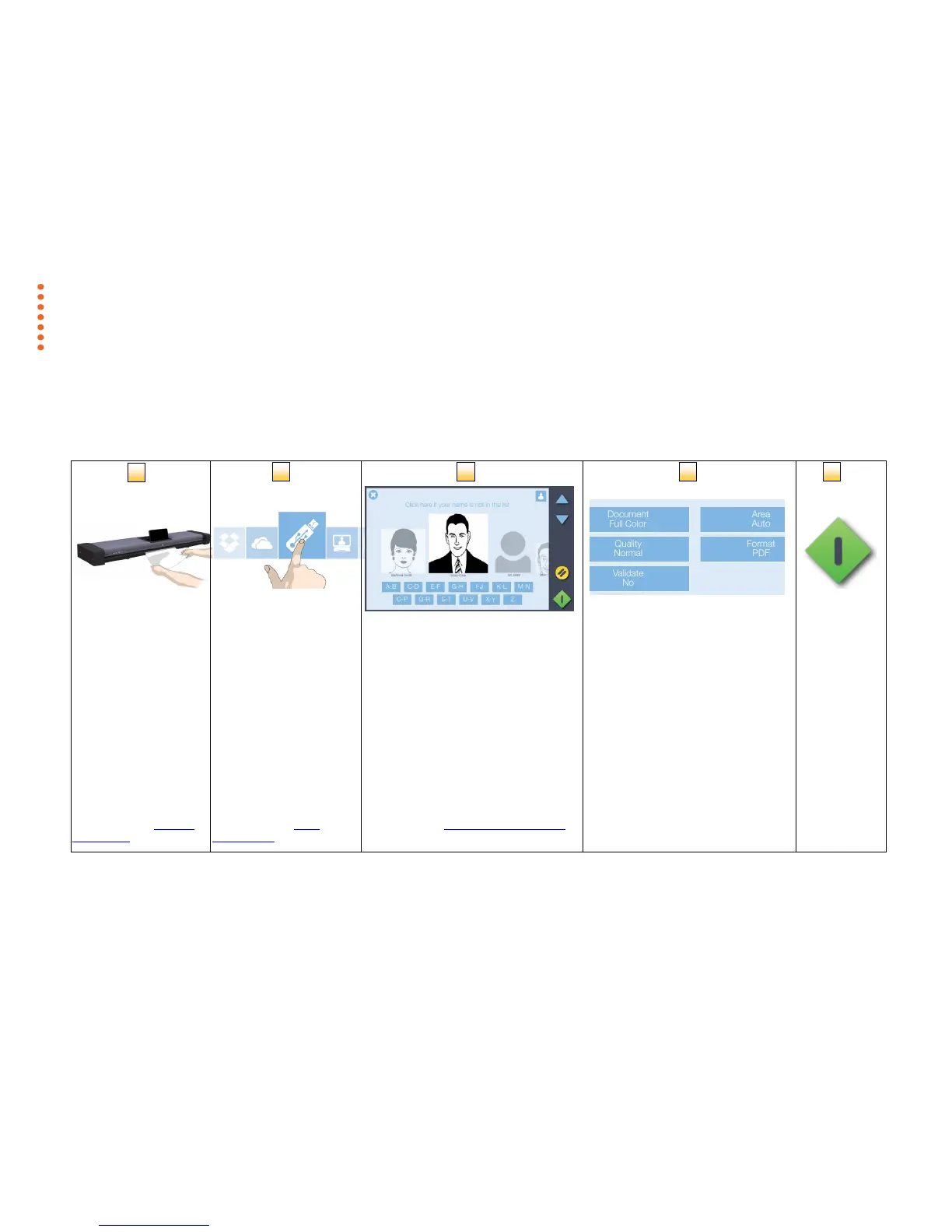
The basic steps
Scanning with SD One MF is easy. Scan to USB memory sticks, email accounts, to your own PC and even to personal cloud services.
Here’s how to set up and send your scans.
Select a Scan
destination
Select user and enter PIN*
Choose your scan
settings
Position the document
face up in the center of
the scanner
Scan to USB memory
sticks, email accounts, to
your own PC and even to
personal cloud services.
This step is only required when scanning
to your PC or to a cloud service. The list
shows all users that have the scan client
installed on their PC.
*PIN will only be required if setup by the
user in Contex LINK
Select document type, scan quality, file
format or press the green button and
simply use the default settings.
Press the green
button to start
scanning
See the section Loading
Documents
See the section Scan
Destinations
See the section Contex LINK scan client
See this section for details



 To Next Page