2C9-3
1-3-3
1. Install the optional paper feeder as necessary (see page 1-3-6 to 1-3-7).
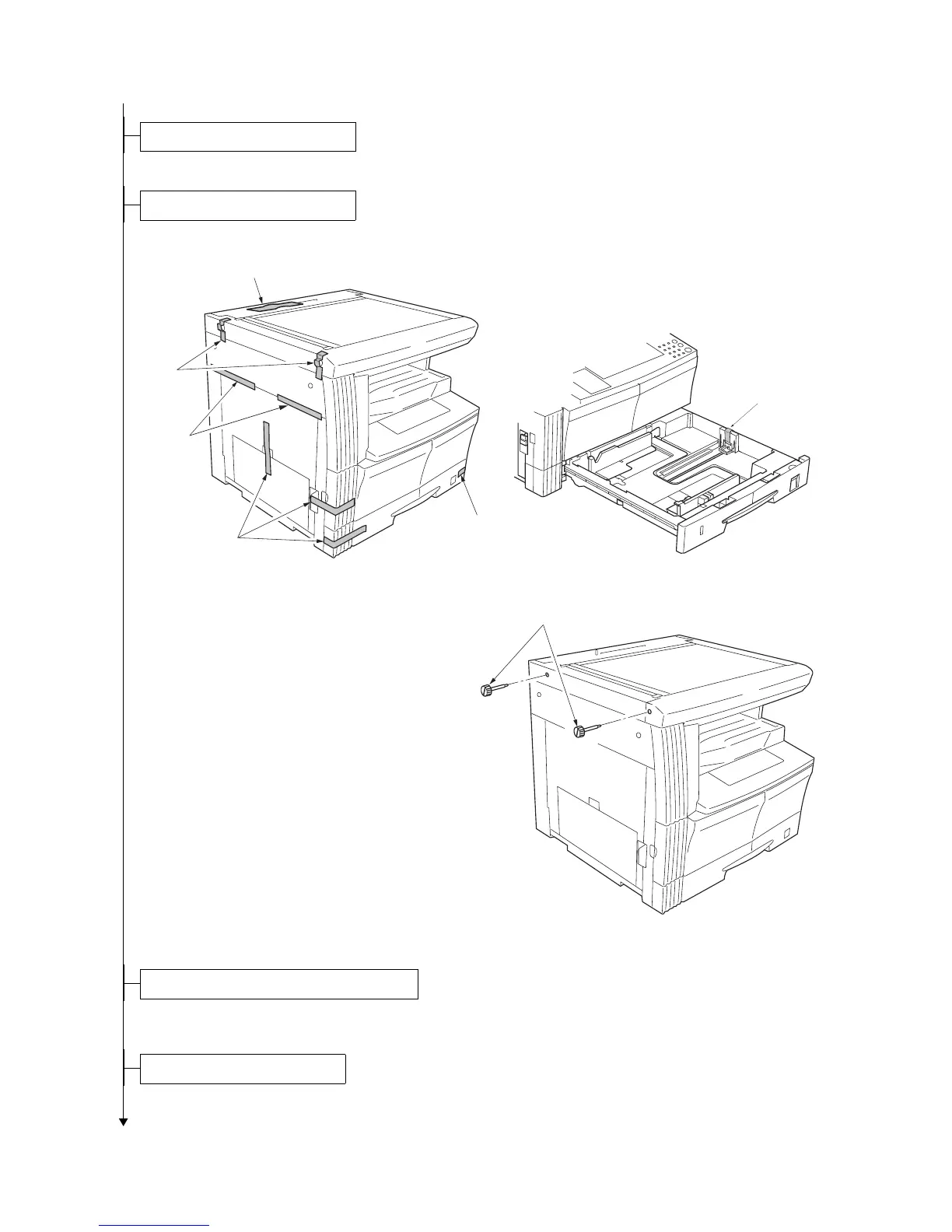
1. Remove the ten tapes.
Figure 1-3-2
2. Remove the two pins for light source unit.
Figure 1-3-3
1. Install the original cover or optional DP (see page 1-3-8 to 1-3-10 when installing the DP).
1. Install the optional duplex unit as necessary (see page 1-3-11 to 1-3-13).
Install the optional paper feeder.
Remove the tapes and pins.
Tap es
Tap e
Tap es
Tap e
Tap es
Tap e
Pins
Install the original cover or the optional DP.
Install the optional duplex unit.



 To Next Page