2C9
1-3-4
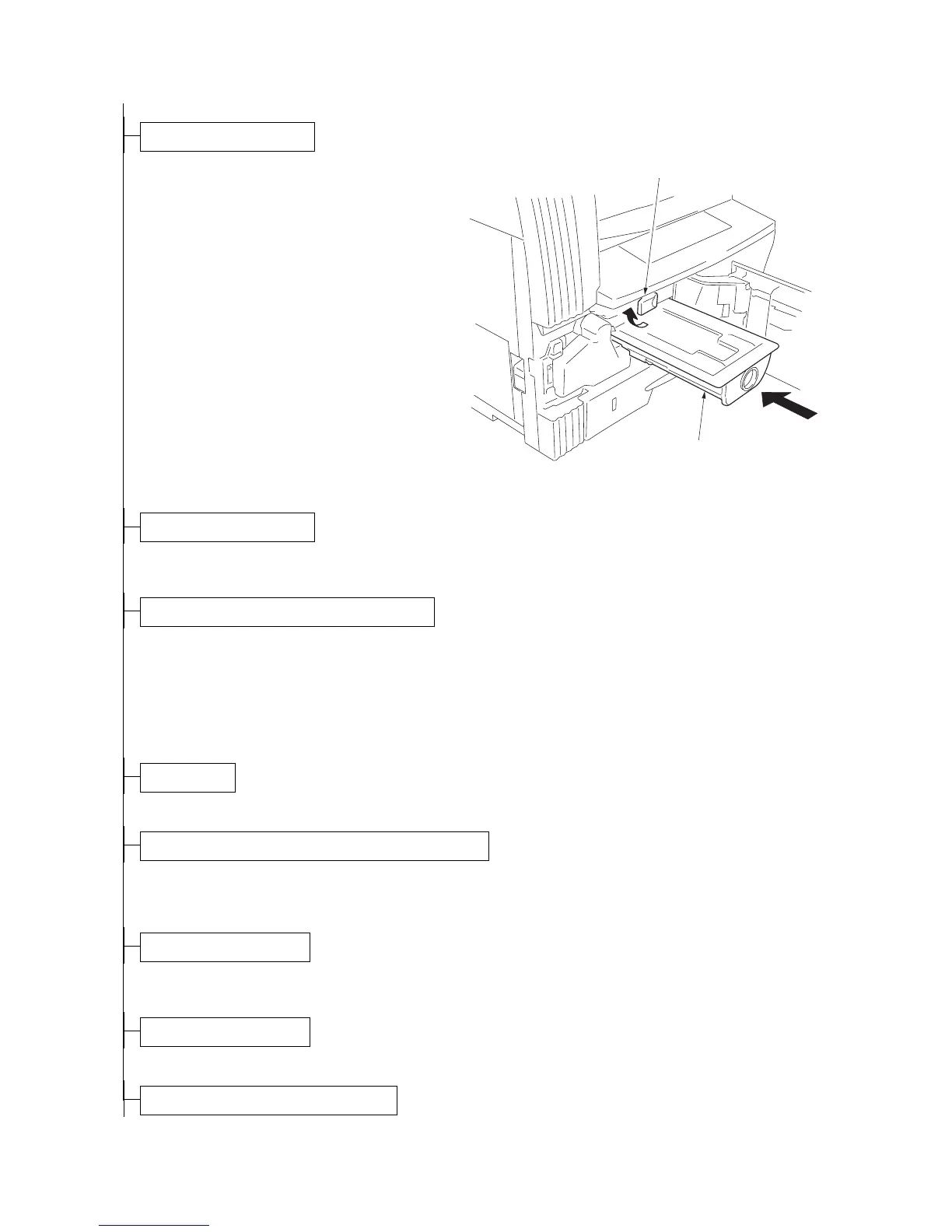
1. Open the front cover.
2. Tap the top of the toner container five to six
times.
3. Shake the toner container approximately 10
times in the horizontal direction to stir toner.
4. Turn the toner container release lever and
gently push the toner container into the
copier.
*Push the container all the way into the
copier until it locks in place.
5. Restore the toner container release lever.
6. Close the front cover.
Figure 1-3-4
1. Connect the power cord to the connector on the copier.
2. Insert the power plug into the wall outlet and turn the power switch on.
1. Enter the maintenance mode by entering "10871087" using the numeric keys.
2. Enter "130" using the numeric keys and press the start key.
3. Press the start key to execute the maintenance item.
Installation of toner starts and "9" is indicated in the copy quantity display. Each time one minute elapses, the
indicated value decrements. When the installation is complete, "Gd" will be displayed if the installation is suc-
cessful or "nG" will be displayed if it has failed.
4. Press the stop/clear key.
1. Load paper in the drawer.
1. Enter "000" using the numeric keys and press the start key.
2. Select "d-L" and press the start key to output a list of the current settings of the maintenance items.
3. Press the stop/clear key.
1. Enter "001" using the numeric keys and press the start key.
The machine exits the maintenance mode.
1. Place an original and make test copies.
Install the toner container.
Toner container release lever
Toner container
Connect the power cord.
Installing the toner (maintenance item U130).
Load paper.
Output an own-status report (maintenance item U000).
Exit maintenance mode.
Make test copies.
Completion of the machine installation.



 To Next Page