48 ProLine 60 - Operator's Manual
If you can not solute by the above mentioned method, pls contact with the professional persons.
7.2 ERROR INDICATION
DISPLAY
CAUSE SOLUTION
ERR
OPN
Protective cover
not lower down
Lower down the
protective cover.
ERR
SP
Rotation speed
not enough
Check the motor
and belt.
Photocell coupler
cannot collect si-
gnal
Lower down the
protective cover
ERR
OFF
Error of stop Press the start
key or rise up the
protective cover.
ERR
FAC
Factory set-up
fault
Correct factory
set-up
ERR
USR
Customer set-up
fault
Customer set-up
ERR
REU
Reverse rotates is
not correct
Troubleshooting of
power board.
Check power cable
connection correct
or not, the wire
sequence of the
3-phase motor
must be correct.
If cannot solve as per the above methods, please
contact the professional personnel.
7.3 PRESS SENSOR
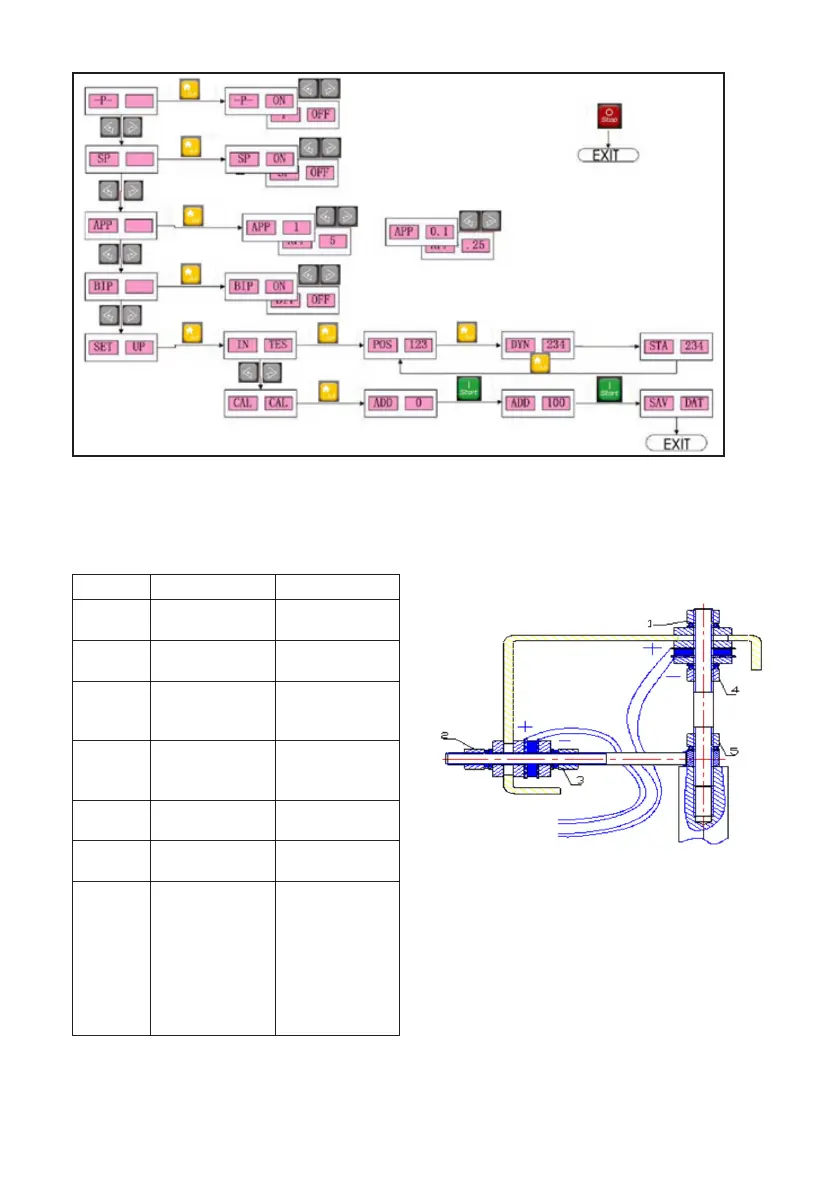
INSTALLATION AND WIRING
Sometime, the troublesome of inaccuracy of
balancing and position if because the damage
of the press sensor. The method to change the
press sensor is shown in the following:
- Demount the upper cover and right side panel
of the wheel balancer.
- Remove the nut 1&2, elastic washer, sanding
washer and plain washer.
- Loose the nut 3, 4 and 5 to disassemble each part.
- Change the new sensor and mount the double
head screw and tight the nut 5.
- Use the spanner to tight nut 4 slightly and then
tight nut3. At this time, pay attention that the
horizontal and vertical sensor screw should to



 To Next Page