ProLine 60 - Operator's Manual 53
UK
9. DETAILED MACHINE
OPERATION
9.1 HOW TO BALANCE A TIRE?
1. Switch on the power source
2. Select the cone according to the tire. Assemble
the tire on the main shaft of the wheel balancer
and firmly lock it.
3. Input the tire parameter.
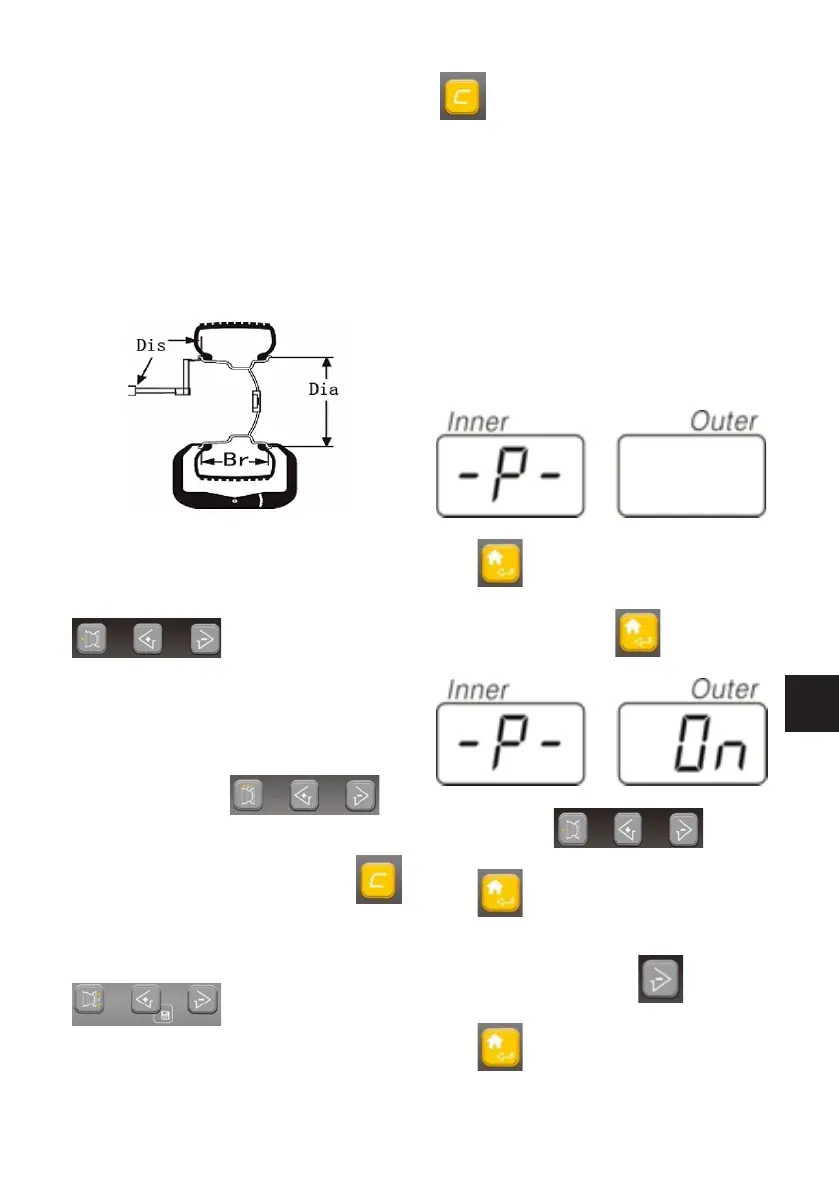
3.1 Pull out the scale of the balancer to measure
the Di value which means the distance from
the insider of the tire to the body. According to
measured reading, the unit of which is cm, press
to adjust the value to make
the value displayed in the right side window to
be the measured value. But the unit of this di-
splayed value is mm. eg you should input 55mm
if the measured value is 5.5cm.
3.2 Use the width measurement scale to measure
the Bre you can press to
input the Br value which is the implied value with
the unit of inch. If you want to convert this value
into the value with the unit of mm, press
to realize the conversion between the units.
3.3 Check the D value, which means the dia-
meter of the rim, marked on the tire. Press
key to adjust the value
in the right window to be the diameter of the
rim. You can also realize the conversion of the
unit of the Dia to be mm by the
key .
4.Lower down the protective cover:you can also
press the start key:. After the machine start, ro-
tate and test, it will automatic stops. In the left
/right window, the corresponding values will be
displayed. Rotate the tire, when all the position
indication lamps light. Pls add the weight corre-
sponding to the value displayed in the window.
Once again, start the machine to test. The window
will display the unbalance value. The balance
process will be completed until reaching the
balance range you requied.
9.2 MACHINE PARAMETER SETUP
Press to enter program setup menu.
1.1 p-(hood setup) press to confirm the
entrance select to setup
the on/off of he function of the hood.
Press to confirm.
1.2 SP - (hood control function setup)
In the upper condition, press The display
will display as the left figure.
Press to confirm the entrance.



 To Next Page