32 - ORDINARY MAINTENANCE
COROB™ FIRST 70
7.4 External cleaning
WARNING
NEVER USE WATER OR SOLVENT-BASED CLEANING PRODUCTS TO CLEAN THE MACHINE.
In case the colorant has poured inside the machine, do not try to clean; turn the machine off at once and
contact an authorized service center.
In case of paint spills, clean the machine immediately.
1. Disconnect power supply (chapter 5.6).
2. Clean coverings, panels and control devices of the machine, to remove dirt, dust and any colorant stains,
using a soft and dry cloth, or slightly moistened with a mild cleansing solution.
3. Connect power supply and switch on the machine (chapter 5.3).
See the manufacturer manual for instructions on cleaning the computer.
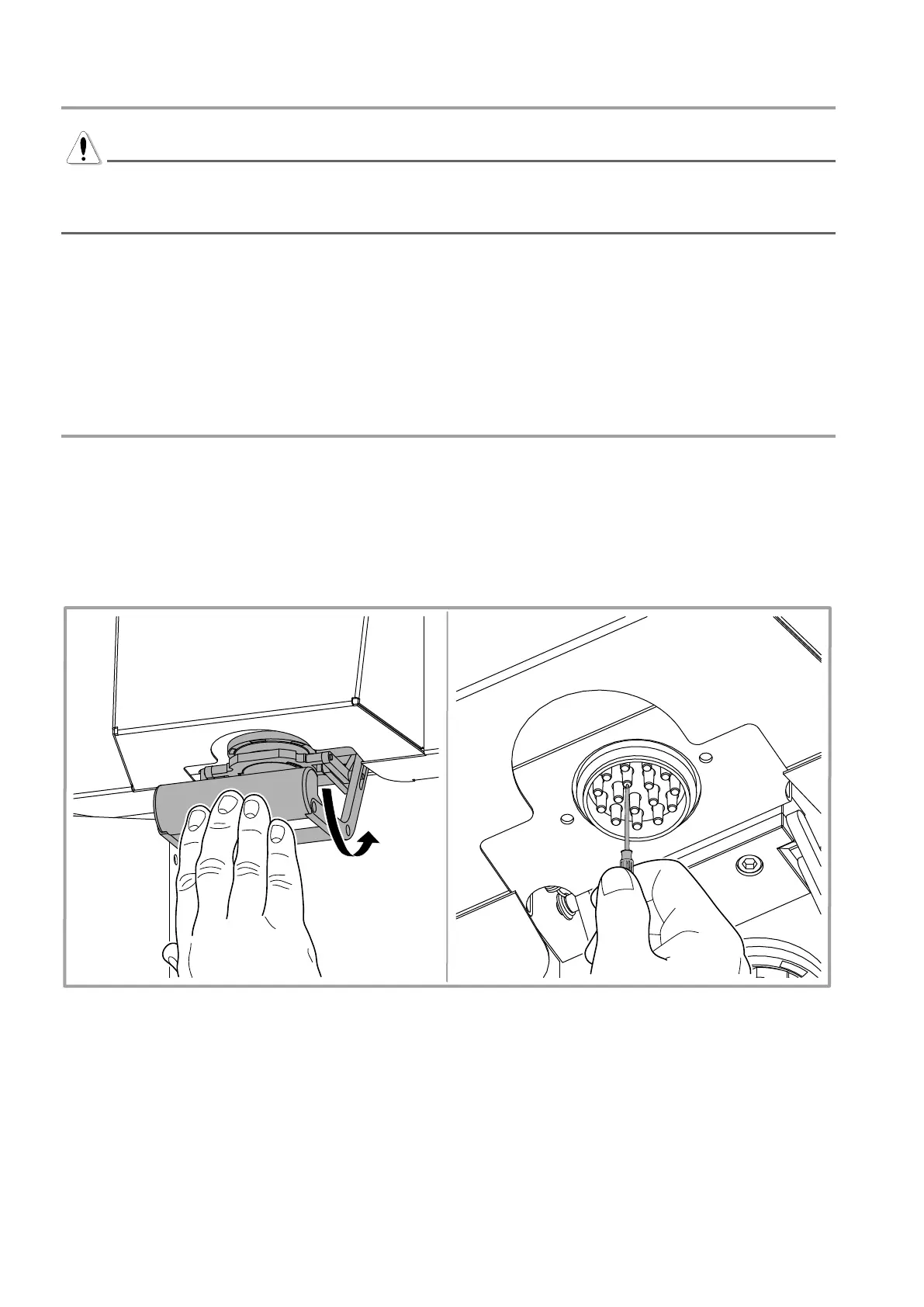
7.5 Cleaning the nozzle center
1. Disconnect power supply (chapter 5.6).
2. Open the cap by pushing the opening bar inward with your hand.
3. Accurately clean the nozzles using a sharp tool; remove any dried colorant residue delicately, to avoid
damaging the ends of the circuits.
4. Bring back the cap in its closed position.
5. Connect power supply and switch on the machine (chapter 5.3).
Figure 14



 To Next Page