52
3.3.4.2 AC and Ground Connection
This section includes instructions to connect the AC conductors to the
inverter and grounding options.
Table 3-10 Tools Required for Cable Termination
#3 Phillips head screwdriver
Diagonal pliers or cable cutters
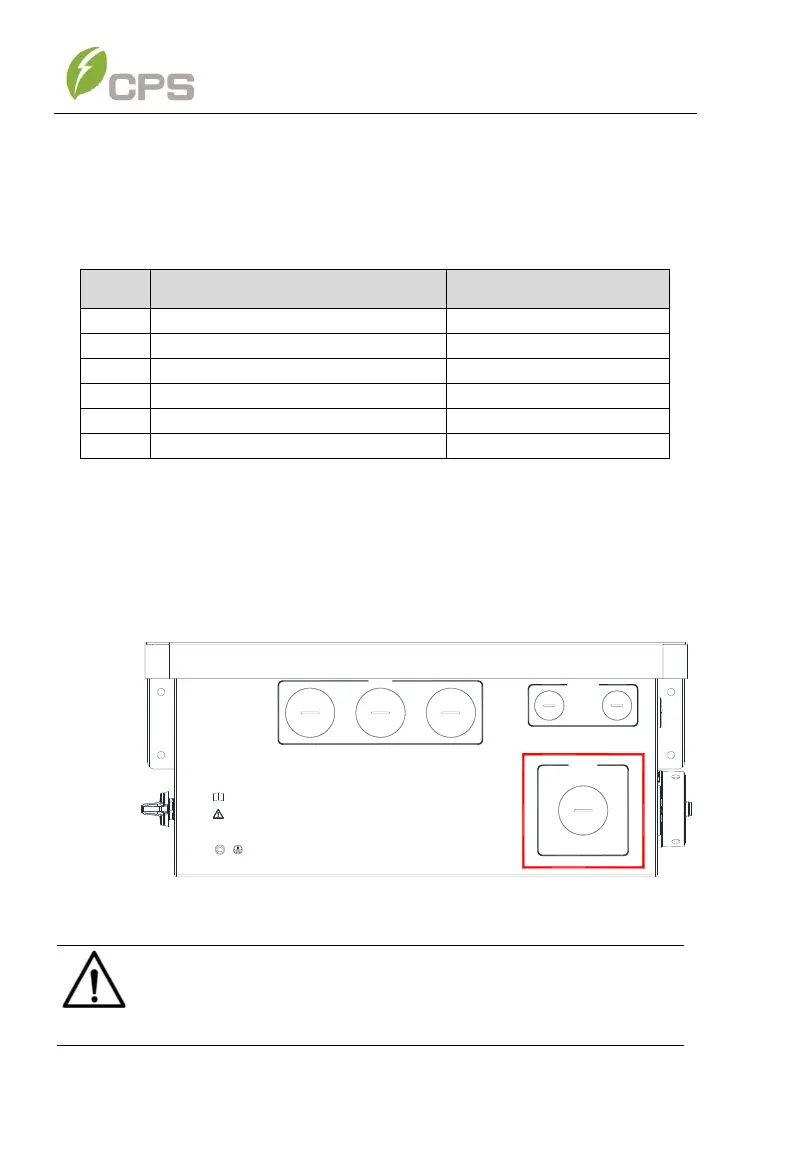
1. Using the 1-1/2 inch openings. Remove the liquid-tight hole plug
from the right side or bottom of the AC input portion of the wiring box
to install 1-1/2 inch Trade Size conduit and conduit fittings into the
hole. Then route the cables through the conduit inside the wiring box.
DC INPUT
COMM. PORT
For more details please see the user manual.
WARNING:
High touch current .
Earth connection essential before connecting supply.
AC OUTPUT
Figure 3-266 AC Input connection
NOTICE:
Terminate the Ground cable prior to terminating the AC cables.



 To Next Page