©2016 Cradlepoint. All Rights Reserved. | +1.855.813.3385 | cradlepoint.com
19
User Manual / AER2100
4/19/16
FAILBACK
connection to its network.
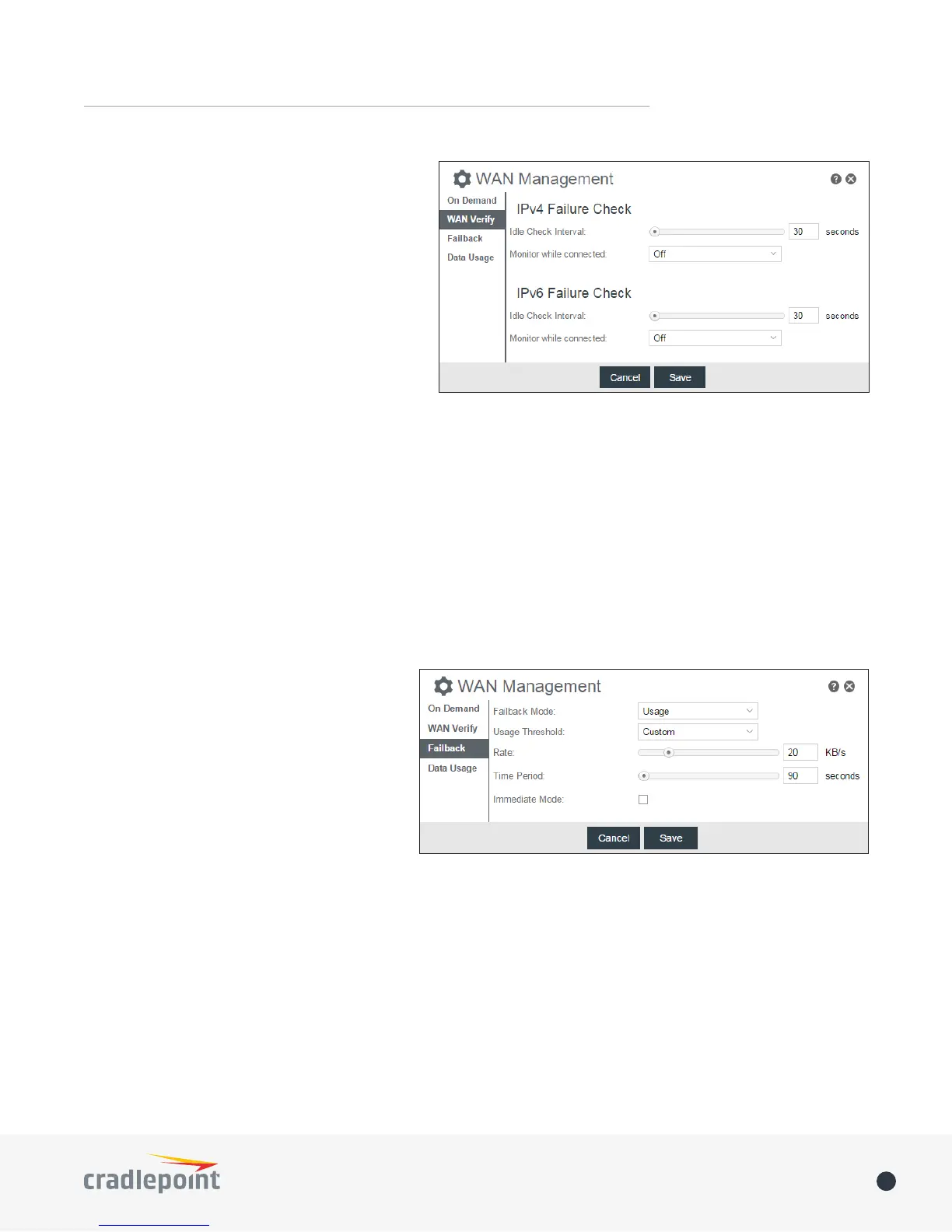
Select the Failback Mode from the following
options:
• Usage
• Time
• Disabled
Usage Threshold: Fail back based on the amount
of data passed over time. This is a good setting
coverage. If the router has failed over to EVDO it
be made.
• High (Rate: 80 KB/s. Time Period: 30 seconds.)
• Normal (Rate: 20 KB/s. Time Period: 90 seconds.)
• Low (Rate: 10 KB/s. Time Period: 240 seconds.)
• Custom (Rate range: 1-100 KB/s. Time Period range: 10-300 seconds.)
Time
(in case the connection is dropping in and out, for example).
When this data is detected, the data will be
sent and the router will check for received
data for two seconds. If no data is received the
router behaves as described below under Active
DNS.
• Active DNS
sent to the DNS servers. If no data is received,
the DNS request will be retried four times at
the second two requests will be directed at
received, the device will be disconnected and
failover will occur.
• Active Ping: A ping request will be sent to the Ping Target. If no data is received, the ping request will be retried
occur. When “Active Ping” is selected, the next line gives an estimate of data usage in this form: “Active Ping
could use as much as 9.3 MB of data per month.” This amount depends on the Idle Check Interval.
• O














 To Next Page