©2016 Cradlepoint. All Rights Reserved. | +1.855.813.3385 | cradlepoint.com
31
User Manual / AER2100
4/19/16
streams need consistent throughput.
Enabled: Whether the network is available.
Security Mode
• WPA2 Personal
• WPA / WPA2 Personal
• WPA Personal
• WPA2 Enterprise
• WPA / WPA2 Enterprise
• WPA Enterprise
• WEP Auto
• Open
(Cradlepoint recommends WPA2).
• “Personal
• “EnterpriseIP, Port, and
Shared Key
• “WPA2” (Personal or Enterprise) forces AES as the WPA Cipher.
• “WPA/WPA2” and “WPA” (Personal or Enterprise) allow AES, TKIP/AES, and TKIP.
• “WEP Auto
• “Open
NOTE
need to know RADIUS authentication for Enterprise.
WPA2/AES
support it. WEP and WPA/TKIP are obsolete and have
settings will cause the WiFi to limit to 802.11g modes.
NOTE
can use the reset buttons to reset the router to its
instead.
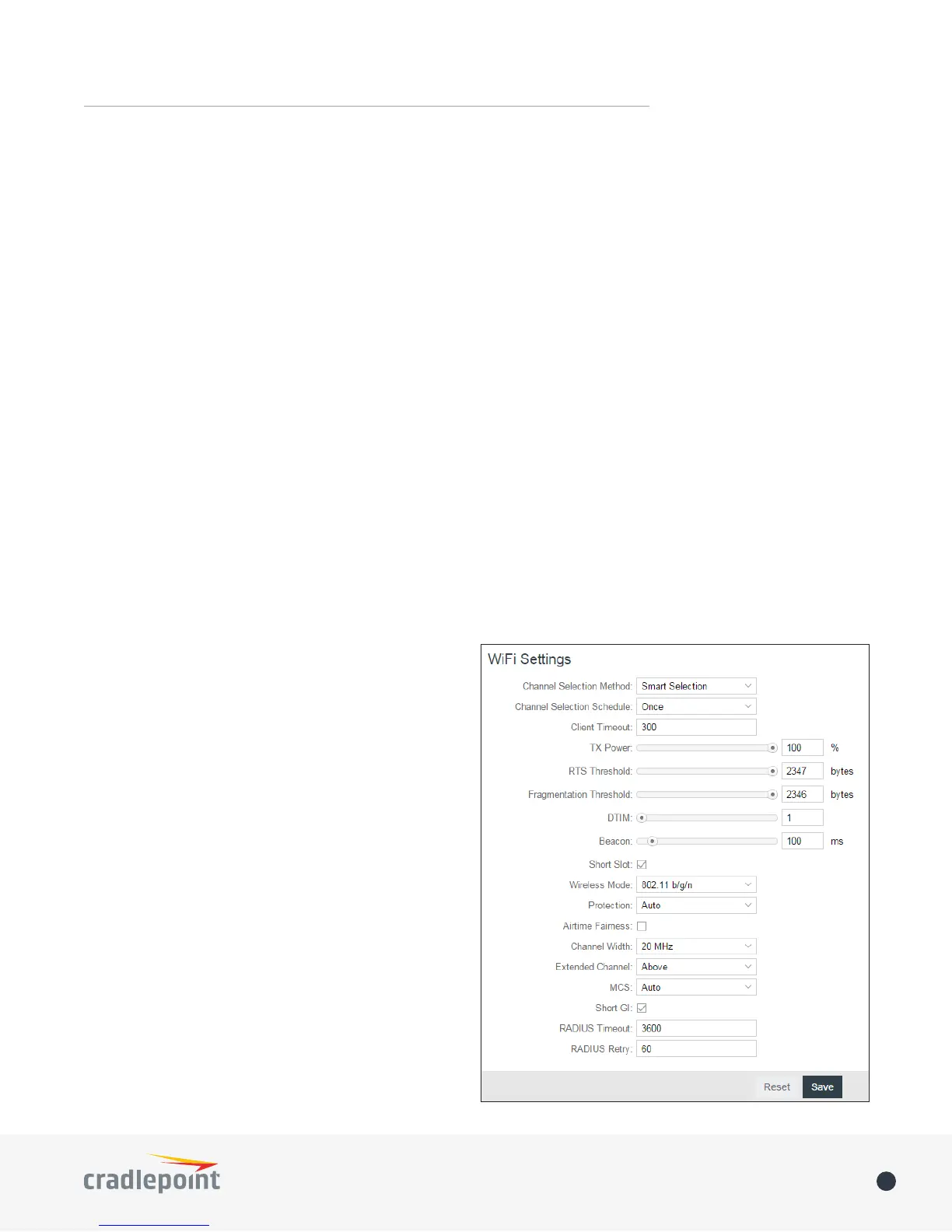
WiFi Radio #1 (2.4GHz) or
WiFi Radio #2 (5GHz) from Local Networks
LANs under the WiFi Settings heading.
Channel Selection Method: This controls how a WiFi
channel is selected.
• User Selection
• Random Selection
channel














 To Next Page