©2016 Cradlepoint. All Rights Reserved. | +1.855.813.3385 | cradlepoint.com
35
User Manual / AER2100
4/19/16
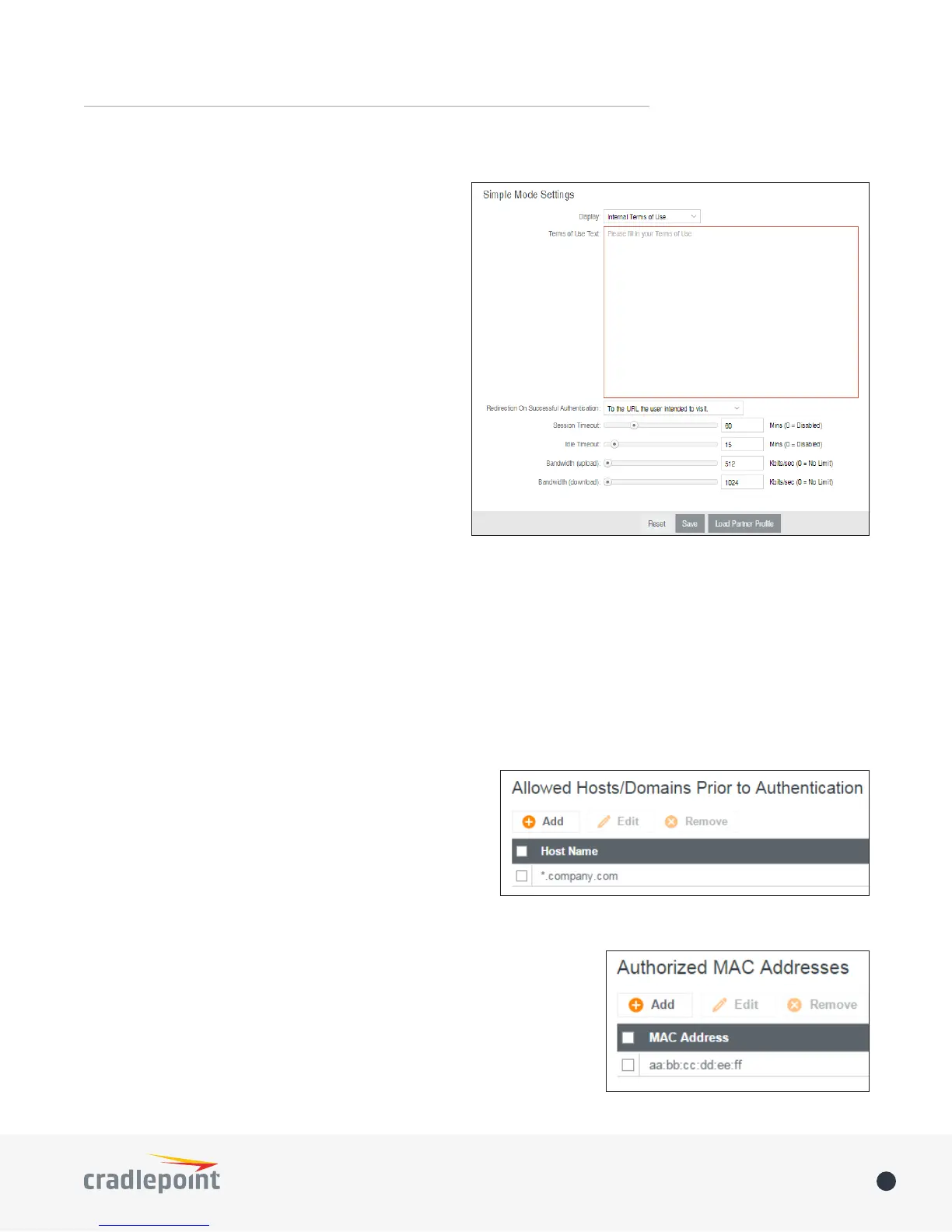
Simple Mode Settings
Display
of Use” page will be given to the user connecting to
the hotspot.
• Internal Terms of Use
use.
• External Terms of Use
directed to this page.
• No Terms of Use. Redirect Only.
Redirection on Successful Authentication: Depending
further options for where the user will be directed.
URL once before continuing on.
• To the URL the user intended to visit
•
Redirect URL
Session Timeout
authenticate again.
Idle Timeout: (Default: 15 minutes.) If the user is idle for this amount of time, make them re-authenticate.
Bandwidth (upload): (Default: 512 Kbits/sec.) The data rate limit for users uploading data through the hotspot.
Bandwidth (download): (Default: 1024 Kbits/sec.) The data rate limit for users downloading data through the
hotspot.
Allowed Hosts/Domains Prior to Authentication
authenticated. For example, a hotel might allow access to
its own website prior to authentication.
Click Add
wish to allow
Click Update
Authorized MAC Addresses
Add the MAC addresses of trusted machines. This gives them automatic
access through the hotspot portal.
Click Add
Click Update














 To Next Page