User Manual
C O PYRIG HT ©2016 C reatComm Technology
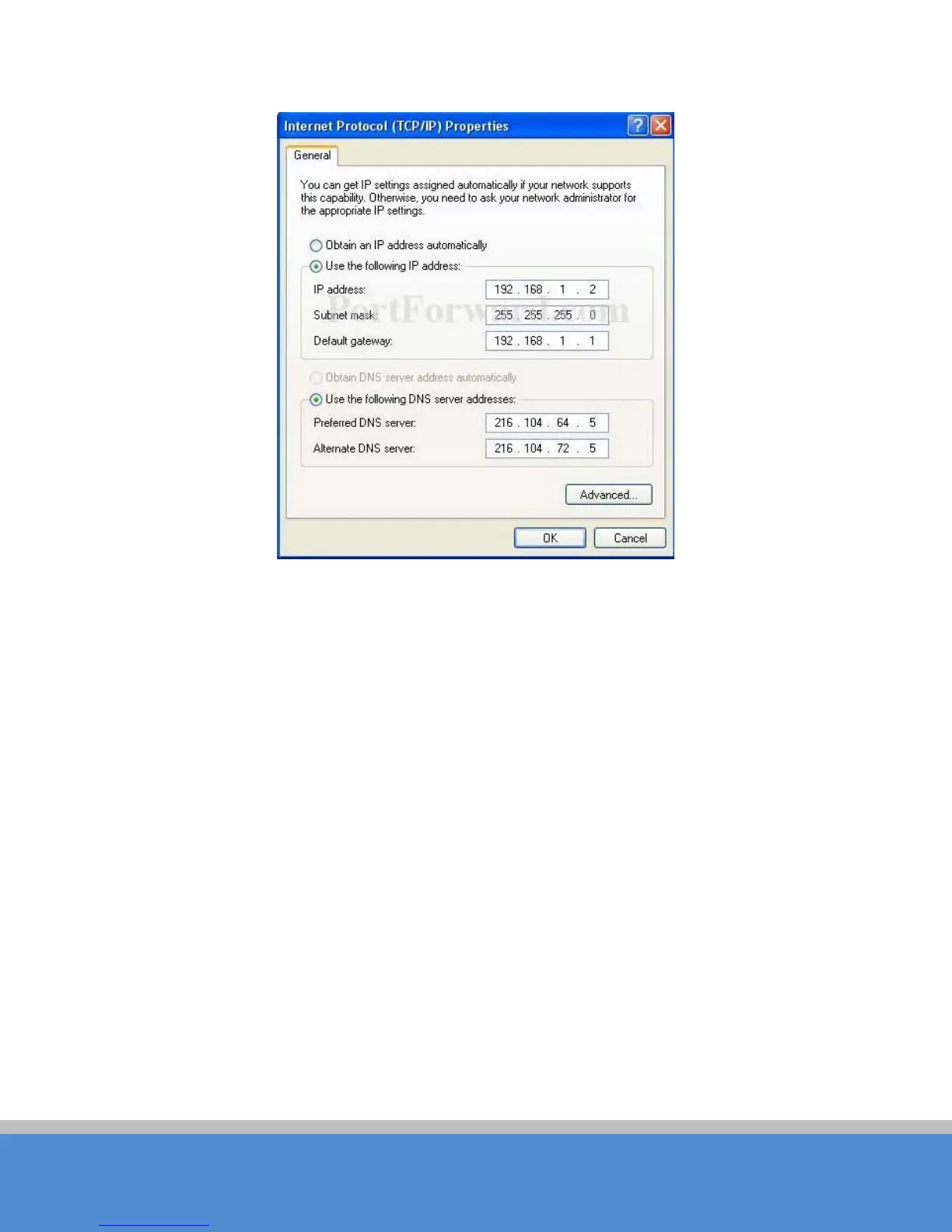
Fig ure 3-2 IP S e tting s
3、As shown in the figure above, IP address should be set to 192.168.1.*, but cannot be
the same as TB2I, here * can be a number between 1-255 (but not 36 or 35) since the
TB2I (T) default IP address is 192.168.1.35, and the TB2I(R) default IP address is
192.168.1.36.
4、Input the default IP 192.168.1.36 or 192.168.1.35 into the address bar of your web
b ro wse r, c lic k Enter.
5、Input the user name and password (default is root/admin), the you can log in to the
web configuration menu of the TB2I device



 To Next Page