User Manual
C O PYRIG HT ©2016 C reatComm Technology
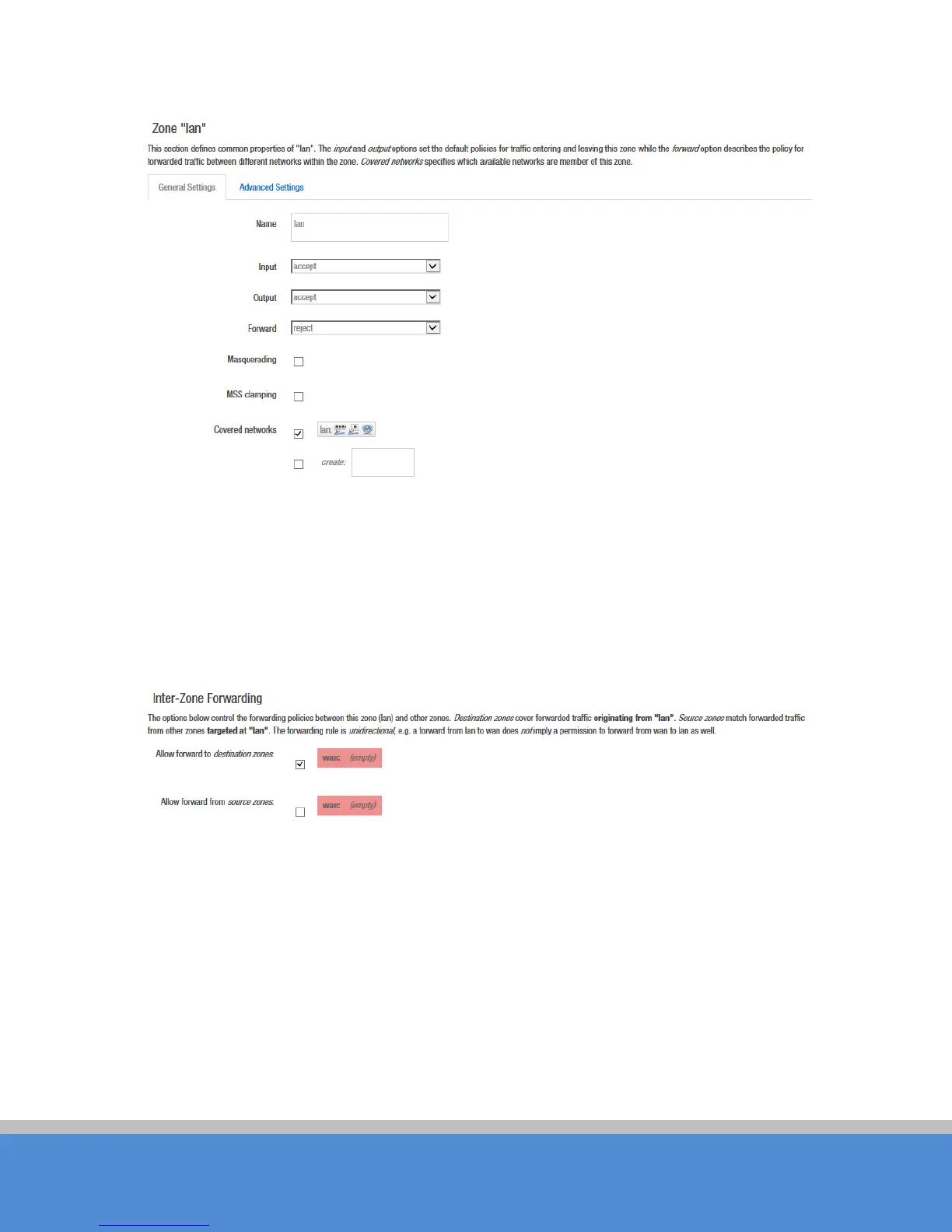
Fig ure 7-27 Zone
The options below control the forwarding policies between this zone (lan) and other zones.
Destination zones
c o ve r fo rward ed traffic o riginating fro m "lan".
Source zones
match
forward ed traffic fro m other zo nes targeted at "lan". The forwarding rule is
unid irec tio nal
,
e.g. a forward from lan to wan does
not
im p ly a p ermiss io n to fo rward fro m wan to lan as
we ll.
Fig ure 7-28 Inte r-Zo ne Fo rward ing
7.4 VLAN
VLANs are often used to separate different network segments. The VLAN function allows
us er to c reate multip le virtual lo c al area n e two rk. A s s ho wn in fig ure , we ad d a VLAN on
port ath0 (wireless network port). The VLAN ID is 10. The range of VLAN ID is 2~4094.
Each VLAN ID represents a different VLAN.



 To Next Page