User Manual
C O PYRIG HT ©2016 C reatComm Technology
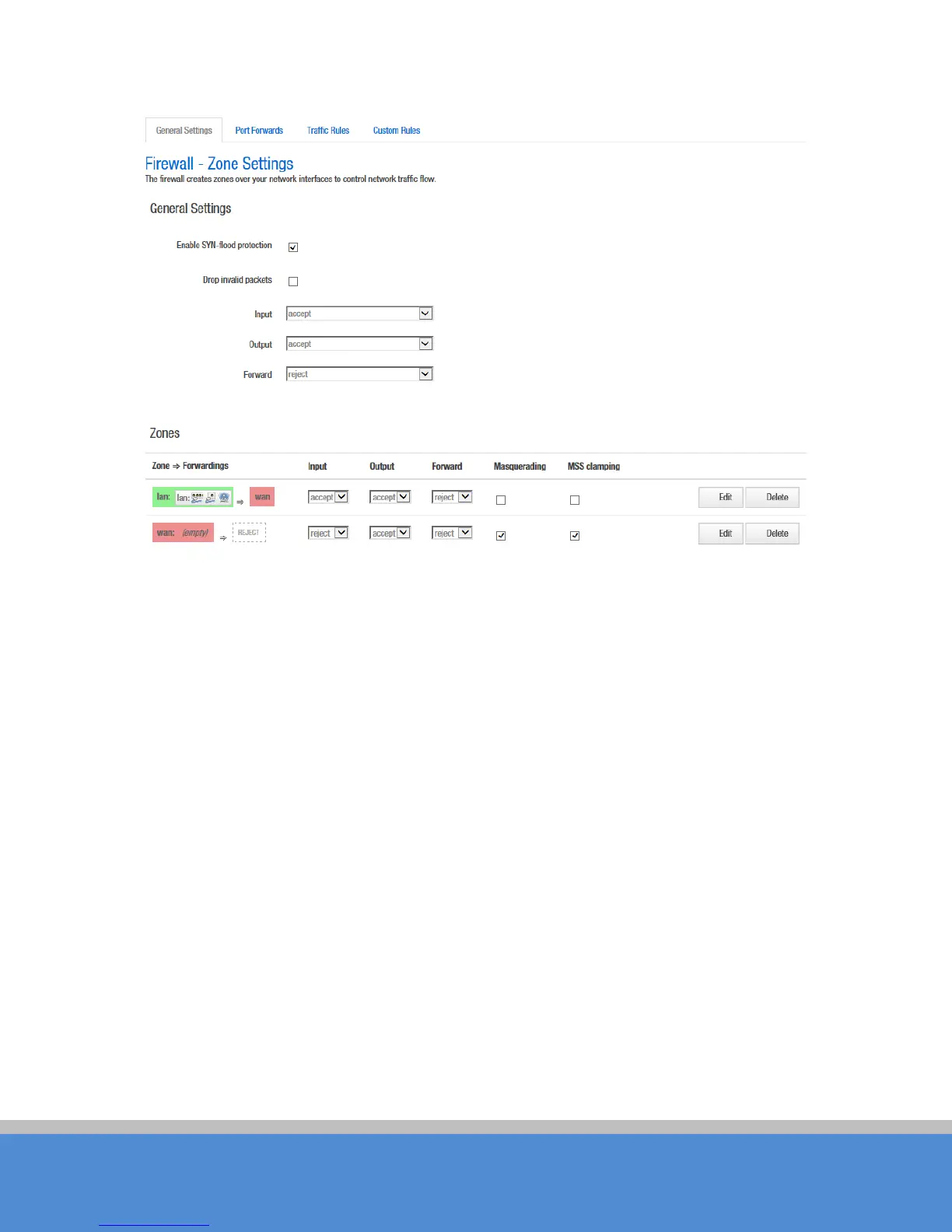
Fig ure 7-26 Fire wa ll
Click "modify" or "add" to define the generic properties of the zone. In the port trigger
section, the forwarding rules for the current area and other areas can be modified.
For example, click on Edit button of LAN zone; as shown below, this section defines
common properties of "lan". The
inp ut
and
output
o p tio n s s e t the d e fault p o lic ie s fo r traffic
entering and leaving this zone while the
forward
option describes the policy for forwarded
traffic between different networks within the zone.
A covered network specifies
which
available networks are member of this zone.



 To Next Page