Modem Installation 2-19
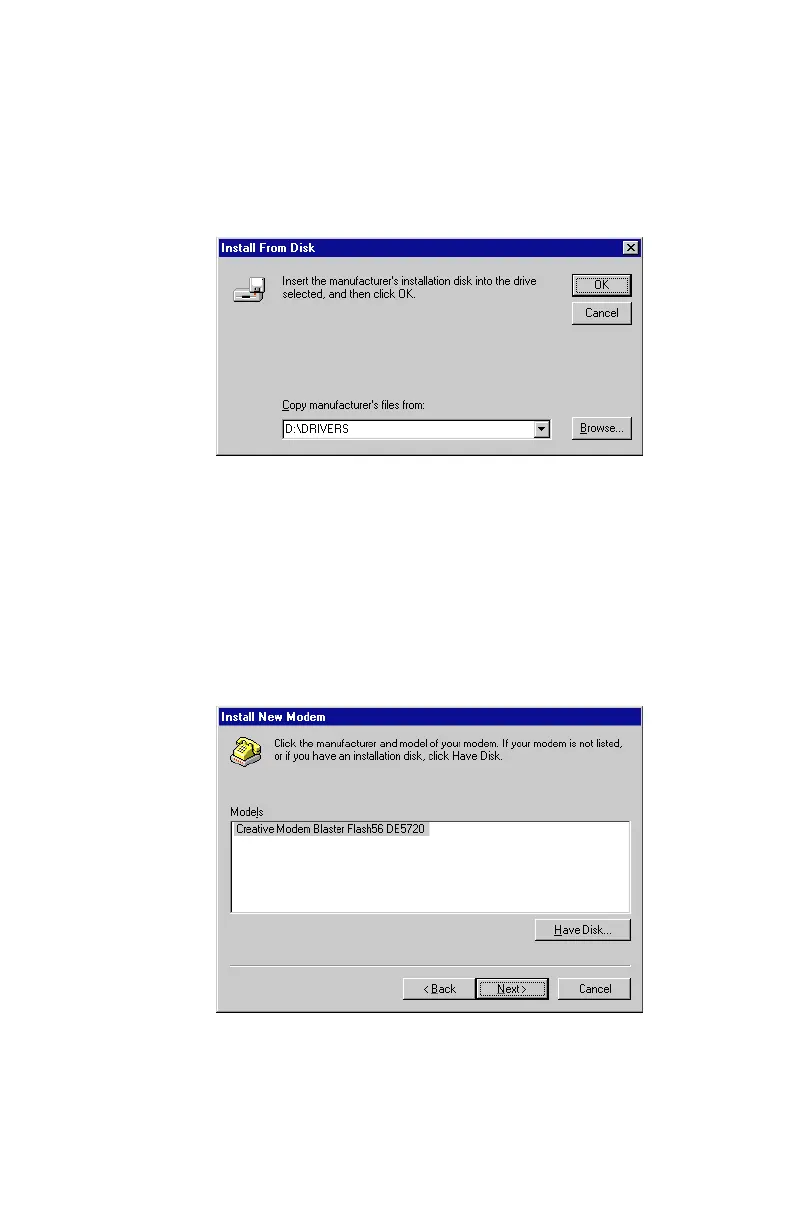
5. The next dialog box, similar to
Figure 2-26
, will appear. Click
on Browse to locate Drivers folder of the
Software and Modem
Installation
CD-ROM, (e.g. D:\Drivers or E:\Drivers). Click
OK to continue.
6. A dialog box similar to
Figure 2-27
appears next, indicating
that the modem driver has been detected. Click on Next to
contiune.
Figure 2-26: Browse to locate the correct modem driver on supplied CD-ROM
Figure 2-27: Your new modem driver is detected













 To Next Page