Crestron Isys
TPS-2000L 5 Inch Lectern/Wall Mount Touchpanel
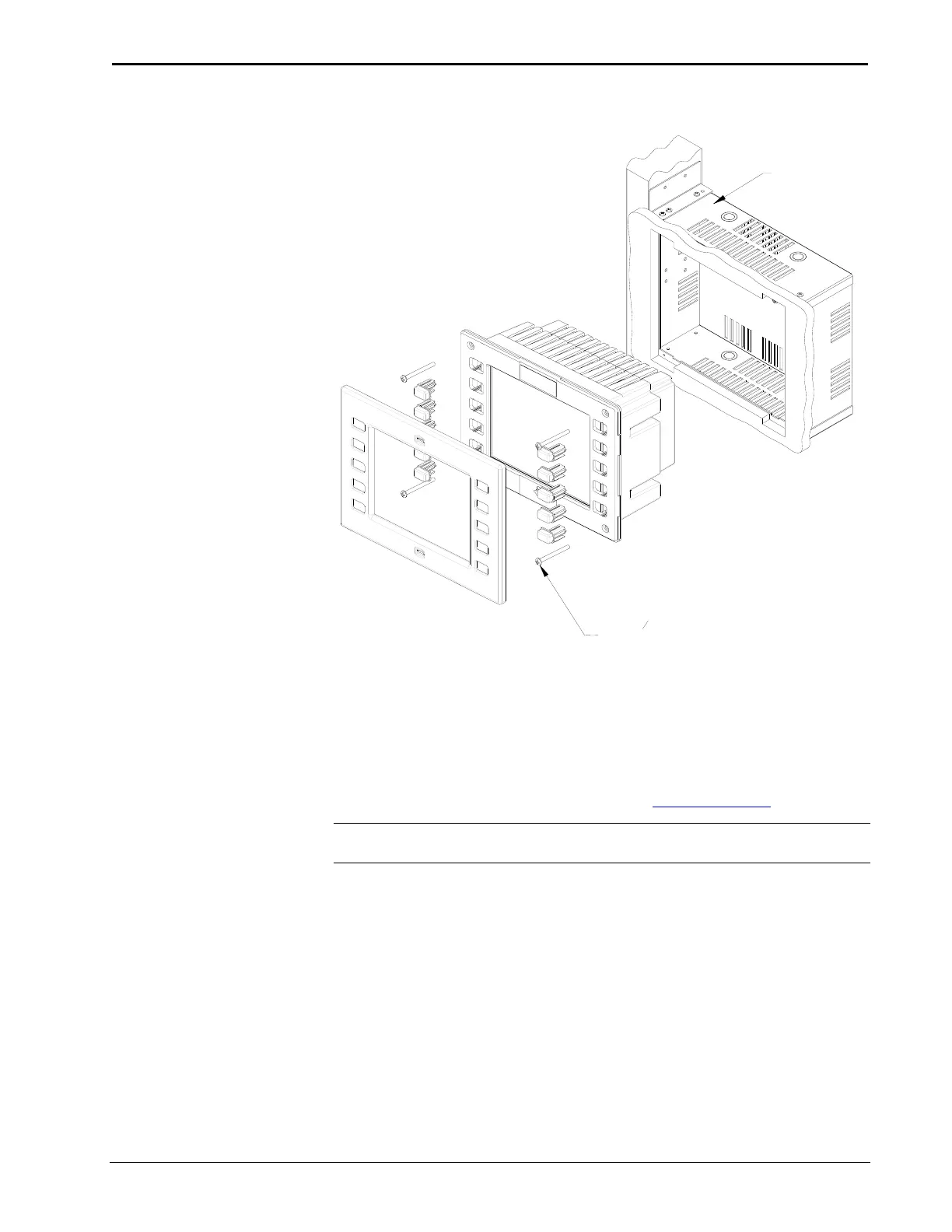
Exploded View for Mounting the TPS-2000L in the Optional BB-2000L Back Box
TPS-2000L
BB-2000L
#6-32 x 1
1
2
" (SR-06-32-1R5000-2)
PAN HEAD SCREW, QTY. 4
SUPPLIED BY CRESTRON
The stylish, elegant design accommodates painting and custom laser engraving of its
faceplate and keys. There are even plastic faceplates that accept metal and non-metal
inlays for that custom contemporary appearance. Call a Crestron customer support
representative for the specific details.
Optional custom engraved keys can be ordered separately by using the Crestron
Engraver Software. Version 2.0.0.9 or later is available from the Downloads |
Software Updates section of the Crestron website (www.crestron.com
).
NOTE: If it is necessary to remove the touchpanel, secure and label the attached
cables before disconnecting them from the back of the touchpanel.
Touchpanel Removal
If it is necessary to remove the touchpanel after it has been installed into a mounting
surface, complete the following steps in the order provided to remove the
touchpanel. The only tool required is a #1 Phillips tip screwdriver.
1. Lift the plastic cover off the touchpanel.
2. Remove the plastic buttons from the touchpanel. If buttons are
engraved, be sure to record button engraving with button location so
that the buttons can be properly returned.
Operations Guide – DOC. 5972A 5 Inch Lectern/Wall Mount Touchpanel: TPS-2000L • 15










 To Next Page