Crestron Isys
TPS-2000L 5 Inch Lectern/Wall Mount Touchpanel
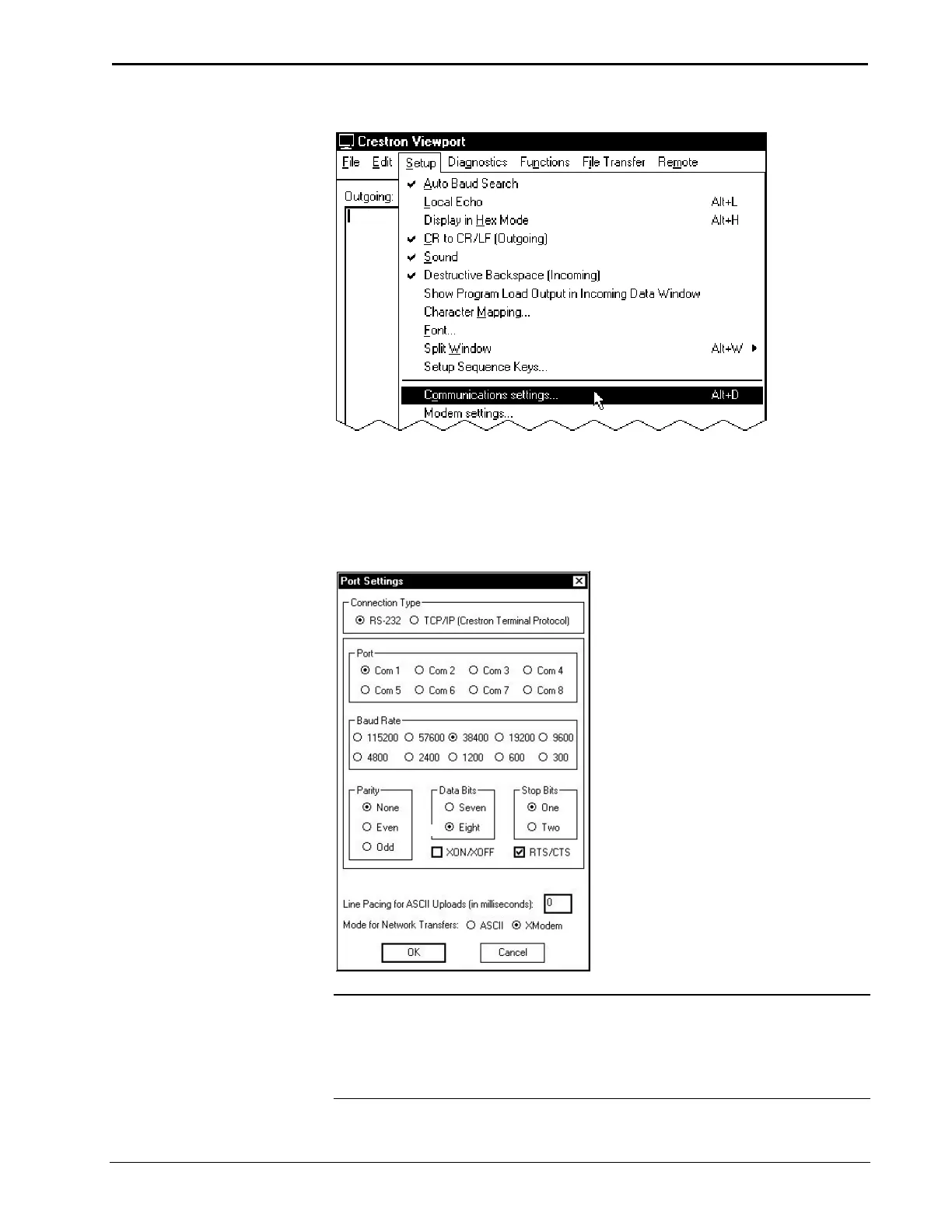
Setup | Communications Settings Command
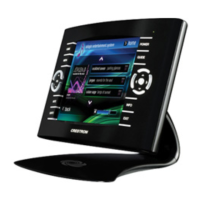
4. Select RS-232 as the connection type. Verify that an available COM port
(COM 1 is shown after this step) is selected, and that all communication
parameters and necessary options from the “Port Settings” window are
selected as shown after this step. Click the OK button to save the settings
and close the window.
“Port Settings” Window
NOTE: The settings shown above represent the optimum RS-232 settings for
loading to all Cresnet devices.
NOTE: Different control systems may require different communication settings.
Refer to each control system’s Operations Guide for proper communication settings.
Operations Guide – DOC. 5972A 5 Inch Lectern/Wall Mount Touchpanel: TPS-2000L • 31










 To Next Page