Crestron Isys
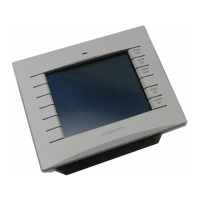
TPS-2000L 5 Inch Lectern/Wall Mount Touchpanel
Specifications for the TPS-2000L Touchpanel (Continued)
SPECIFICATION DETAILS
Video
• Balanced (CAT5) video (via CNX-PVID or
CNX-RMCLV device) or unbalanced
composite video input through 8-position
mini connector (1 V
pp
).
• Built-in time base correction for stable video
and graphics
• Video can be displayed full screen or in a
window
• NTSC and PAL supported
• Adjustments for brightness, contrast, hue
and saturation available
Audio
• Balanced (2.0 V
RMS
) and unbalanced
(1.0 V
RMS
) line level microphone with AGC
output (3x sensitivity) via 8-position
mini connector.
• Balanced (4.0 V
RMS
) (via CNX-BIPAD or
CNX-RMCLV device) & unbalanced (2.0
V
RMS
) line level mono input through 8-
position mini connector.
• Speaker amplification: 2 Watts per channel
• WAV Audio Capacity > 3 minutes
5
Memory
2MB internal flash memory (1.5MB for user display
lists), 8MB of DRAM
Screen Dimensions
5"/12.7 cm diagonal
(2.9 in/7.5 cm High x 4.0 in/10.1 cm Wide)
Screen Viewing Angles
6
: Y Dir. (X=0
o
): +40
o
(from top), -65
o
(from bottom)
X Dir. (Y=0
o
): +65
o
(from right), -65
o
(from left)
Screen Resolution 320 x 234 pixels
Color 16 Bit non-palette graphics, 65,536 colors
Display Type Touch-sensitive active matrix color LCD
Enclosure
Plastic enclosure with injection-molded plastic
faceplate and keys in white.
CPU
63MIPs Coldfire processor running Isys generation
firmware
Cresnet Via 4-position mini-Cresnet connector
Operating Temperature
and Humidity
41º to 113º F (5º to 45º C),
10 to 90% Relative Humidity (non-condensing)
Dimensions and Weight
(with faceplate)
Height: 4.77 in (12.10cm)
Width: 6.73 in (17.10 cm)
Depth: 3.43 in (8.71 cm)
Weight: 1.41 lb (0.64 kg)
Programmable
Pushbuttons
10 with fixed join numbers. Join numbers are 1 to
5 (top to bottom) on the left side and 6 to 10 (top
to bottom) on the right side, regardless of screen
orientation. Custom engraved buttons can be
ordered separately from Crestron.
1. The latest versions can be obtained from the Downloads | Software Updates section of the Crestron
website (www.crestron.com)
. Refer to NOTE after last footnote.
Operations Guide – DOC. 5972A 5 Inch Lectern/Wall Mount Touchpanel: TPS-2000L • 3










 To Next Page